
$37.90
Free delivery · 7–14 days
Kitchen Cord Wrapper: One-Handed Appliance Cord Winder


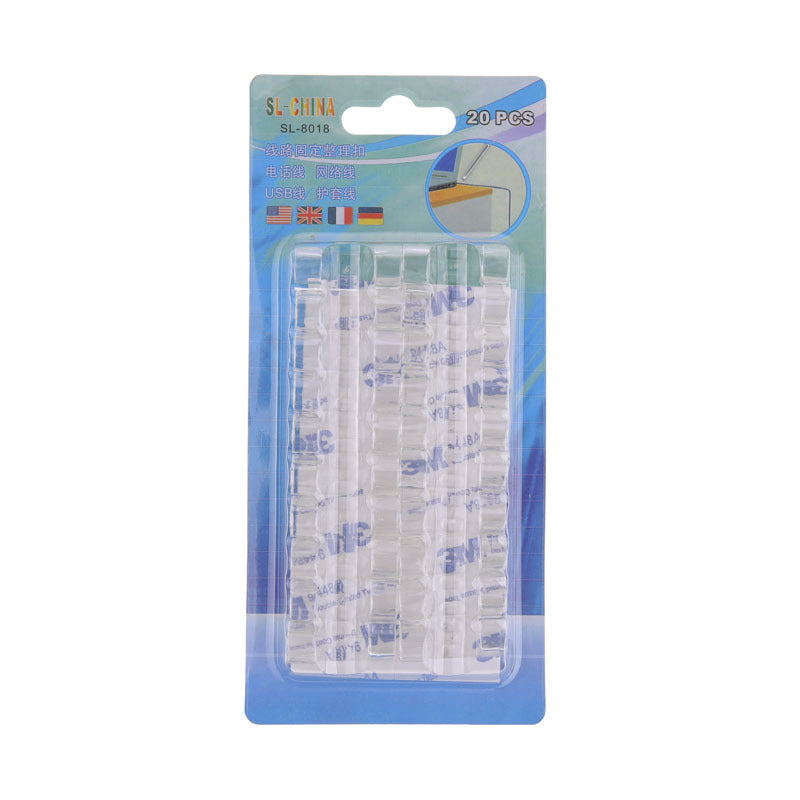
Cables stay exactly where you route them. These self-adhesive clips stick to a desk edge with no drilling and hold USB, Lightning and earphone cables in a snap-in channel.
Read the full descriptionCables stay exactly where you route them. These self-adhesive clips stick to a desk edge with no drilling and hold USB, Lightning and earphone cables in a snap-in channel.
Punch-free self-adhesive cable clips that tidy desk and charger cables without drilling
Cables sliding off the desk edge and snarling under your monitor every day. Now they snap into place and stay routed, with nothing drilled.

The self-adhesive backing mounts to the desk edge with no drilling and no tools. The snap-in channel holds USB, Lightning and earphone cables, so a charger stops sliding to the floor.

Place a clip at each turn and the cable run stays along the desk edge and behind the screen. Nothing dangles, nothing knots.

Clear, white, black, blush pink, sage green and powder blue. Pick the one that disappears into your desk or the one that shows off.
Wipe the desk edge with a dry cloth and let it dry.
Lift the protective film and press the clip on firmly.
Slide the cable into the channel until it clicks.
Add a clip at each turn behind the monitor.
| Punch-free clips | Drill-in grommets | Loose ties | |
|---|---|---|---|
| No drilling | Yes | No | Yes |
| Rental friendly | Yes | No | Yes |
| Holds cable along the edge | Yes | Yes | Partial |
| Repositionable | Yes | No | Partial |
| Tools needed | No | Yes | No |
Handle it gently and reposition slowly. Wiping the spot afterwards removes most adhesive traces. Test on a hidden corner first if the finish is delicate.
It is meant for smooth, flat surfaces. Wipe the spot with a dry cloth, let it dry fully, then press the clip firmly. Textured or dusty surfaces weaken the bond.
It suits USB, Lightning and earphone cables best. For thicker chargers, press the cable fully into the channel and add a clip every few centimeters so the weight is shared.
Yes. There are no screws or holes, so nothing is drilled into furniture or walls.
It is lightweight, budget-friendly plastic made for light cables. At this price, a few spare clips cost far less than a drilled-in grommet or a replacement desk edge.
Wipe it clean with a dry cloth, let it dry, press the clip on, and give the adhesive a few minutes to settle before loading a cable.


 Punch-Free Self-Adhesive Desk Cable Clips for Tidy Setups