
$109.90
Free delivery · 7–14 days
Window Projector Christmas Lights with 12 Movie Slides


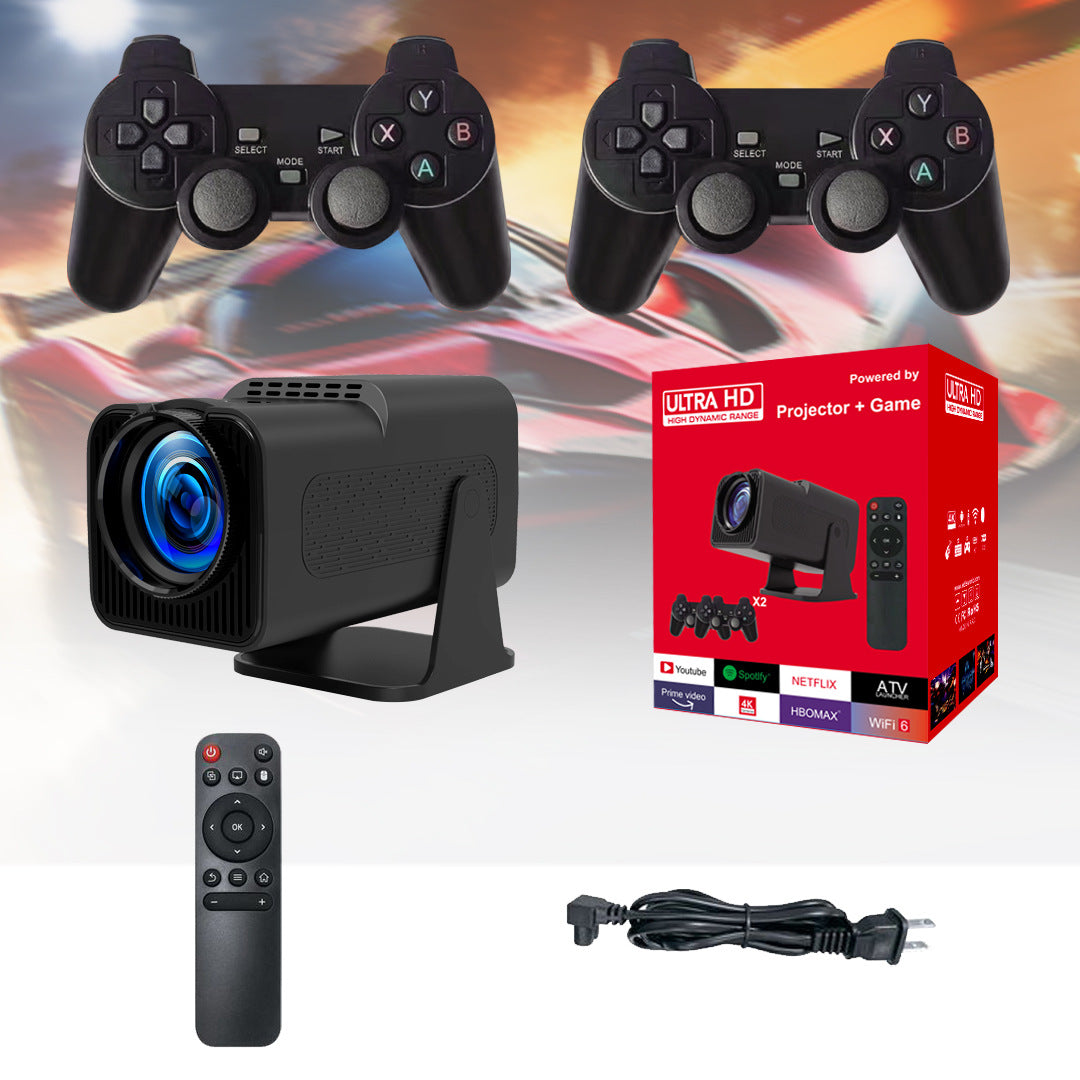
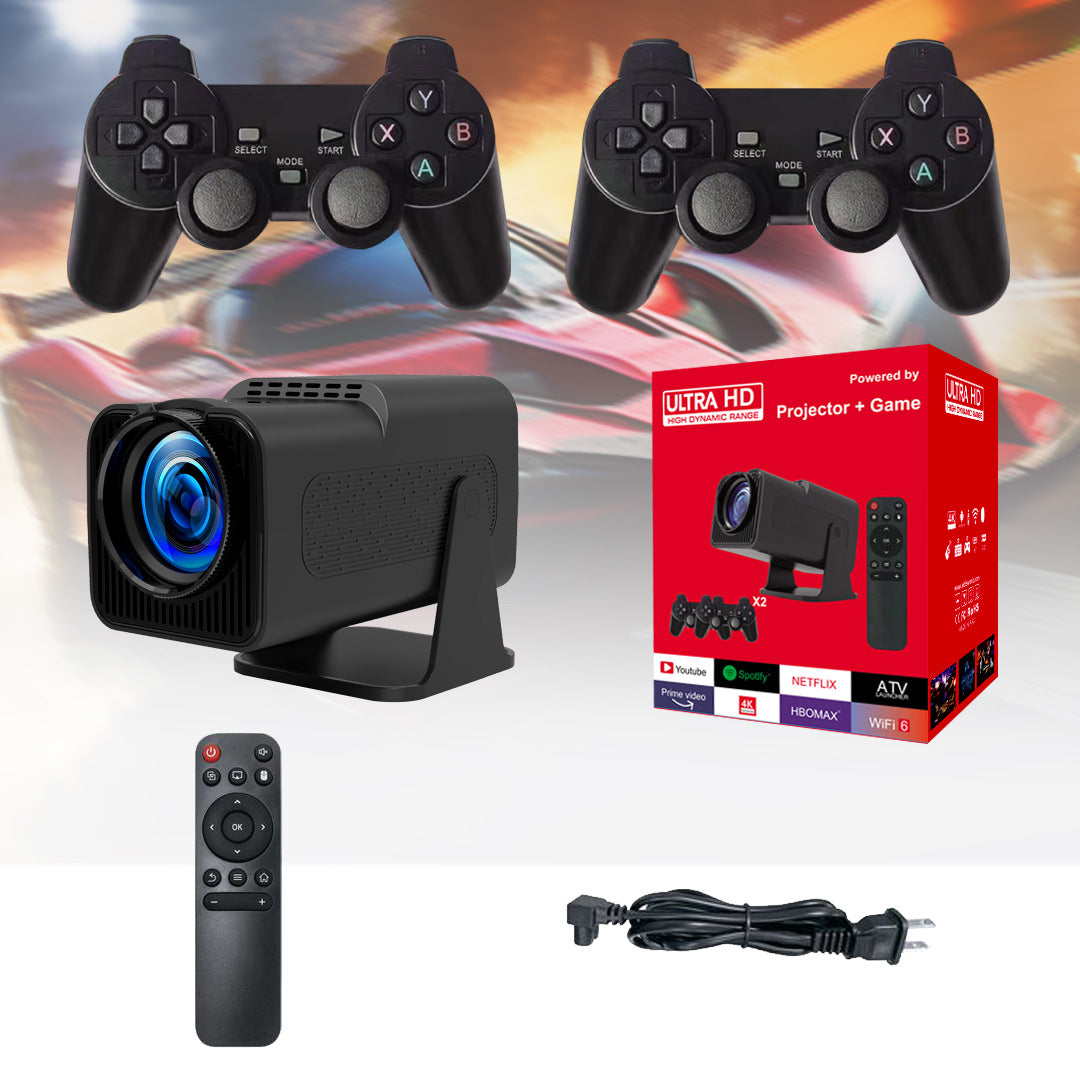


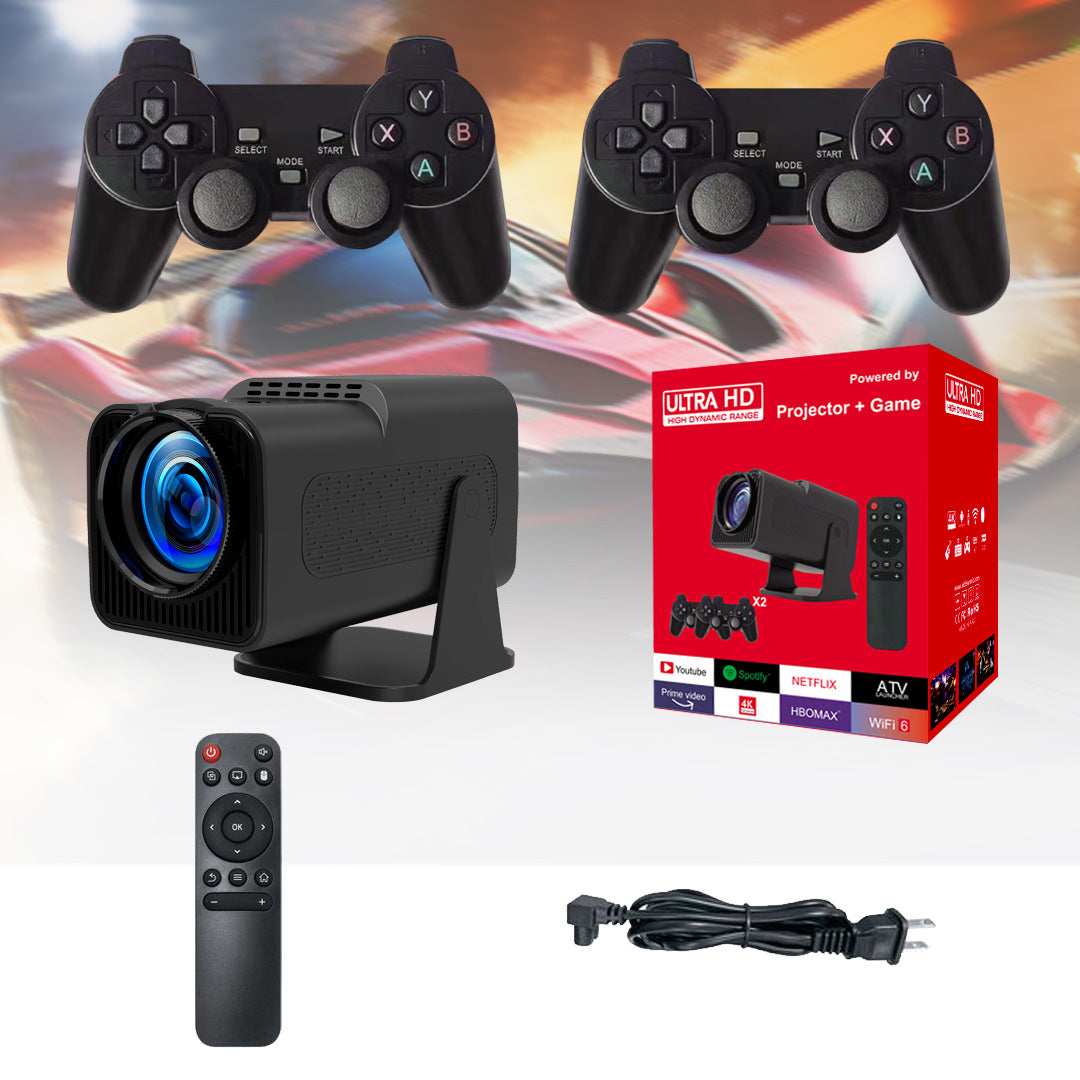
One projector that turns any blank wall into a movie screen and a retro game arcade. Two wireless gamepads and a 180° tilt base mean game night starts the moment the lights go down, with no cable tangle and no fixed setup.
Read the full descriptionOne projector that turns any blank wall into a movie screen and a retro game arcade. Two wireless gamepads and a 180° tilt base mean game night starts the moment the lights go down, with no cable tangle and no fixed setup.
All-in-one 4K-ready smart projector that doubles as a retro game console with two wireless controllers
Stop fighting over a tiny TV. Project a big screen on any wall, stream your favorite apps, and grab a controller for a retro game night.

The base rotates 180 degrees, so the lens can aim at a wall, a ceiling or a fence. You do not need a bracket or a fixed spot. Set it on a table, tilt it, and the picture lands where you want it.

Two 2.4G gamepads connect through a USB receiver, so nothing runs across the floor. Both controllers are black, textured and easy to grip. Plug in the dongle and the room is ready to play.

The microSD card holds the game library, and the IR remote covers power, home, back, OK and volume. Everything you need to start is in the box, so you can skip the shopping trip and start the game tonight.
Set the projector on a stable table about a few steps from a blank wall. Tilt the base until the image lands where you want it, then adjust focus.
Connect the power cable and plug the USB wireless receiver into the projector. Keep the dongle in a spot where the gamepads can reach it.
Switch on the two 2.4G gamepads and they link to the receiver. Test the controls with the remote menu before you start a game.
Insert the included microSD card into the side slot. Dim the room, pick a retro game and start the first round.
Matte black body with blue lens
IR, with power, home, back, OK and volume
Black textured 2.4G controllers
Links both gamepads to the projector
32GB game storage
US plug
Smart Projector manual

Game night starts with someone carrying the chair closer to the TV. Then the controller cable catches on the rug, and the kids argue about who gets the good seat. The screen is the problem, and it has been the problem for years.

Point the projector at a bare wall and the wall becomes the screen. Stream your apps with the remote, or load a retro title from the microSD card. One video game projector covers the movie, the streaming and the arcade in one place.

Two gamepads are already paired through the USB receiver. Dim the room, start the race, and the whole family is leaning toward the same big picture. Nobody is asking to switch seats.
Plug in the power cable, angle the tilt base and adjust focus. Dim the room for the sharpest picture on your wall.
Plug in the USB receiver, pair both gamepads and run your first retro game. Most people find the controls quick to get used to.
Streaming, games and movie nights start to replace a second TV for many households. Results depend on your room and Wi-Fi.
The box says 4K-ready and Full HD 1080P. Expect a sharp, clean picture at 1080P. It is not cinema-grade 4K detail, but on a wall-sized image it is more than enough for movies and retro games.
Projectors lose contrast in strong light. Close the curtains and dim the lamps, and the picture holds up well. In a bright, sunlit room the image looks washed out.
The 32GB microSD card is included and holds the game library. Games run from the card, so check that the library loads before your first game night.
Yes, after dark. Set it on a stable table, aim it at a fence or a pale wall, and run it from power. Keep it dry and out of rain.
Yes. Streaming apps need a Wi-Fi connection, and the box lists WiFi 6. The gamepads use their own 2.4G link through the USB receiver, so local games do not need the internet.
A second TV, a console, a streaming box and a set of controllers add up quickly, and each one needs its own cable and its own corner. This is one box with two controllers, a remote and a game library, and it packs away when game night is over.


 Portable Projector with Retro Game Console & Gamepads