
$59.90
Free delivery · 7–14 days
USB-C Wireless Mouse for Laptops, 2.4G Plug-and-Play


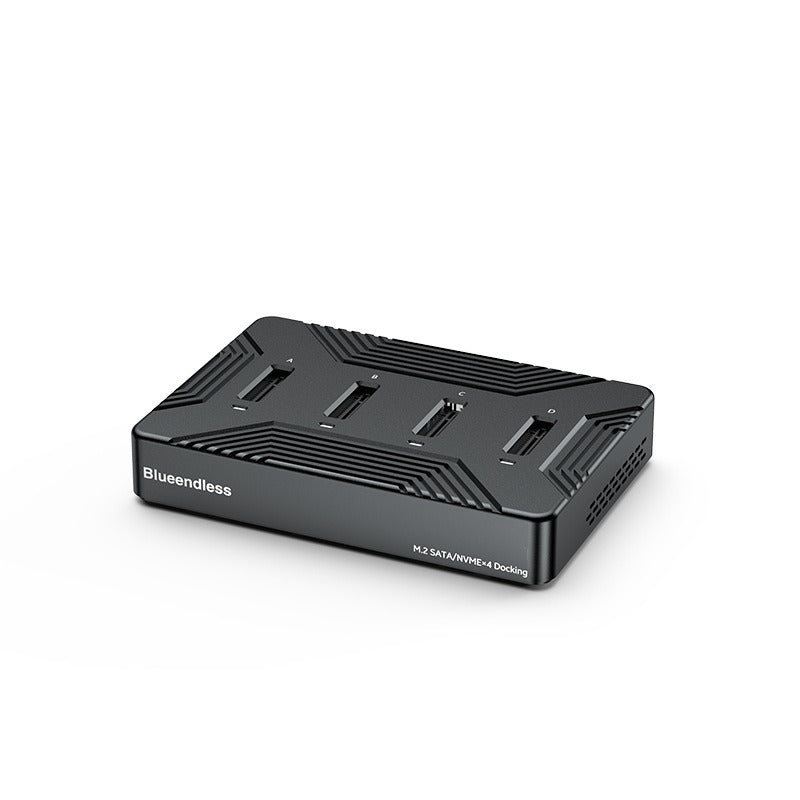
Four M.2 drives, one dock. Seat SATA or NVMe drives in labeled bays, connect over one USB-C cable at 10Gbps, and clone or back up without hunting for adapters. The aluminum body keeps long copy jobs cool.
Read the full descriptionFour M.2 drives, one dock. Seat SATA or NVMe drives in labeled bays, connect over one USB-C cable at 10Gbps, and clone or back up without hunting for adapters. The aluminum body keeps long copy jobs cool.
Four-bay dual-protocol M.2 SATA/NVMe dock with USB 3.2 Gen2 10Gbps speed for fast drive cloning and access
Before: a drawer of adapters and slow copies that run hot. After: four labeled bays, USB 3.2 Gen2 10Gbps, and a cooled aluminum body that keeps long jobs on track.
Slots A to D take M.2 SATA and NVMe drives in one dock, so the adapter drawer can go. Seat the drive, close the bay, and the dock handles the protocol. You can keep an old SATA drive and a fast NVMe drive plugged in at the same time for a side-by-side copy.
The USB-C port runs at 10Gbps over USB 3.2 Gen2. In our benchmark, a drive connected through the dock read at about 1052 MB/s and wrote at about 1015 MB/s, and a 1GB file copied in about one second. Your numbers depend on your PC, cable and drive, but the dock is built to keep up.
The shell is solid aluminum with ribbed heat-sink grooves and ventilation holes. The metal pulls heat away from the drives during long clones, and the 12V 3A power supply keeps the dock running at full load for the whole job.
Slide an M.2 SATA or NVMe drive into any bay from A to D until it sits flush.
Plug the USB-C cable into the dock and into a USB 3.2 Gen2 port on your computer.
Plug in the 12V 3A adapter, then flip the ON/OFF switch. The blue LED lights up when the link is live.
Check that your system lists the drive before you start a large clone or copy.
Aluminum body with four labeled M.2 bays
Runs the dock at full load
Carries the 10Gbps USB 3.2 Gen2 link

Every clone starts with a search. The right adapter for an NVMe drive is never the one for the SATA drive, and the spare you need is always in the bottom of the drawer. By the time the drive is seated, the job has already lost ten minutes.

Slots A to D accept M.2 SATA or NVMe drives in the same housing. Drop the old drive in bay A, the new one in bay B, and run your cloning tool over a single USB-C cable. No second adapter, no second cable, no guessing which slot the drive belongs in.

The body is solid aluminum with ribbed heat-sink grooves and ventilation holes, so the metal does the cooling work while the drives copy. In our benchmark through the dock, a drive read at about 1052 MB/s and wrote at about 1015 MB/s, and a 1GB file moved in about one second.
Sits beside a laptop on a desk and takes up little space
| This dock | Single-bay USB adapter | |
|---|---|---|
| Drive bays | 4 labeled bays | 1 bay |
| SATA and NVMe M.2 in one unit | — | |
| Integrated aluminum heat sink | — | |
| Tool-free horizontal and vertical stand | — | |
| Blue LED status indicator | — |
Yes. The four bays take M.2 SATA and M.2 NVMe drives in the same housing, so you do not need a separate adapter for each protocol.
The dock is listed as universal for M.2 SATA and M.2 NVMe drives. Check that your drive's key and length match the M.2 standard before you buy, because bay fit follows that standard.
The USB-C port runs at 10Gbps over USB 3.2 Gen2, so you need a USB 3.2 Gen2 port and a cable rated for 10Gbps. In our benchmark a drive read at about 1052 MB/s through the dock. A USB 2.0 port will cap the speed far lower.
The aluminum shell is built as a heat sink, with ribbed grooves and ventilation holes. The metal draws heat off the drives during long clones, which is the reason the body is metal instead of plastic.
A single-bay adapter handles one drive and often one protocol. This dock replaces a drawer of adapters with one aluminum unit and one cable, and the premium materials are what give it the heat sink and the stable 12V 3A power for full-load jobs.


 M.2 NVMe SATA SSD Dock for 4 Drives, USB 3.2 10Gbps