
$54.90
Free delivery · 7–14 days
Replacement Headphone Cable for Bose QC25 QC35 with Mic

Your audience hears a clean, lively voice from the first minute. The F998Pro cuts fan hum and keyboard clatter with a knob, adds voice effects and fires off applause with a tap. It sits between your mic and PC, so the desk stays simple.
Read the full descriptionYour audience hears a clean, lively voice from the first minute. The F998Pro cuts fan hum and keyboard clatter with a knob, adds voice effects and fires off applause with a tap. It sits between your mic and PC, so the desk stays simple.
All-in-one live sound card with built-in sound effects, voice changer and noise reduction for streaming and recording
Stop fighting background hum and flat vocals mid-stream. Turn a few knobs and go live with a clean, lively voice that holds your audience.

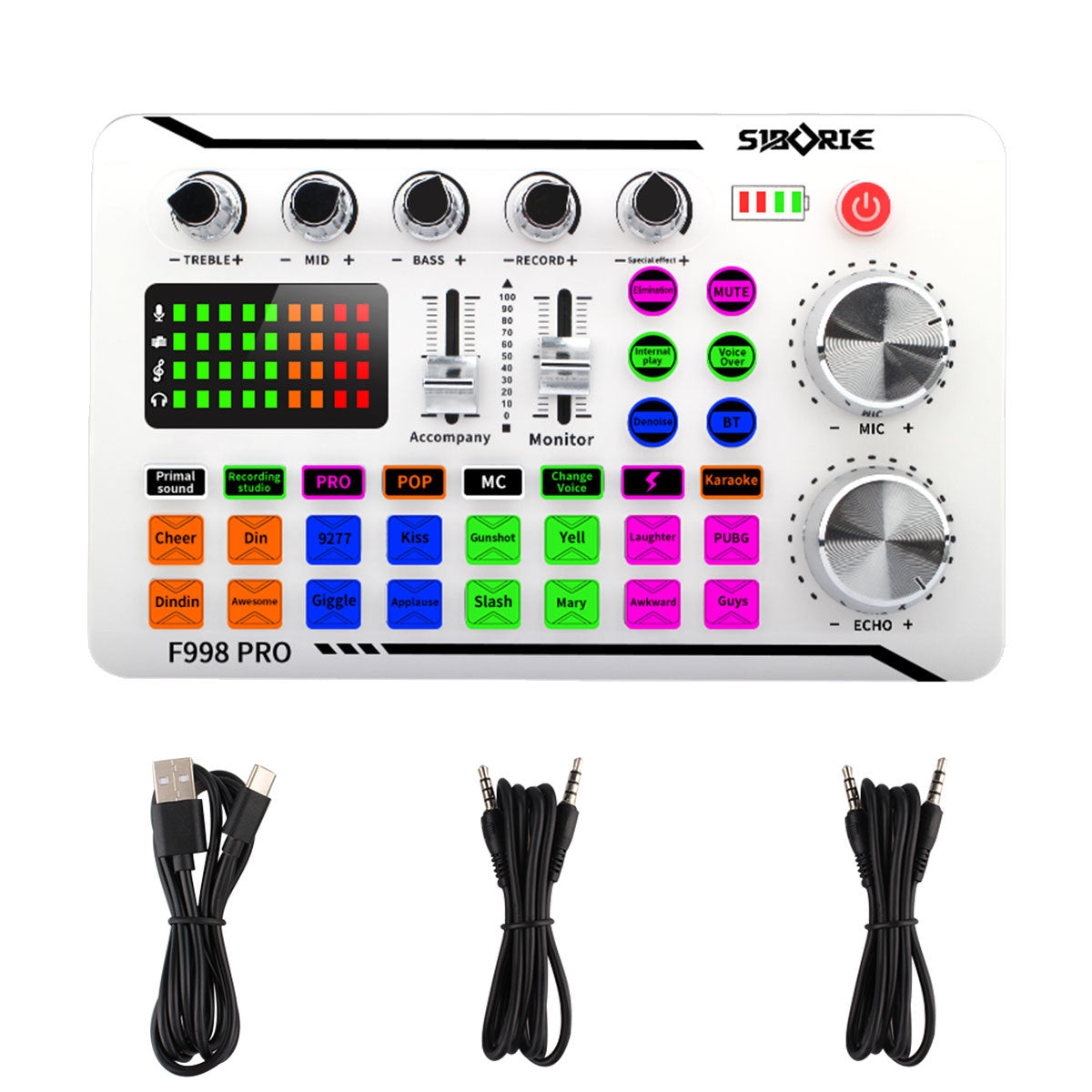
The denoise button and the treble, mid and bass knobs shape your mic signal on the card itself. Room noise drops and your voice sits clearly in the mix. Start denoise low and raise it until the hum fades, and your voice still sounds like you.

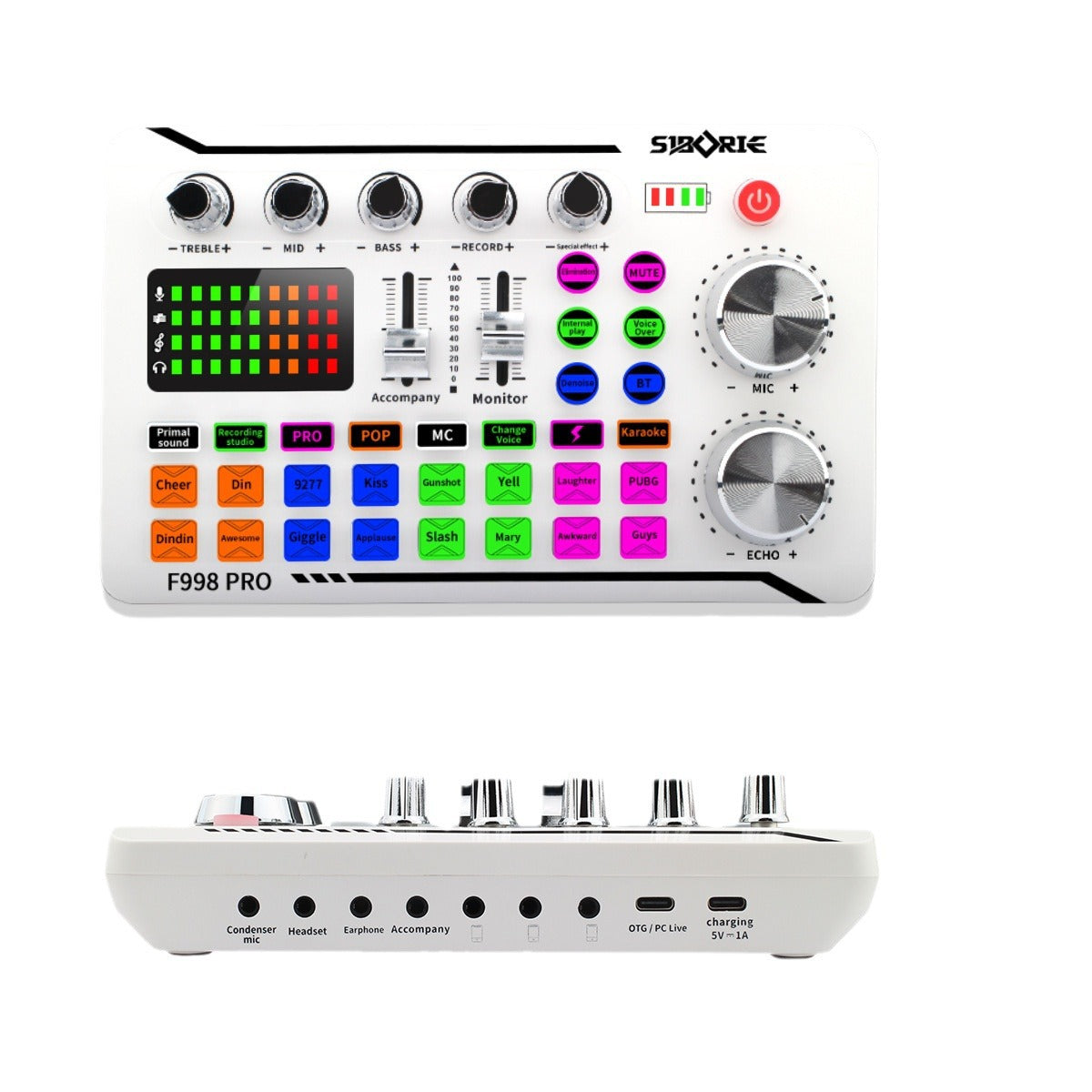
Sixteen RGB-lit pads fire off applause, laughter, cheer, gunshot and more. Each pad lights up when you hit it, so timing a reaction in the middle of a live show is easy.

Change Voice, Karaoke, Recording Studio and PRO modes switch your sound style on the fly. You change the sound without restarting the broadcast.
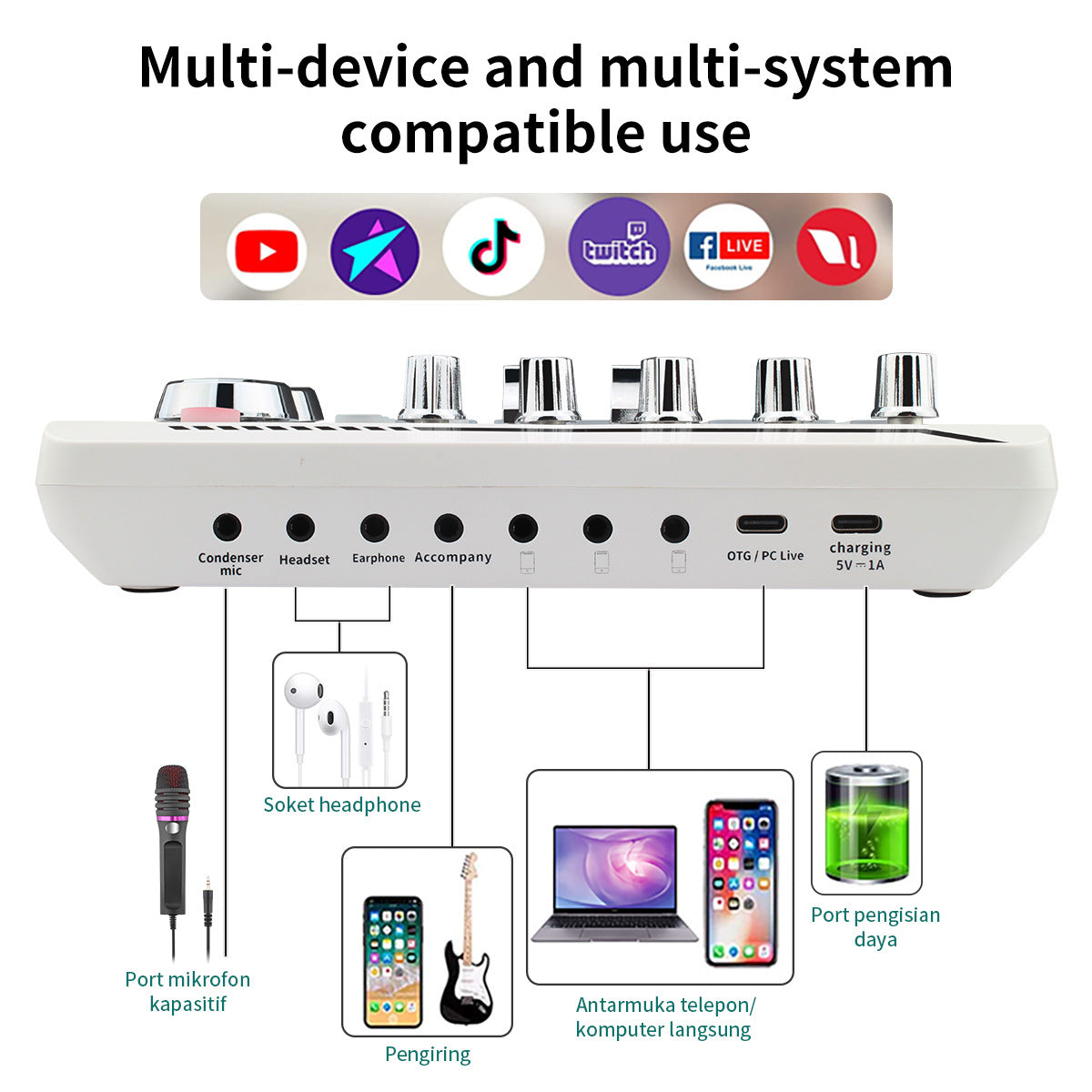
Plug the mic into the condenser mic input. Keep the charging port for power only.
Use the USB to USB-C cable to connect the OTG / PC Live port to your computer.
Press Denoise, speak at your normal volume, then raise it slowly until the hum drops out.
Set treble, mid and bass by ear, then use the sound pads for reactions during the stream.
Glossy white housing with chrome-look knobs and RGB pads
Connects the card to your PC or phone
For headset, earphone or accompany audio
Mid-stream, the fan hums, the keyboard clicks, and your voice goes thin. Viewers hear it before they read a word of chat, and some of them leave. Fixing it usually means digging through software menus while the broadcast keeps running.
The F998Pro sits between your mic and your PC. Denoise, treble, mid and bass live on physical knobs, so one turn changes the sound and your eyes stay on the chat.

You go live with a clean, warm voice and a level meter that shows your input in real time. When the moment calls for it, one tap on a pad brings the applause or the laugh.
Connect the mic and PC with the included cables, then check the LED level meter to confirm your voice is coming through.
After a few sessions you know where denoise, EQ and the mode buttons sit without looking down at the card.
With regular use you can set your favorite EQ and denoise levels and reuse them for every broadcast.
| F998Pro | Plain USB mic | |
|---|---|---|
| Built-in denoise | — | |
| Physical EQ knobs | — | |
| Sound effect pads | — | |
| Voice change modes | — | |
| Multiple device ports | — |
The card has three device connection ports, an OTG / PC Live USB-C port for PC use, and 3.5mm ports for headset, earphone and accompany audio. Phone and PC use are covered. Console support is not listed on the card, so check your console's audio input before you buy.
The card is compatible with YouTube, TikTok, Twitch and Facebook Live. It works as a sound card between your mic and whichever platform you broadcast on.
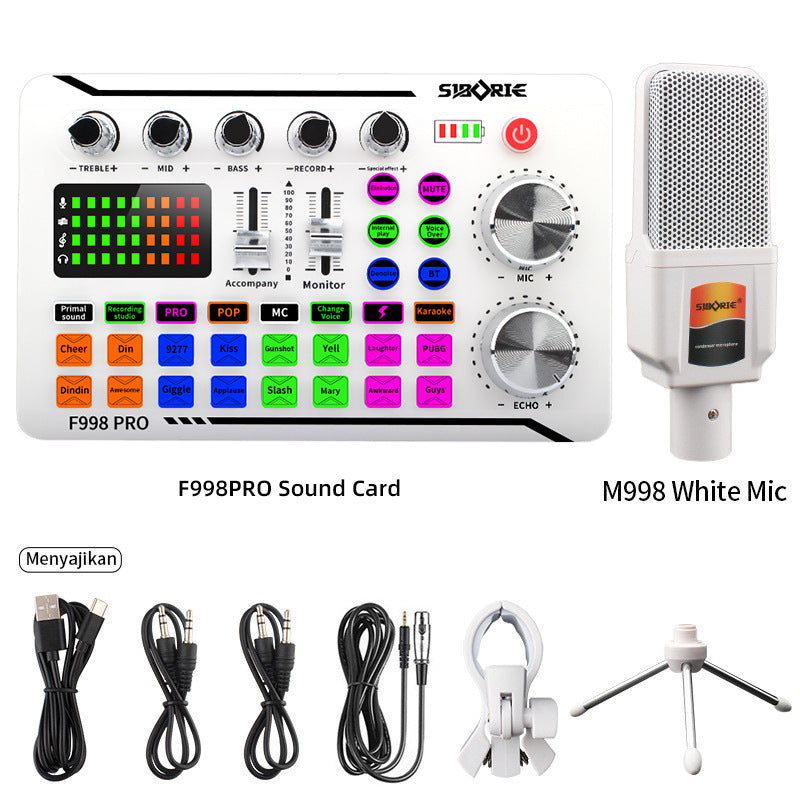
The box includes the sound card, a USB to USB-C cable and two 3.5mm audio cables. Every core control is a physical knob, button or fader, so you adjust the sound at the desk instead of hunting through menus.
Press the Denoise button and use the treble, mid and bass knobs to shape the signal. Start with denoise low and speak at your normal volume. Raise it slowly until the fan hum or keyboard clatter drops out, because heavy settings can make your voice sound thin.
A plain USB mic picks up every sound in the room and gives you no way to change it live. This card puts denoise, EQ, voice modes and 16 sound pads on one panel, so you skip buying a separate mixer, effects box and pad controller. The premium metal knobs and RGB pads are built to be used every session, which is why the card suits people who stream often.


 Live Streaming Sound Card with Noise Reduction