
$74.90
Free delivery · 7–14 days
Air Mouse Wireless Keyboard Remote for Android TV Box



Give your desk a glow that matches your mood. The K81 packs 81 keys into a compact body, with three-tone matching keycaps and mixed RGB light under every cap. You get room to move and a board that looks as good as it plays.
Read the full descriptionGive your desk a glow that matches your mood. The K81 packs 81 keys into a compact body, with three-tone matching keycaps and mixed RGB light under every cap. You get room to move and a board that looks as good as it plays.
Three-colour matching keycaps with mixed RGB lighting in a compact 81-key gaming keyboard
Swap a cramped, plain board for an 81-key keyboard with three-tone matching keycaps and mixed RGB light. Your desk gets room, and every session looks as good as it plays.

The keycaps and frame come in matched sets, so the board reads as one piece instead of a mix of parts. The matte multi-tone finish feels soft under your fingers and photographs clean on camera.

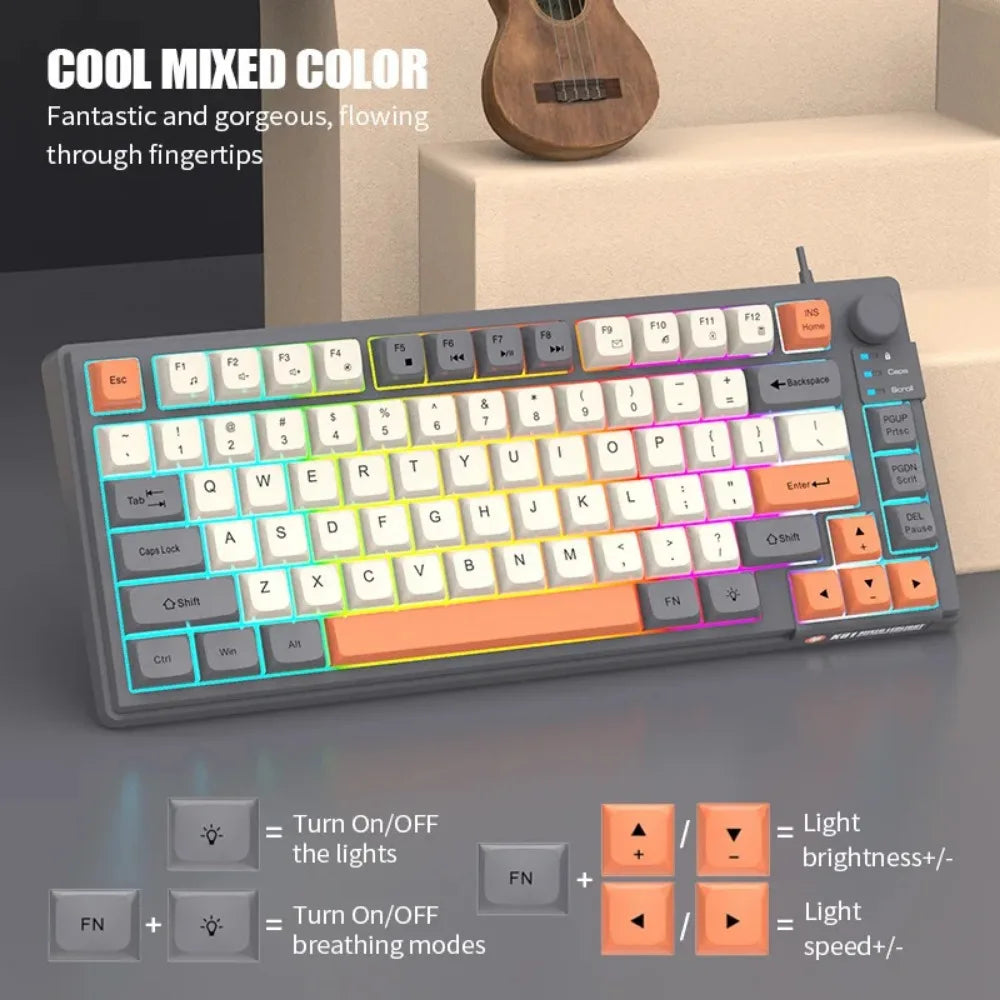
An RGB LED sits under every keycap, and the light spreads through the translucent frame in mixed colour. Press FN with the light key to switch the glow on or off, and use the FN arrow combos to set brightness and speed for your room.

81 keys fit a compact body, with media keys on the F5 to F12 row and a rotary volume knob at top right. The footprint is smaller than a full-size board, so your mouse has room to move on the same desk.
Press FN together with the light key. Press the combination again to turn the lights off.
Hold FN and press the light key to toggle through the breathing modes.
Press FN with the up arrow to brighten the lights, or FN with the down arrow to dim them.
Press FN with the right arrow to speed up the effect, or FN with the left arrow to slow it down.
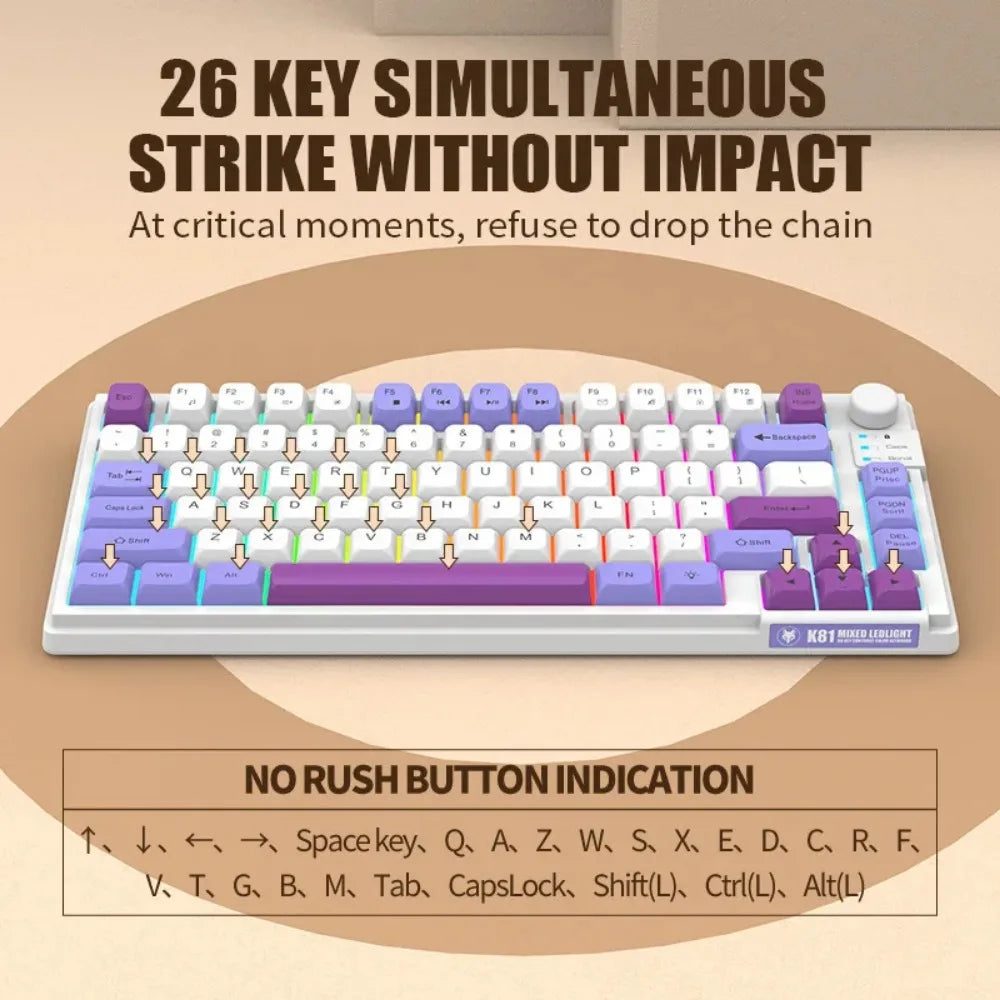
The packaging lists 26-key simultaneous strike without impact, which covers the multi-key combinations most games call for. The real test is your own game, but the wired USB connection means no wireless link can drop a press mid-match.
The arrow keys stay on the board, and the FN combos for brightness and speed run on the arrows. What you give up is a separate number pad on the side. If you enter numbers all day, expect a few sessions of adjusting before the layout feels natural.
The keycaps are matte multi-tone sculpted caps, the frame is translucent with RGB edge glow, and the rotary knob has a metal-look finish. A keyboard you touch every day gets used for hours, so the cost per session stays low. A basic unlit board costs less up front, but it gives you none of the colour or light.
Press FN with the light key to switch the lights on or off. Hold FN with the light key to toggle the breathing modes. FN with the up and down arrows sets brightness, and FN with the left and right arrows sets light speed.
Match the colourway to the rest of your desk. Lavender purple suits a themed room, cream white reads clean and bright, and mint white adds a softer touch. The colour shows most when the lights run in mixed mode.
Brush out crumbs from the gaps between caps, then wipe the surface with a keyboard cleaner and a soft cloth. The matte finish shows less dust than a glossy board.


 Compact 81-Key RGB Gaming Keyboard with Matching Keycaps