Skip to content
1/8 Similar
Joy‑Con Charging Dock — Charge 4 Controllers at Once
-24%
In stockGaming Accessories Buyer protection
wanelo Original

Joy‑Con Charging Dock — Charge 4 Controllers at Once

Material
Matte ABS plastic with neon accents
Controller slots
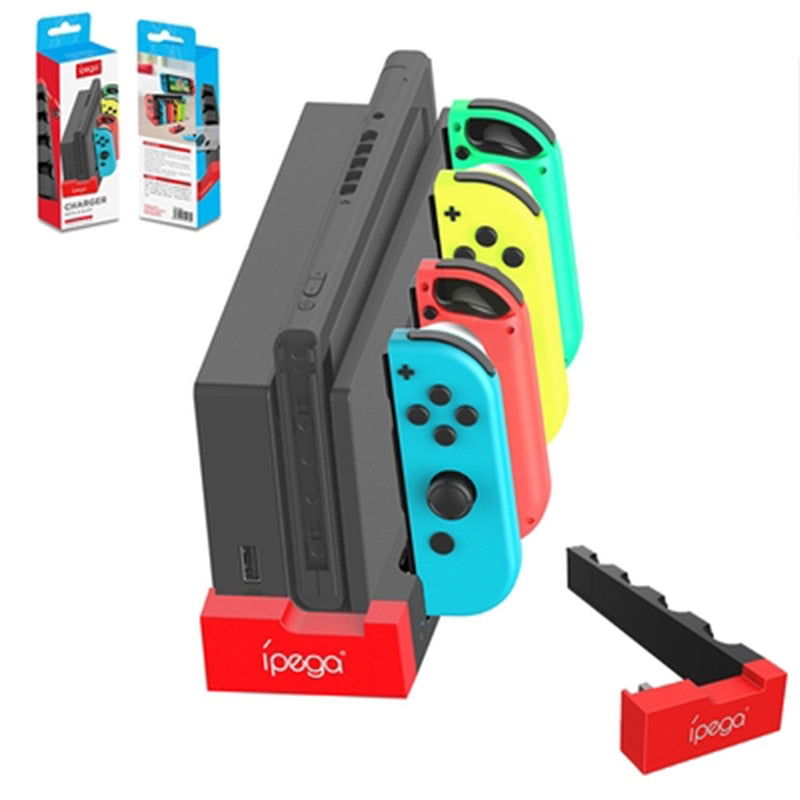
4, color‑coded (red, blue, yellow, green)
Input
USB‑A (5V) from official Switch dock
LED indicator
Dual‑color (red=charging, blue=full)
Dimensions
15.5 × 5.5 × 4.5 cm (approx.)
Weight
120 g (without controllers)
Compatibility
Official Nintendo Switch & OLED dock USB ports
Protection
Overcharge, overcurrent, short‑circuit
$37.90$49.90
Save $12.00
or $9.47 × 4 with Wanelo Pay · 0%
1
Free delivery in 7–14 days
tracked shipping, worldwide
30-day returns
easy returns & buyer protection on every order
Secure checkout
SSL-encrypted payment
Sold & shipped by wanelo
Official store
Game on standby

Keep every Joy‑Con charged and ready

No more tangled cables or dead controllers. This pint‑sized powerhouse slots right under your Switch and powers up every Joy‑Con at once — so the next session starts instantly.

WHAT MAKES IT

Three reasons this dock wins

The details that turn a chaotic charging pile into a permanent part of your setup.

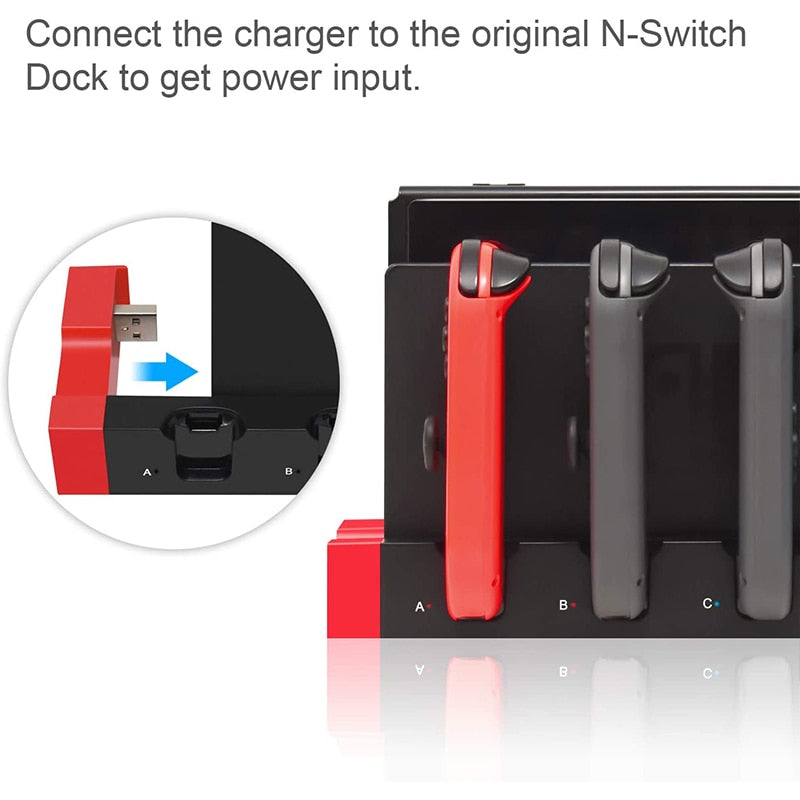
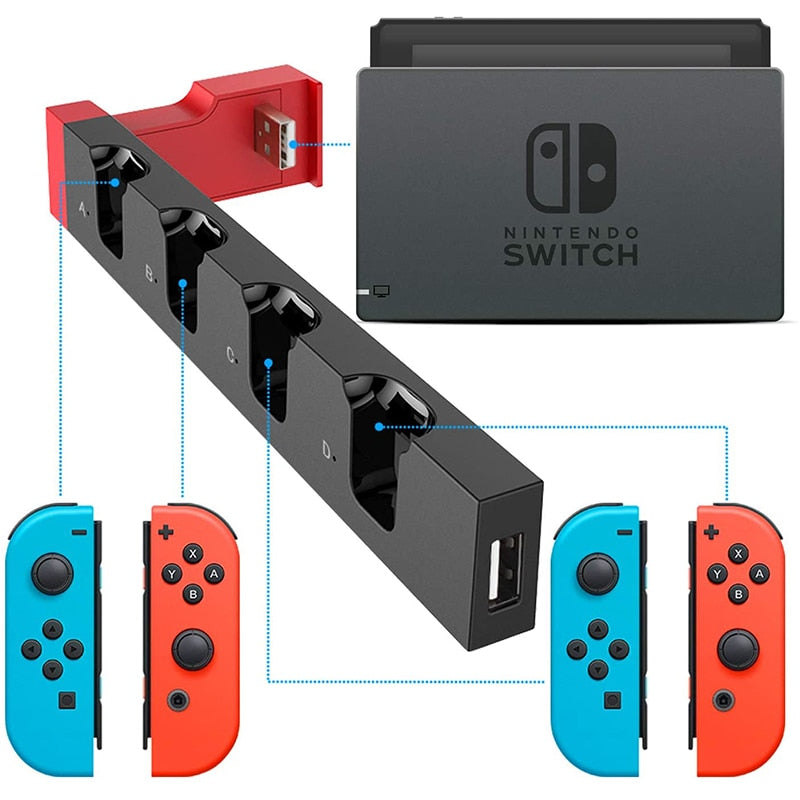
USB cable being plugged into the official Nintendo Switch dock
SETUP

Plug & play, no extra adapters

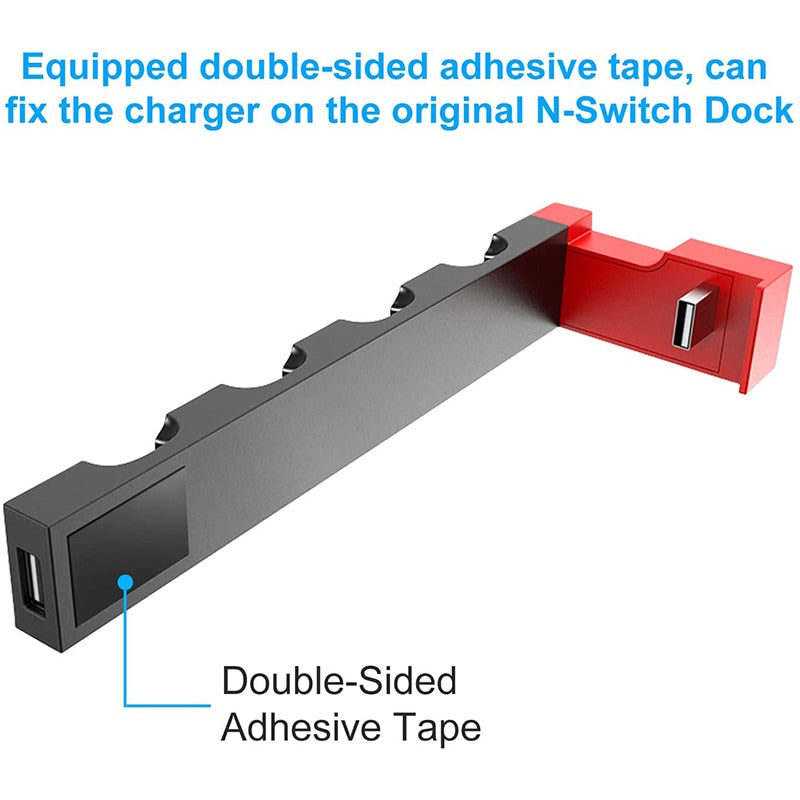
A single USB cable links to your original dock. That’s it. The dock draws its power from the console — no wall warts, no power strips. It’s effortless to install and stays hidden under the Switch.

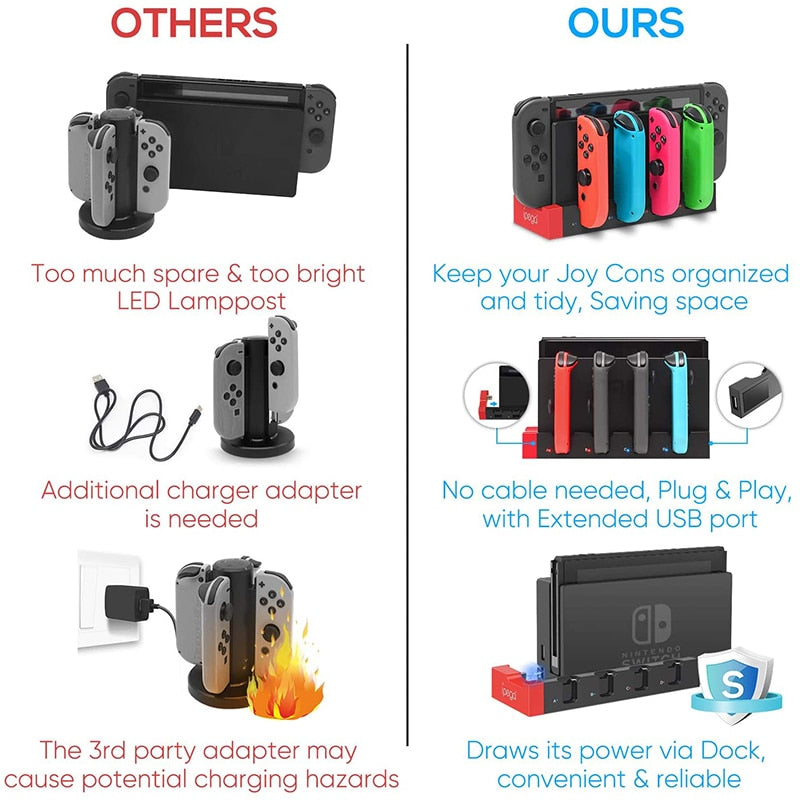
Comparison graphic: messy multi‑cable charging vs the compact dock with no cables
DESIGN

Compact, cable‑free footprint

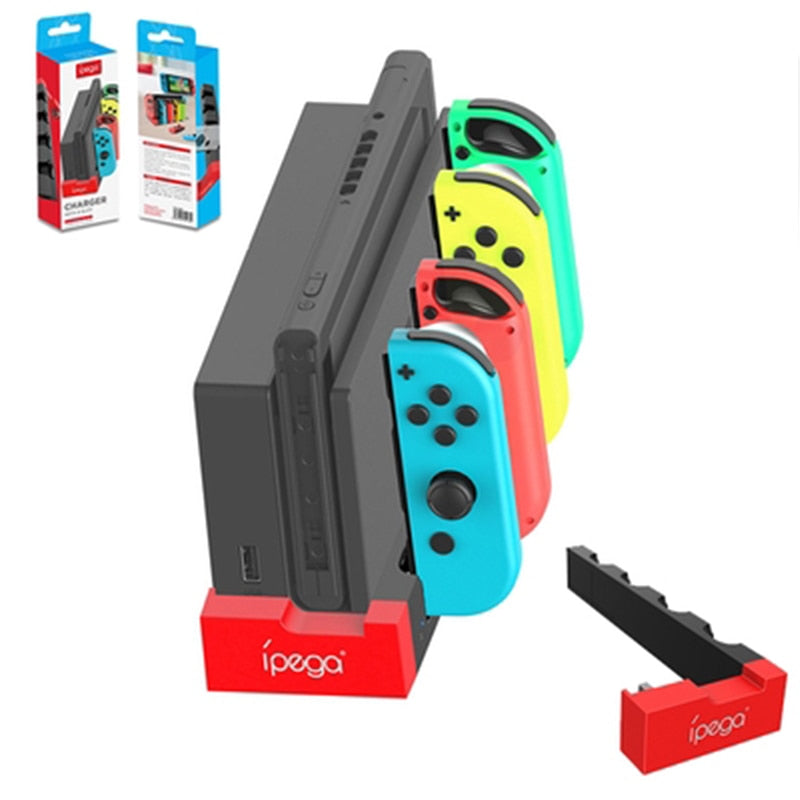
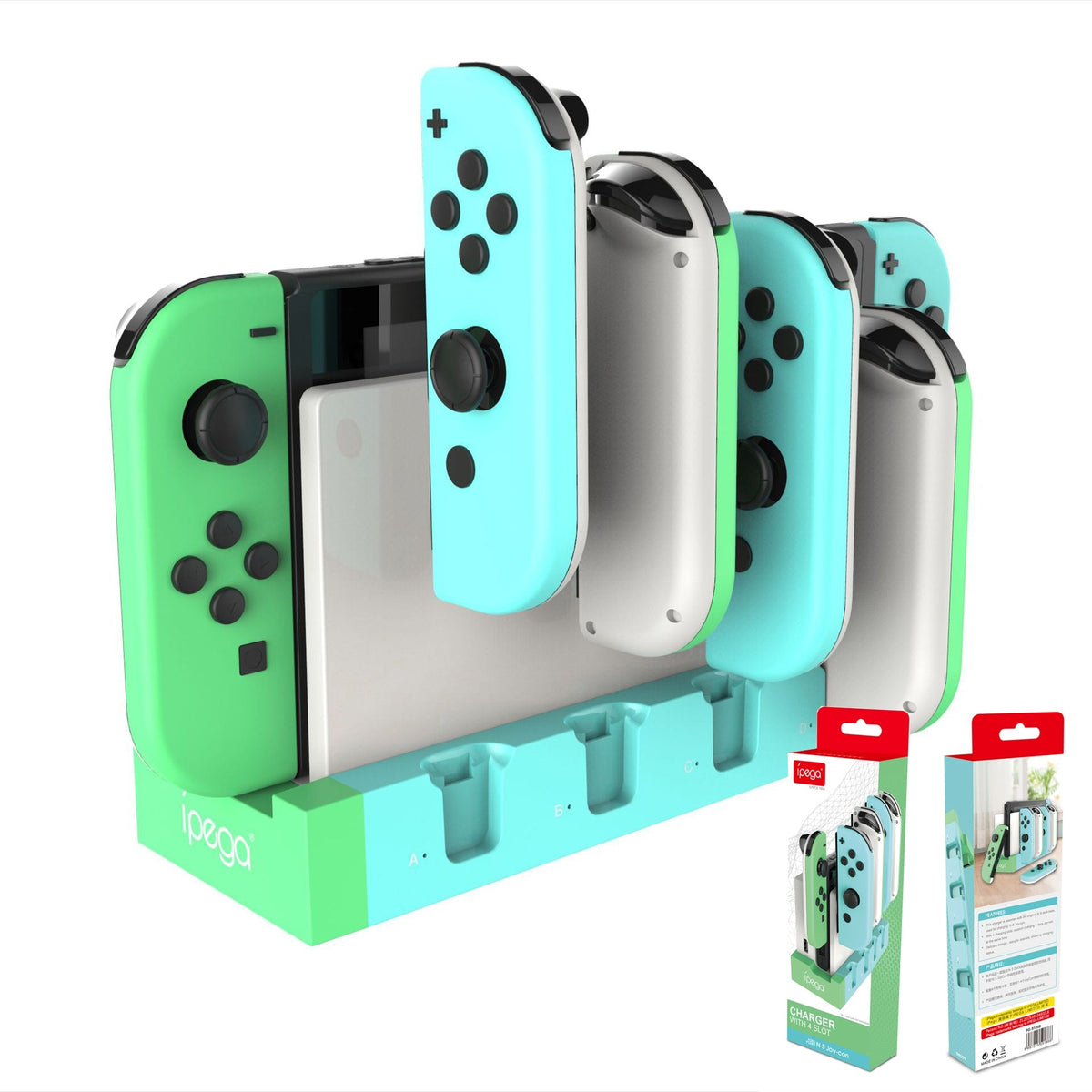
Unlike bulky chargers that sprawl across your desk, this dock collapses the chaos. Its slim profile fits under the official Switch dock, and the individual slots mean zero tangles — just pop controllers in and forget them.

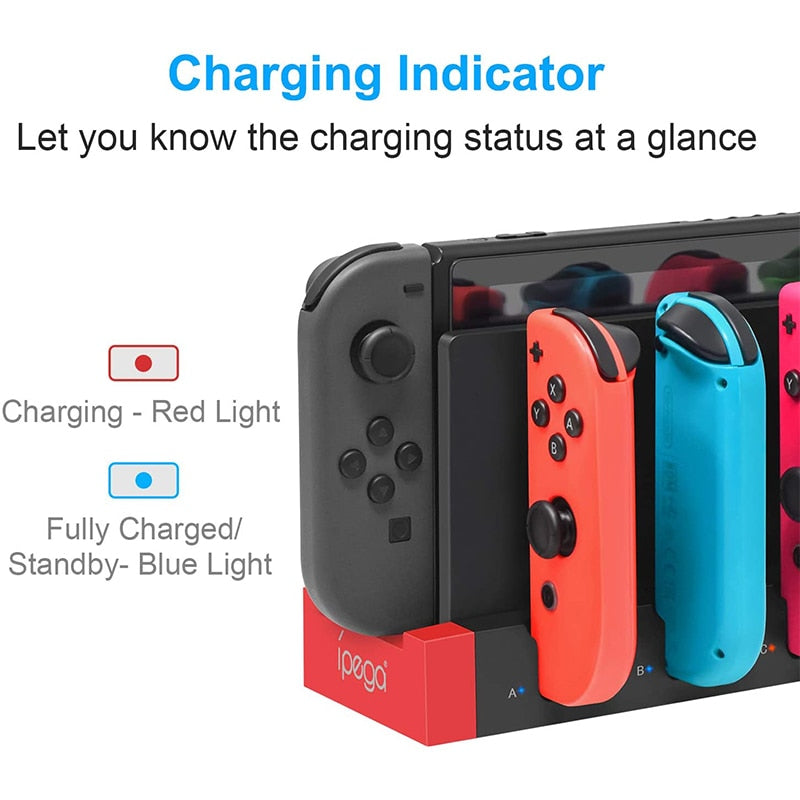
LED charging indicator glowing red next to an inserted Joy‑Con controller
STATUS

At‑a‑glance charging status

Each slot has a two‑color LED: red while charging, blue when full. You’ll know instantly who’s ready and who’s not. No guessing, no picking up dead controllers — just visual certainty.

REAL VOICES

What Switch owners are saying

Straight talk from gamers who’ve made the switch to organized charging.

4.7
9 reviews
6questions
M
Marco T.
Community review | Seattle
★★★★★

This little dock cleared up so much space on my desk. I used to have four Joy‑Cons on individual cables, now it’s sleek and I can see who’s charged at a glance.

@
@switchmom23
Community review | 2nd purchase
★★★★☆

Works perfectly, sits right under my Switch dock. Only thing: the LEDs are bright in a dark room, but a tiny bit of tape fixes that.

D
Danielle, verified buyer
Community review | Chicago
★★★★★

I bought this because my kids always left controllers everywhere. Now they have a spot and they actually use it. Charging is fast enough.

L
Luis G.
Community review | Miami
★★★★★

Clean design. The matte finish hides fingerprints and the neon slots are a nice touch. Feels more premium than I expected.

@
@pixel_pete
Community review | Austin
★★★★☆

Good product. I wish it came in an all‑black version for my setup, but the colored slots are fun. Charging is reliable.

N
Nina K.
Community review | Denver
★★★★★

So simple. Plugged it into the dock, dropped in four Joy‑Cons, and the LEDs lit up. Ten seconds. Way better than the charging grip I had.

R
Rashid (Toronto)
Community review
★★★★★

Bought as a gift for my nephew. He loves the colors and it keeps his gaming corner from looking like a wire explosion. Uncle points scored.

J
Jenna H.
Community review | 2nd purchase | San Diego
★★★★★

Smaller than I thought, which is great. Fits under my Switch without blocking anything. Definitely recommend if you have multiple sets.

Y
Yuki, first-time buyer
Community review | Portland
★★★★☆

Does what it says. I’ve had it a month and no issues. The USB cable could be a bit longer, but it reaches the dock fine.

QUICK START

Setup in under 10 seconds

From box to charging in three moves.

1

Attach the stand

Click the main dock unit into the included stand base. It’s keyed so it only goes one way.

2

Connect the USB

Plug the provided USB cable into the back of the charger, then into any free USB port on your official Switch dock.

3

Drop in the Joy‑Cons

Slide controllers into their color‑coded slots. The LED will light red and start charging.

BY THE NUMBERS

The numbers behind the neatness

A handful of specs that show why this tiny dock punches above its size.

Controllers
4
Joy‑Con capacity
LED colors
2
Charging status indicators
USB ports
1
Connection to Switch dock
Cables
0
Extra cables needed
HEAD TO HEAD

Why this, not the messy alternative

A quick look at what you get with a dedicated dock vs a pile of cables.

This dockBESTGeneric charger
Simultaneous charging✓ 4 controllers✗ Usually 1‑2
Cable clutter✓ Zero✗ Multiple cables
LED status✓ Red / blue✗ Often none
Footprint✓ Compact, under‑dock✗ Bulky
Power source✓ From Switch dock✗ Needs extra adapter
WHAT IS IN THE BOX

Everything you need

Unbox and start charging — no last‑minute accessory shopping.

Charging dock main unit ×1×Matte black with neon slots
USB cable attachment ×1×Connects to Switch dock
Stand base ×1×Stable, non‑slip footing
FROM THERE TO HERE

The story of a clutter‑free gaming corner

How one small dock turned scattered controllers into a permanent, powered‑up lineup.

Side‑by‑side comparison of a bulky charger beside the compact dock showing space savings
CHAPTER 01

The pre‑game scramble

Before this dock, Joy‑Cons lived a nomadic life — on the coffee table, behind the TV, in a drawer. Battery always dead just when multiplayer started. Searching for cables became a ritual nobody enjoyed.

Hand plugging the USB connector into the original Switch dock with the charging dock beside
CHAPTER 02

A smarter spot

The dock changed the dynamic. It pulls power directly from your Switch dock — one USB connection, zero extra bricks. Each Joy‑Con gets its own color‑coded slot, and the whole unit tucks neatly underneath your main console. No footprint, no fuss.

Macro shot showing red charging LED on the dock with a controller inserted
CHAPTER 03

Always on standby

Now, every Joy‑Con lives in its docked home. A glance at the LED tells you who’s full and who’s still juicing. When friends drop in for Mario Kart, you just grab and go — everything is charged, organized, and ready.

About this item

Main information
CategoryGaming Accessories
Details
MaterialMatte ABS plastic with neon accents
Controller slots4, color‑coded (red, blue, yellow, green)
InputUSB‑A (5V) from official Switch dock
LED indicatorDual‑color (red=charging, blue=full)
Dimensions15.5 × 5.5 × 4.5 cm (approx.)
Weight120 g (without controllers)
CompatibilityOfficial Nintendo Switch & OLED dock USB ports
ProtectionOvercharge, overcurrent, short‑circuit
Documents verified

Imagine never fishing behind the TV for a dead Joy‑Con again. This compact dock organizes your controllers, charges them all at once, and tucks neatly under your Switch — so every multiplayer session

Keep all Joy-Con controllers organized, charged, and ready to play in one compact dock with no messy cables

  • Cluttered controller cables
  • Lost or uncharged controllers
  • Bulky charging solutions
  • Uncertain charging status
HONEST FAQ

Questions you probably have

Quick answers before you add to cart.

Does this work with the original Nintendo Switch dock?
Yes. The charger plugs into one of the USB ports on your official Switch dock, drawing power directly from it. No external adapter needed. It also works with the OLED model dock.
Is it safe to leave Joy‑Cons charging overnight?
Absolutely. The dock has built‑in overcharge protection and automatically stops sending power once a controller is full. You’ll see the LED switch from red to blue.
How fast does it charge compared to the official charger?
Charging speed matches the Nintendo original dock’s USB output, so you can expect a full charge in about 3.5 hours — the same as when connected directly to the console.
Can I use it with third‑party Joy‑Cons?
It’s designed for official Nintendo Joy‑Cons. Most third‑party controllers that fit the rail will physically slot in and charge, but we can’t guarantee compatibility with every aftermarket option.
Do I need to buy extra cables?
No. Everything you need is in the box: the dock, the stand base, and the USB cable that connects to your Switch dock.
Will it work if I don’t have a Switch dock?
No. The charger requires a powered USB port from the official Nintendo Switch dock or any standard 5V USB‑A port. It cannot charge on its own without a power source.
READY TO COMMIT

The neatest thing on your gaming desk

Add to cart
EXPLORE

More for your gaming setup

You might also like

$37.90$49.90