
$54.90
Free delivery · 7–14 days
Replacement Headphone Cable for Bose QC25 QC35 with Mic


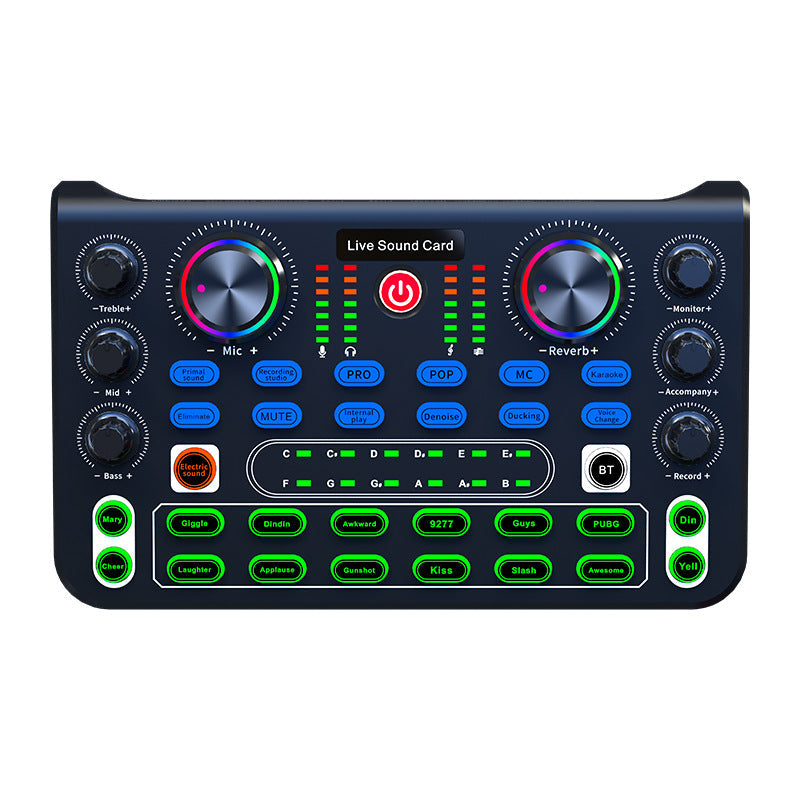
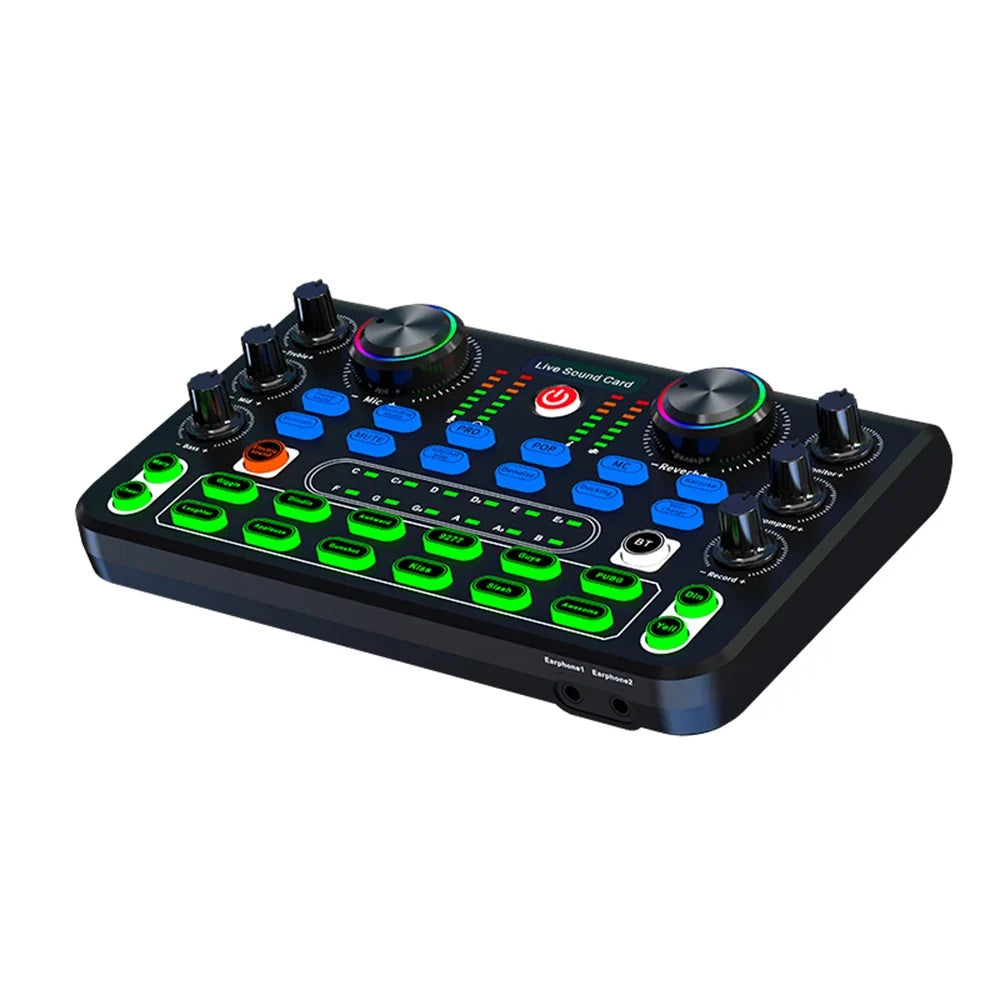

The HD X60 is a compact desktop sound card that brings your mics, phones and headphones onto one desk. Its built-in DSP cuts fan hum and keyboard clicks, so your voice comes through clear. Six one-touch pads and independent treble, mid and bass knobs let you shape the sound live.
Read the full descriptionThe HD X60 is a compact desktop sound card that brings your mics, phones and headphones onto one desk. Its built-in DSP cuts fan hum and keyboard clicks, so your voice comes through clear. Six one-touch pads and independent treble, mid and bass knobs let you shape the sound live.
Professional live sound card with AI noise reduction and one-touch voice and scene effects for clearer live audio
Before: thin, noisy audio that you keep fixing mid-song. After: one desk, three mics, and a single touch to sound like the pro you are.

The card runs a dedicated DSP noise reduction chip with its Quad Core Dual DSP Meiyin algorithm. Fan hum, keyboard clicks and room noise get pushed down while your voice stays in front. You do not need to tune a setting for each room, and that alone saves the first five minutes of every session.

Six backlit pads cover Pop, MC, Karaoke, Denoise, Ducking and Voice Change. Touch one and the scene sound changes right away, with no menus to scroll. Sound effect buttons for Giggle, Applause, Kiss and more add the playful touch when a stream needs a reaction.

Treble, mid and bass each have their own knob, so you can warm up a thin voice or clear up a boomy room without touching the mix. Illuminated VU meters show the level as you sing or speak, and the RGB-ringed knobs make it easy to find the right setting in a dim room.
Connect up to three condenser mics to the mic 1 to 3 inputs. Start with the mic you sing or talk on most, since it is the easiest to balance first.
Attach a phone to the live port and plug your headphones into the headset jack. Use the BT button if you want a wireless phone source for backing tracks.
Connect the USB OTG/PC port to your computer or power the card with a 5V 1A charger. The pads light up and the VU meters start moving when you speak.
Touch Karaoke, MC or Denoise, then raise the mic knob until the VU meters peak around the middle. Adjust treble and bass to taste and go live.
Your stream sounds fine until the fan kicks on. Then the hum rides under every line you sing or say, and viewers start typing about it. A phone mic has no way to tell your voice from the room, so you end up turning things up and hoping for the best.

The HD X60 takes three condenser mics, two phones and three headphones on one control surface. Your co-host sings on mic two, a guest reads from a phone, and you hear everything through your own headphones without swapping a single cable mid-set.
Set the mic level by the VU meters, touch a pad, and the room sounds the way you wanted it to. The card is built for the stage you already have, and you can check every port and feature on the front panel before you commit.
| HD X60 | Phone mic | Loose USB mic | |
|---|---|---|---|
| Built-in noise reduction | Yes | No | No |
| Three mic inputs on one desk | Yes | No | No |
| Independent treble, mid and bass | Yes | No | Partial |
| One-touch effect pads | Yes | No | No |
| Live VU level meters | Yes | No | No |
| Headphone monitoring while you sing | Yes | Partial | Partial |
Yes. The card has three condenser mic inputs, a dual mobile phone connection, a USB OTG/PC live port and three headphone outputs. You can run all of them together, which is the main reason to use one desk instead of a stack of gadgets.
The built-in DSP targets steady background hum such as fans and the sharper clicks from a keyboard. Turn on Denoise, set your mic level by the VU meters and do a short test stream. Expect the room noise to drop, though a very loud room will still need a closer mic.
No. Plug in the mics, connect the phone and headphones, then touch a pad. The knobs and pads are labeled on the front panel, so you do not need a manual to start. Most first setups take a few minutes.
A USB mic gives you one input and no tone control. The HD X60 is built from premium materials with metal-look knobs, illuminated meters and a dedicated noise chip, so you get three mic inputs, live effects and shaping in one box. If you already own separate mixers, a single desk can replace several cables and devices.
A USB mic captures one voice in one room and leaves the noise in too. Phone audio picks up whatever the phone hears. The HD X60 takes several mics and sources, cleans the signal and lets you shape the tone live with pads and knobs.


 Live Sound Card Mixer with AI Noise Reduction for Streams