
$429.90
Free delivery · 7–14 days
Under-Desk Walking Pad with Handrail for Home Office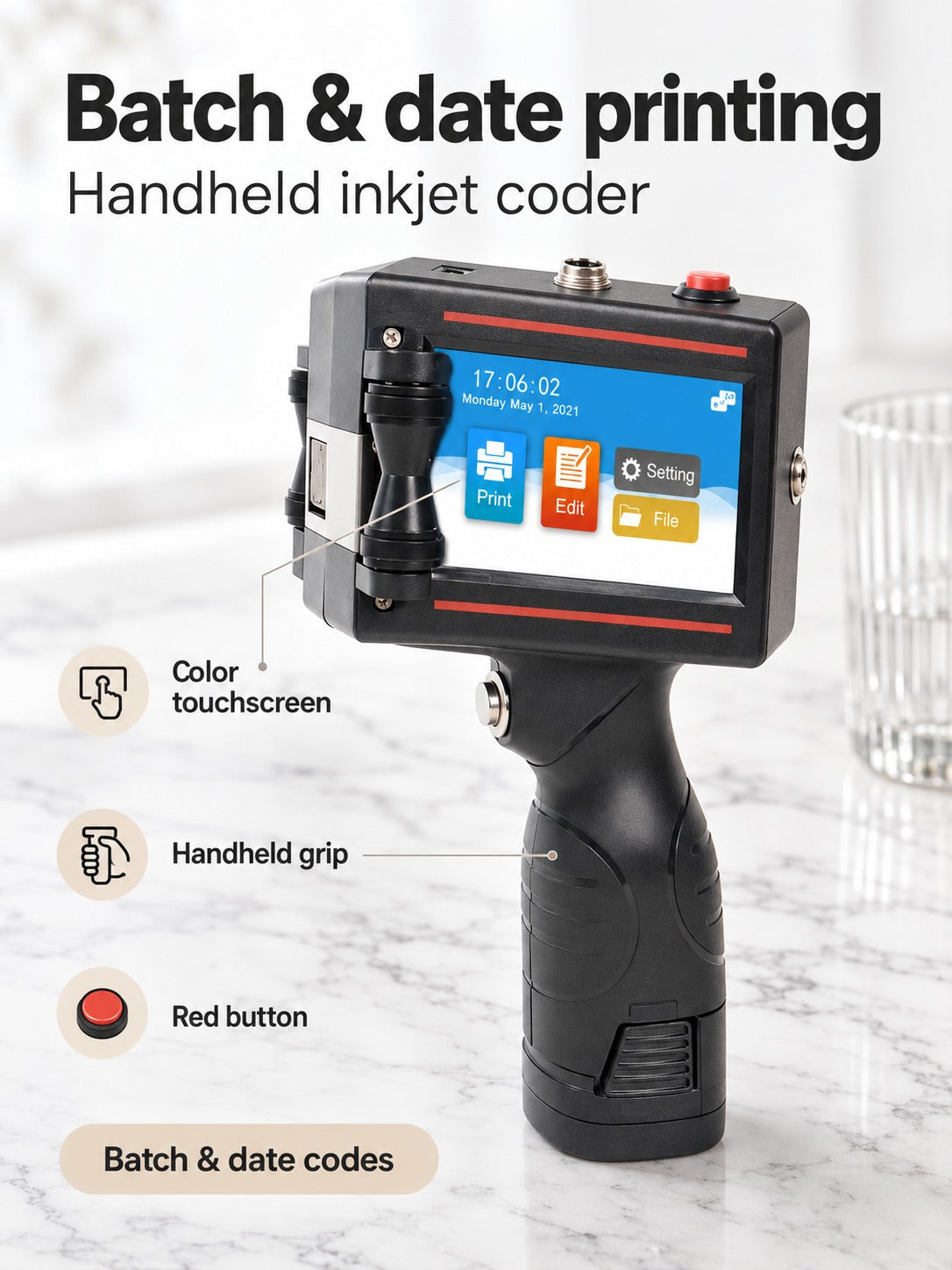
Batch and date codes printed where the product sits, in seconds, with no fixed printer on every line. The D10 handles bags, cartons, eggs, caps, cables and steel with a color touchscreen and a rechargeable grip. Your operators stop walking to a printer and get back to packing.
Read the full descriptionBatch and date codes printed where the product sits, in seconds, with no fixed printer on every line. The D10 handles bags, cartons, eggs, caps, cables and steel with a color touchscreen and a rechargeable grip. Your operators stop walking to a printer and get back to packing.
Portable handheld inkjet printer for fast production date and batch coding on any packaging
Manual labeling holds up your line and every carton gets coded differently. With a handheld inkjet coder, you print clean date and batch codes right where the product is and keep the line moving.

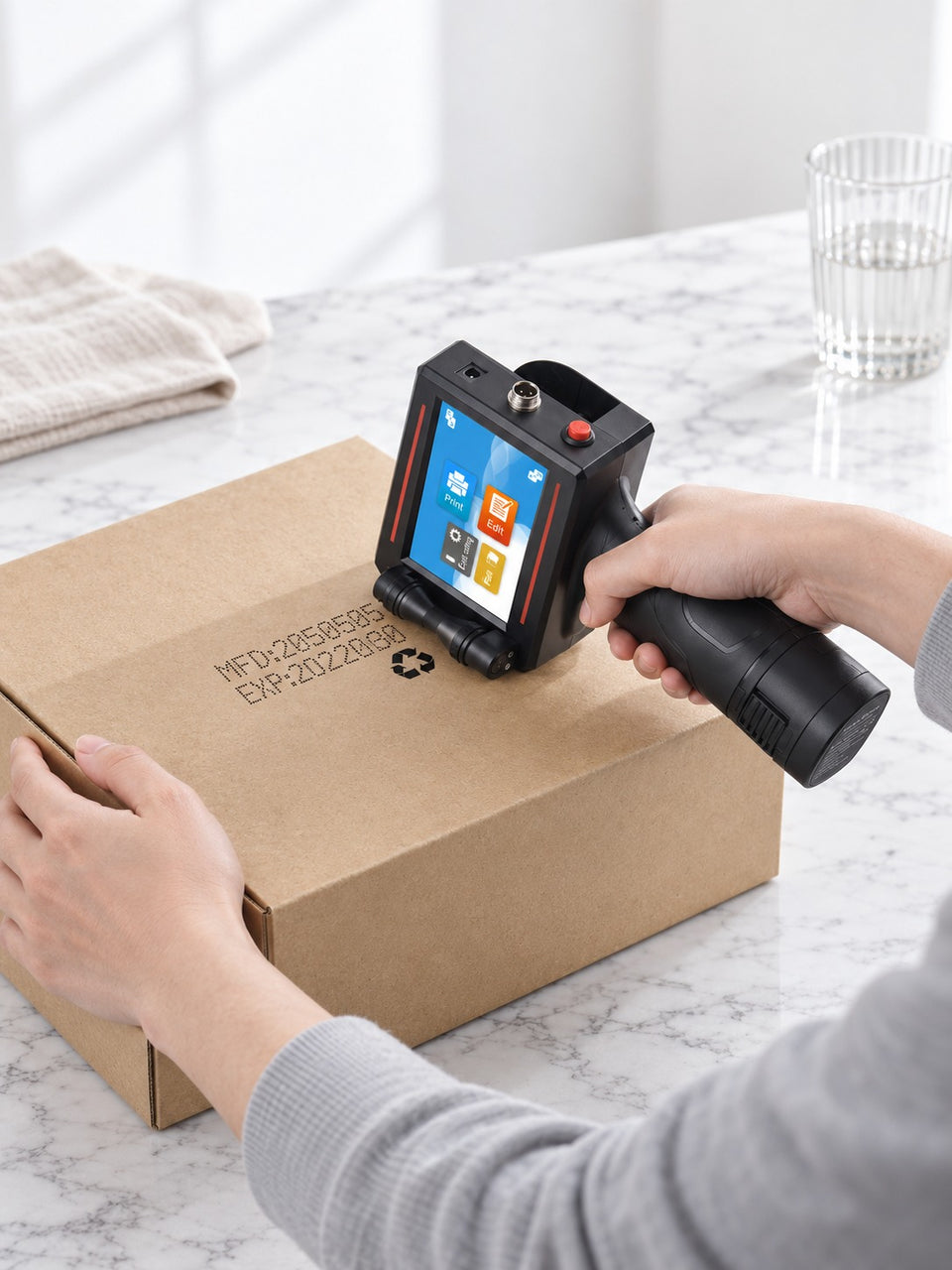
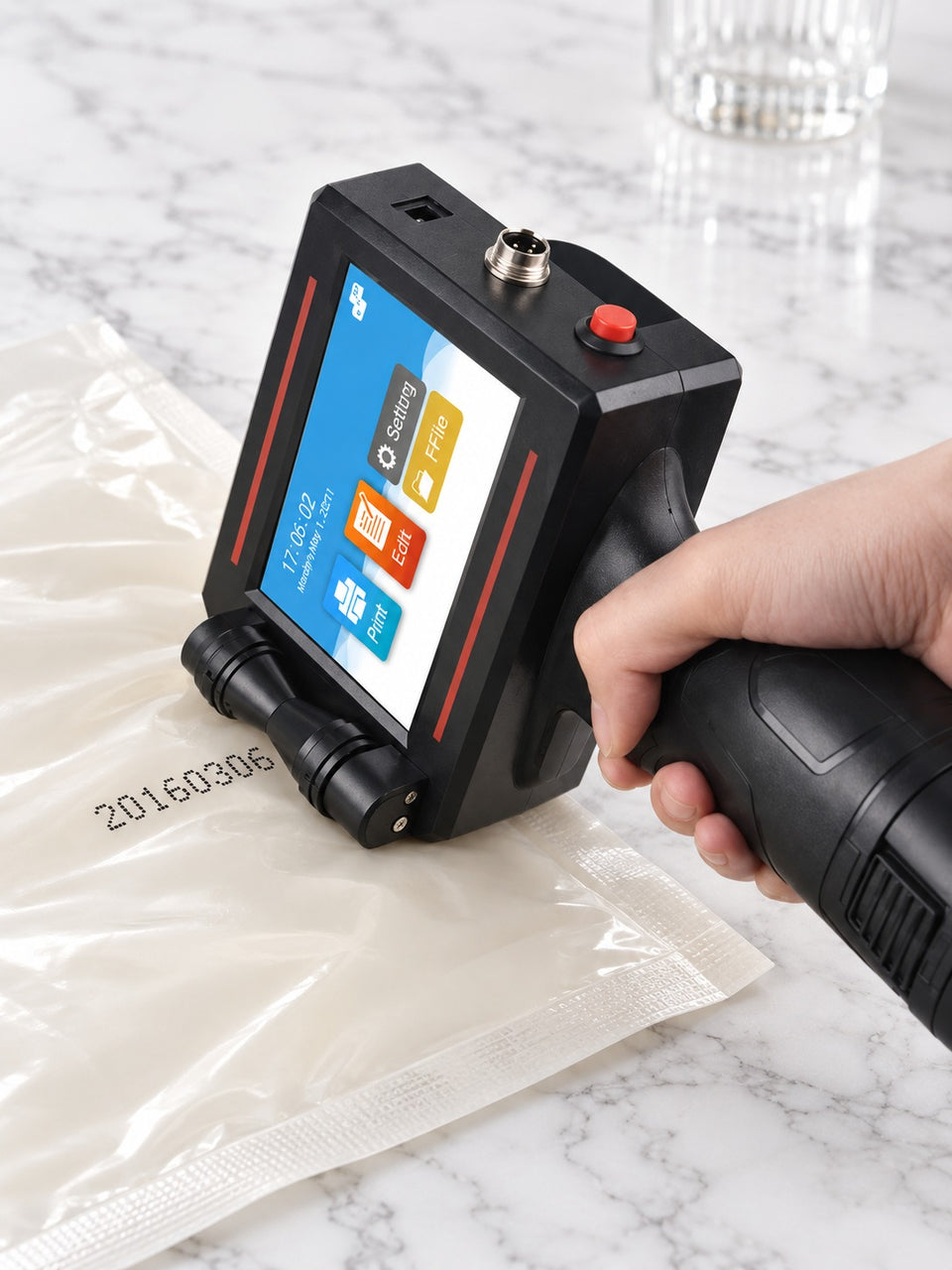
One handheld codes dates and batch text at the station, so product does not have to travel to a fixed printer. Pick it up, angle the nozzle, press the red button, and set it back down. The coder works on a flexible food pouch just as easily as on a shipping box.

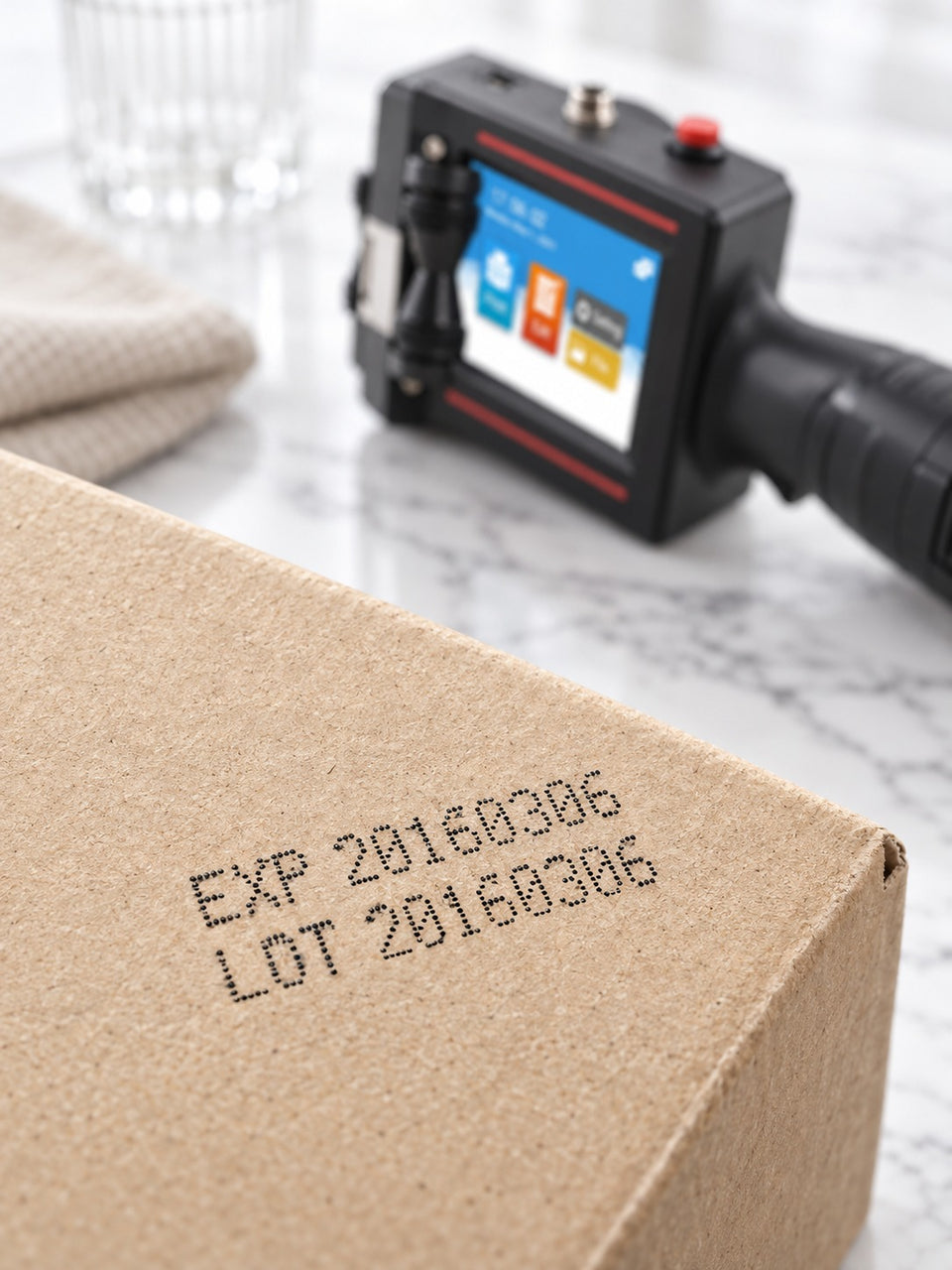
Sample prints show bags, cartons, eggs, plastic caps, cables and stainless steel. You get one tool for the whole mix of materials instead of a stamp for paper, a marker for cartons and a second device for metal. Test on your own stock first, since absorbency and finish change how the ink sits.

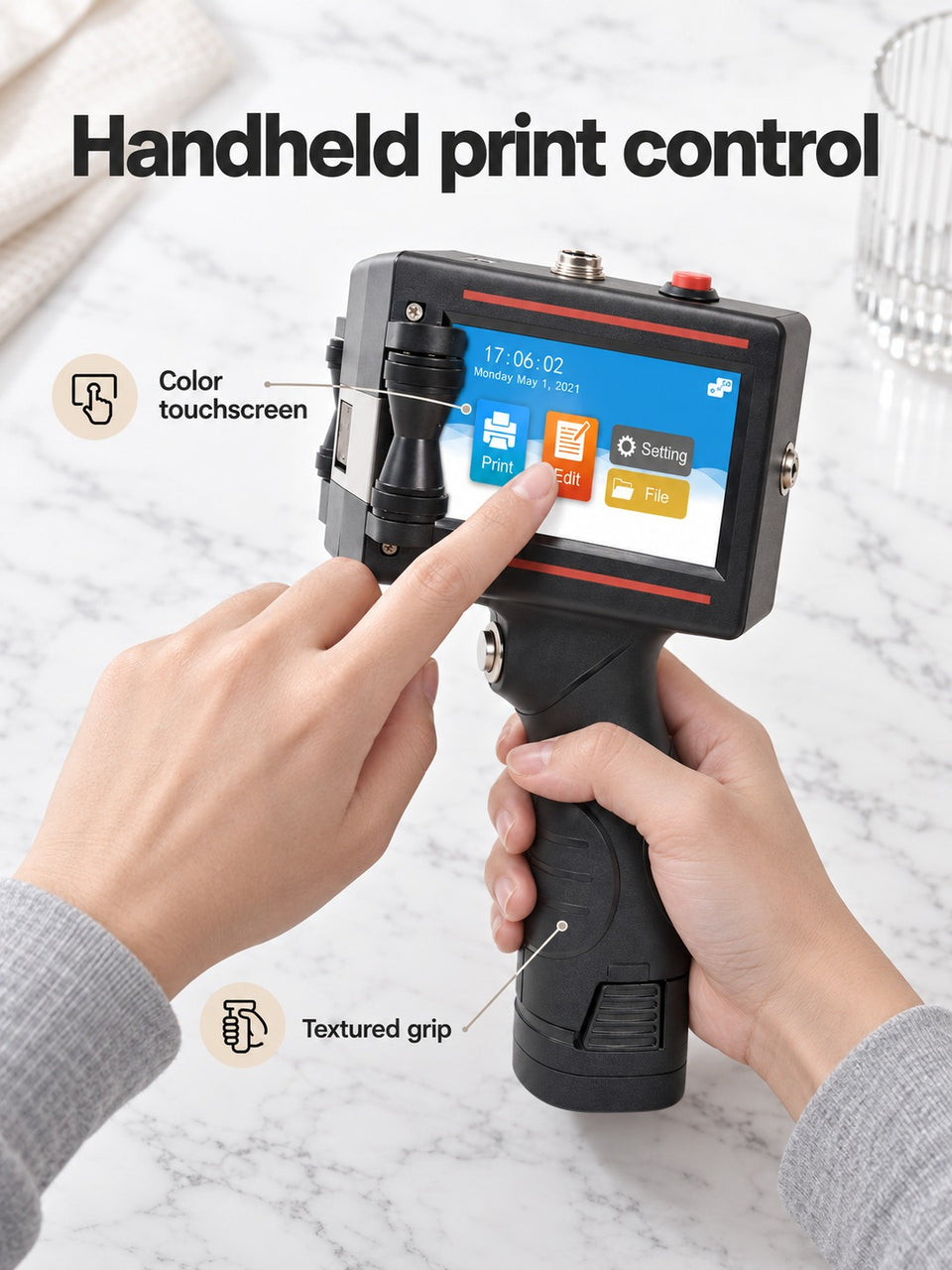
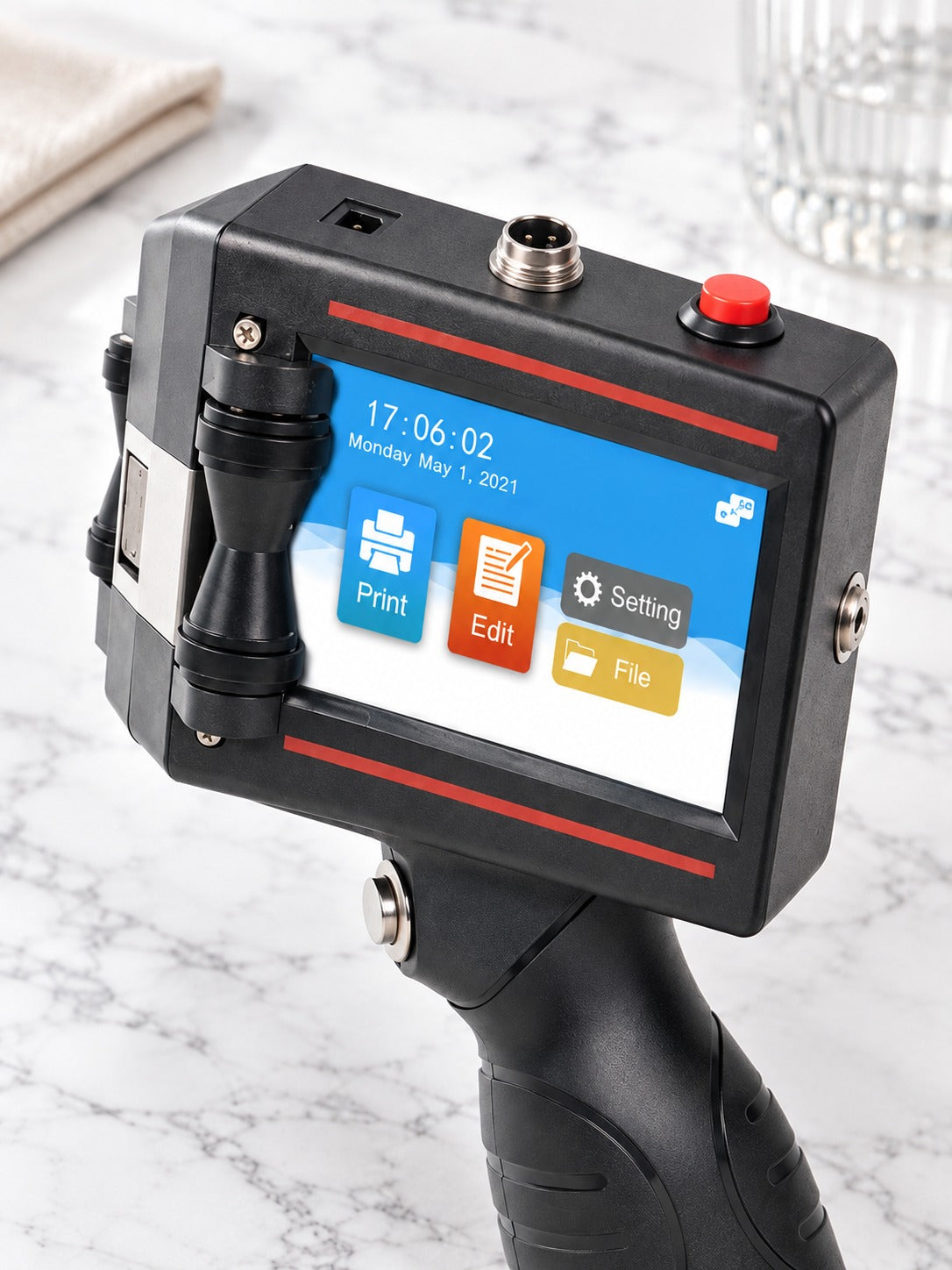
The menu runs on Print, Edit, Setting and File, and the screen is bright enough to read at the bench. Change the date or batch text without a computer, so the code on the next carton matches the code on the last one.
The rechargeable battery sits on the grip. Charge it before the shift and keep the charger at the station so it does not run flat mid-batch.
Pick the date or batch text on the color screen. Edit the content right there, with no computer needed.
Tilt the print nozzle head to the surface. Flat bags take the default angle, while curved caps need the head tilted toward them.
Run a test print on a sample of each material, check it, then code the batch. Keep the same settings across shifts so the codes match.
Matte black housing with color touchscreen and red print button
Sits on the grip, so the unit runs without a cable at the line

Someone walks over to the shared printer, or picks up a marker and writes dates by hand. Each carton adds a few seconds, and each batch adds a few minutes. Smudged ink and uneven handwriting show up on the pallet, and nobody can say for certain which lot a box came from.

The D10 goes where the product is. Pick it up at packing station two, set the batch text on the touchscreen, and code the carton in front of you. A fixed printer cannot reach the bench, the egg tray or the cable reel, and this one can.

Run a test print on your own material, check it against the sample, and the codes come out the same on every shift. The EXP and lot text reads clearly on cardboard, plastic bags and metal, so the dispatch team stops second-guessing what they pack.
Charge the battery, set the date or batch text, and adjust the nozzle angle. Run test prints on your actual packaging before the first live batch.
Operators use it at the bottleneck station. Note which materials and angles give the clearest print so the team works from one shared standard.
With the same settings on every shift, codes look the same. Track how many hand-coding minutes you no longer spend per batch.
| This coder | Hand stamp or marker | Fixed line printer | |
|---|---|---|---|
| Moves to the station | Yes | Yes | No |
| Codes bags, cartons, eggs, caps and steel | Yes | Partial | Partial |
| Date and batch edited on screen | Yes | No | Partial |
| Needs a dedicated unit per line | No | No | Yes |
Yes, on the surfaces shown in the sample prints: plastic packing bags, cardboard cartons with EXP and lot codes, eggs, plastic caps, cables and stainless steel. Run a test print on each material before a full batch, because absorbency and finish change how the ink sits. The high adhesion ink suits slick surfaces, and the quick drying ink suits fast packing lines.
It does. The print nozzle head has an adjustable angle. Flat bags and cartons print well at the default setting. On curved caps, tilt the head to the surface and check a test print. Very curved parts can take a few tries to get right.
Most operators learn the Print, Edit, Setting and File menus in one short walkthrough. Set the date or batch text, press the red button, and compare the first print against your sample before the batch starts.
A hand stamp smudges and needs a person at every station. A fixed printer needs a unit on every line and cannot reach the packing bench, the egg tray or a cable reel. One handheld moves to wherever the product sits, so the price reflects industrial-grade materials and covers several stations instead of one printer per line.
It is built for on-site date and batch coding across food, pharma and manufacturing packaging. Check that the ink and material pairing meets your own quality and compliance rules, and keep the test prints with your batch records.


 Handheld Inkjet Coding Machine for Batch & Date Printing