
$49.90
Free delivery · 7–14 days
Wired Optical Mouse for PC and Laptop, Plug and Play
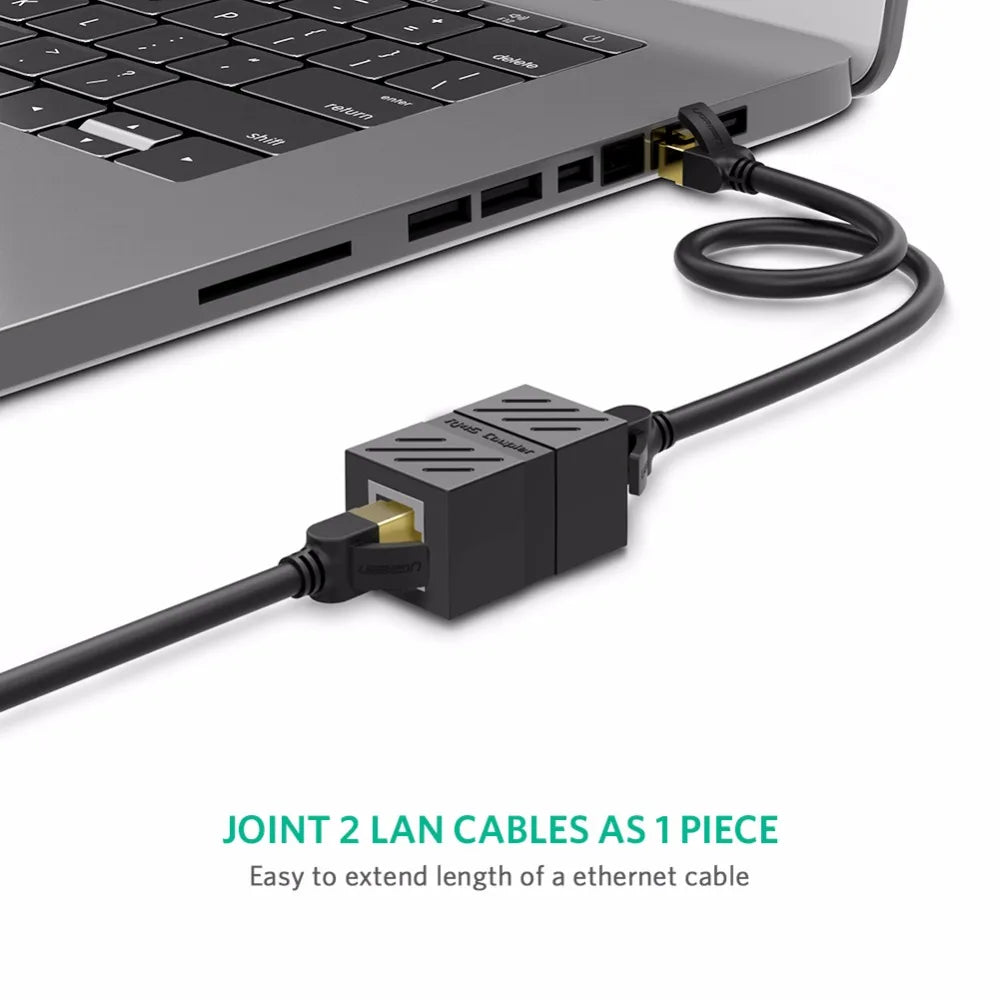


A single shielded coupler turns two Ethernet cables into one longer run, so a cable that stops short still reaches the router or desk. The metal housing, gold-plated RJ45 contacts and internal PCB keep the joint steady for home office, gaming and streaming setups.
Read the full descriptionA single shielded coupler turns two Ethernet cables into one longer run, so a cable that stops short still reaches the router or desk. The metal housing, gold-plated RJ45 contacts and internal PCB keep the joint steady for home office, gaming and streaming setups.
Extend your Ethernet cable without signal loss
Your Ethernet cable stops short of the router or desk, and the Wi-Fi fallback is slower and less stable. Join two cables with a shielded coupler and keep a wired connection where you need it.

Most cheap couplers ship with plastic shells and bare contacts. This one wraps the connection in a shielded metal interior with a ribbed body, and the metal feels solid when you press the two cables in. The matte black or bright white finish sits neatly on a desk or behind a router.

Gold-plated RJ45 contacts and a thickened internal PCB sit behind every plug. Gold holds up well on contact surfaces that get plugged and unplugged, so the link stays consistent over time. The packaging claim is simple: extend your cable without signal loss, and the metal shell and PCB are the hardware doing that work.

Plug one cable into each female port and the pair works as a single longer cable. Nothing to configure and no tools to find. If the run also needs tidying, cable organizers keep the joint off the floor.
Confirm both Ethernet cables are Cat5e, Cat6 or Cat7 and that the RJ45 plugs are undamaged before you start.
Push one cable into each female port until the latch clicks. The plugs face each other across the body of the coupler.
Power on the device and check the link light on your router, switch or network card. Route both cables so the joint sits free of tension.
It is compatible with Cat7, Cat6 and Cat5e cables, so you can join runs of different categories. Match the coupler to the cables you already own and keep both ends in good condition.
Ugreen rates the coupler for extending a cable without signal loss, and the shielded housing and internal PCB are built for a steady link. A joint is one extra connection point, so a damaged cable will still cause drops. Test the original cable first.
Use one coupler per run. Each joint adds a connection point and possible signal loss, and Ethernet runs have a total length limit that stacked joints eat into.
The metal shell guards the joint, which is the weak point of any extended run. If your console or streaming rig depends on a wired link, a shielded coupler with gold-plated contacts is the sturdier choice over a bare plastic one.
A longer cable means routing a new run through walls, under desks or along a floor. One coupler costs less than a re-run, works with the cables you already own, and keeps the rest of the setup untouched.


 Ethernet Cable Extender RJ45 Coupler Female to Female