
$59.90
Free delivery · 7–14 days
Phone to TV HDMI Cable, Plug and Play Screen Mirroring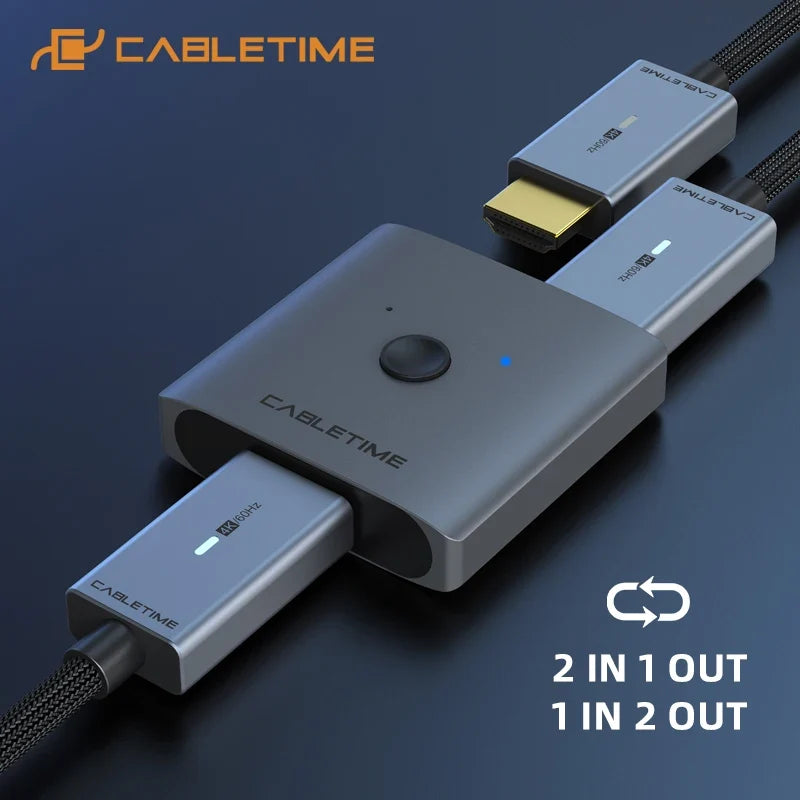



Switch between a laptop, a console and a set-top box with one press, without crawling behind the TV. The 4K 60Hz switch works both ways, with a push-button selector and a blue LED that shows the live source. The metal body sits neatly on a desk or media unit.
Read the full descriptionSwitch between a laptop, a console and a set-top box with one press, without crawling behind the TV. The 4K 60Hz switch works both ways, with a push-button selector and a blue LED that shows the live source. The metal body sits neatly on a desk or media unit.
Bi-directional 4K 60Hz HDMI switch: share one display between two devices or one source between two displays
Your laptop, console and set-top box keep fighting over one HDMI port. This 4K 60Hz switch lets you change sources with a push, and the cables stay where they are.

The switch works 2-in-1, bringing two sources to one display, or 1-in-2, sending one source to two displays. One unit covers both setups, so you do not buy a second product for the other job.

A push button chooses the active source. The blue status LED shows which input is live, so you stop tracing cables to find out. Each press changes the source with no software and no menus.

The switch is rated for 4K at 60Hz, so a laptop, console or set-top box keeps the resolution and frame rate it already delivers. Use certified High Speed or Ultra High Speed cables on each connection to keep the signal steady.
Plug the laptop, console or set-top box into the switch with certified HDMI cables. Use the two inputs on one side for 2-in-1 use.
Run one HDMI cable from the output port to your TV or monitor. For 1-in-2 use, connect the second display to the other output.
Confirm the blue status LED lights when the switch is active. Turn on the display and select its HDMI input.
Press the button to move between sources. Wait a few seconds after each change. If the picture does not appear, re-select the input on your TV.
Bi-directional 4K 60Hz unit with push button and blue LED
Not included. Use certified High Speed or Ultra High Speed cables.
Your TV has one free HDMI port and three devices that all want it. Every change means getting down behind the screen, pulling a plug, and hunting for the right input. Ports wear out from that kind of handling, and the evening disappears into it.
The switch sits between your sources and your screen. Press the button to pick the live source, and the blue LED confirms the choice. It works 2-in-1 for several sources on one display, or 1-in-2 when one source needs two screens. The cables stay where they are.
Connect each source to the switch and the display once. Confirm the picture on each input, then leave the cables in place.
Changing between devices becomes a button press. The blue LED confirms which source is active, so you stop checking the routing.
Fewer plug and unplug cycles means less wear on the ports and cables. The desk or living room looks tidy when people visit.
Wipe the brushed aluminum with a dry microfibre cloth.
A loose HDMI plug is the usual cause of a dropped picture.
If the picture stalls after a switch, choose the HDMI input on the TV again.
| CABLETIME switch | Unbranded splitter | Manual cable swap | |
|---|---|---|---|
| Bi-directional (2 in 1 or 1 in 2) | — | — | |
| Push-button source selection | — | — | |
| Status LED for the live source | — | — | |
| Cables left in place | — | — | |
| Metal housing with gold-plated connectors | — | — |
Yes, the switch supports 4K at 60Hz. Your picture still depends on the cables and the display, so use certified High Speed or Ultra High Speed HDMI cables on every connection. A weak cable is the most common reason for flicker.
No drivers or software are required. Connect your sources and display, then press the button to choose an input. Plan on your own HDMI cables, since they are not part of the box.
Yes. The switch is bi-directional. Use it 2-in-1 to share one display between two sources, or 1-in-2 to send one source to two displays.
No. This is a source selector, not a picture-in-picture device. The display shows one source at a time, and the button chooses which one.
Cheap splitters often have no switching control, so you still crawl behind the TV to change inputs. This unit gives you a push button, a status LED and a metal housing with gold-plated connectors. Compared with the hours spent re-plugging every week, the one-time cost is small.


 4K 60Hz HDMI Switcher 2-in-1 Bi-Directional Splitter