
$38.90
Free delivery · 7–14 days
DIY Ice Cream Cup Kit for Screen-Free Creative Play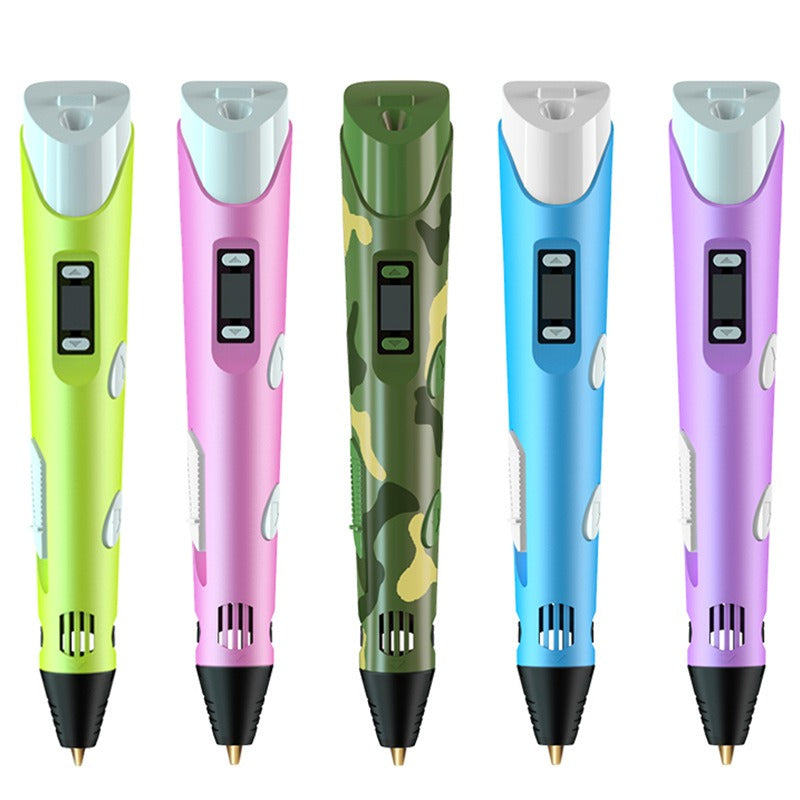
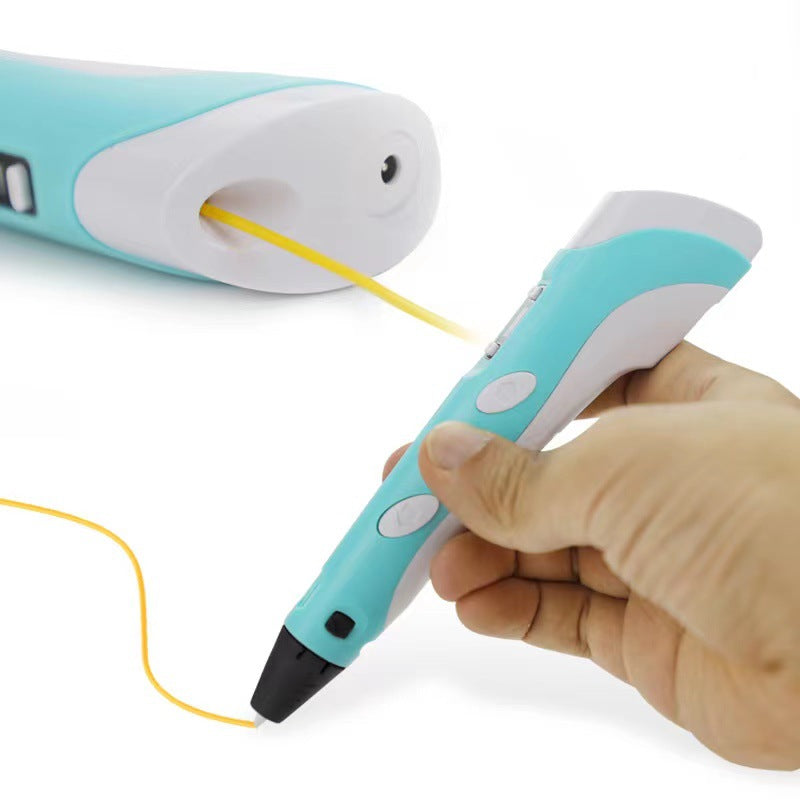
Turn ordinary drawing time into colorful, hands-on 3D making. This compact USB-powered pen gives children and DIY creators a tactile way to build raised PLA lines, shapes, and models.
Read the full descriptionTurn ordinary drawing time into colorful, hands-on 3D making. This compact USB-powered pen gives children and DIY creators a tactile way to build raised PLA lines, shapes, and models.
Create colorful three-dimensional drawings with an adjustable, USB-powered 3D printing pen.
Move beyond ordinary paper crafts with a USB-powered 3D printing pen that helps kids and makers draw raised lines, shapes, and playful models.
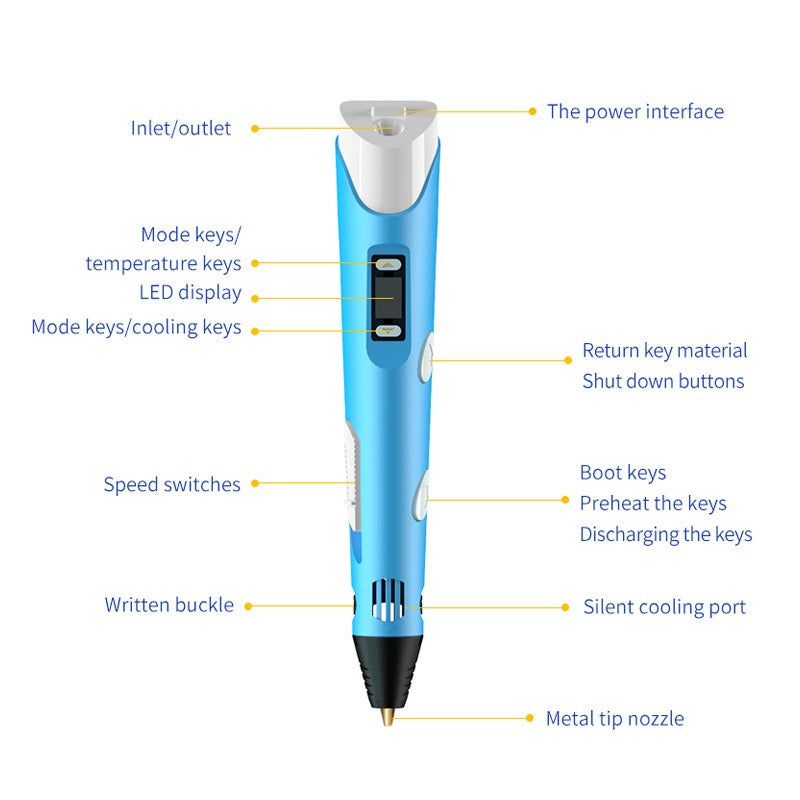
The mode, temperature, and speed controls let makers adapt the pen to different drawing rhythms and project details. The LED display keeps the active settings visible while they work.
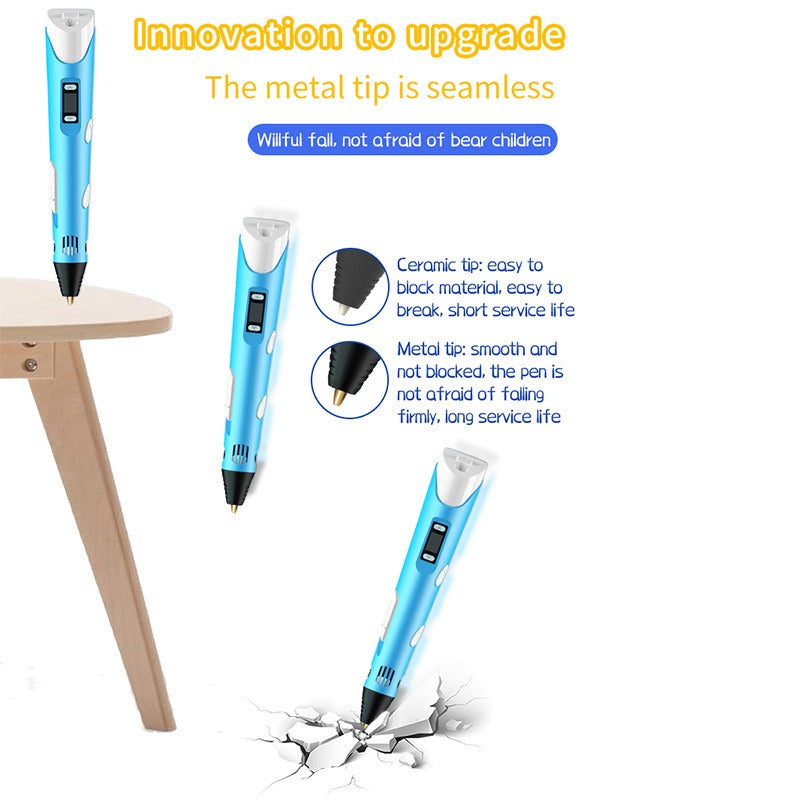
The pointed metal nozzle creates a controlled path for raised lines. Its smooth metal construction supports a less-blocked drawing experience when the pen is used according to the instructions.
PLA consumables turn hand movements into raised lines and three-dimensional designs instead of another flat page. Draw outlines, build upward, and experiment with colorful forms.
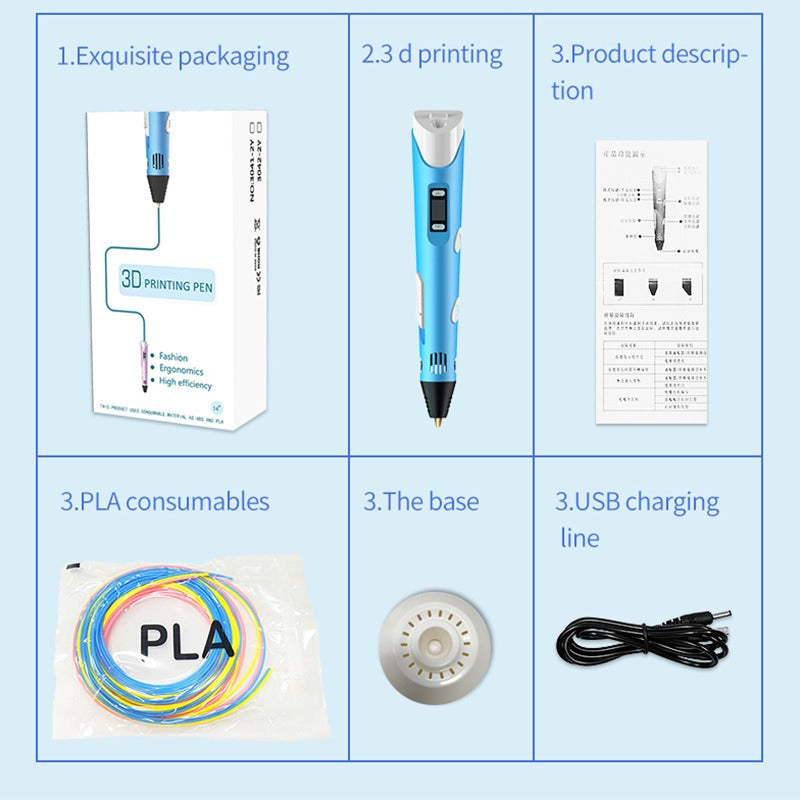
The pen, PLA consumables, display base, USB cable, box, and description sheet make setup straightforward for home or school projects. Everything has a clear place before the first line begins.
Place the pen near its display base, connect the USB charging cable, and keep the metal tip clear of hands and surfaces.
Insert the included PLA consumable as shown on the product description sheet. Choose a color before you begin.
Use the mode, temperature, and speed controls, then read the LED display so the pen is ready for the pace of your project.
Start with a simple outline on a protected surface. Move steadily, then build upward or join lines once the basic flow feels familiar.
Glossy compact body with controls and metal nozzle
Colorful material for raised designs
A dedicated place to rest the pen
USB power connection
Keeps the creative set together
Reference for setup and use
A child can have a big idea for a shape or model, but crayons and markers keep the result on the page. After a few similar projects, even a good idea can start to feel forgettable. For more hands-on options, pair the pen with kids toys educational.
Load PLA filament, connect USB power, and the first raised line changes the whole feeling of the project. A simple hand movement becomes something tactile, colorful, and unexpectedly dimensional.
The LED display, mode and temperature keys, and speed switch give makers visible control as they learn. Slow down around small details, change the rhythm for broader lines, and turn trial and error into useful creative practice.
The finished shape comes off the page and into their hands. Whether it is a school model, family decoration, or playful outline, the result gives children a reason to proudly show what they made.
| 3D Printing Pen | Markers And Crayons | Basic Craft Kit | |
|---|---|---|---|
| Creates raised designs | Yes | No | Partial |
| Adjustable drawing control | Yes | No | Partial |
| Uses colorful material | PLA consumables | Ink or wax | Varies |
| One compact creative tool | Yes | Yes | No |
| Ready-to-start pieces included | Yes | No | Varies |
It uses PLA consumables. The included filament comes in multiple colors for raised lines, shapes, decorations, and model-making projects.
Yes. The six-item set includes the 3D printing pen, PLA consumables, display base, USB charging cable, product box, and product description sheet.
Children should use it with active adult supervision. The metal nozzle becomes hot during operation, so keep it away from skin and use the pen on a clear, protected surface with airflow around the cooling vents.
Use the mode, temperature, and speed controls to adjust the drawing pace and working settings for the project. The LED display keeps the selected information visible.
Do not force filament through resistance. Stop and follow the product description sheet to clear the material gently. The smooth metal tip supports a less-blocked flow when the pen is loaded and used as instructed.
Yes. It suits supervised school activities, home crafts, family projects, and model-making practice. Start with simple lines and outlines before moving into larger forms.


 3D Printing Pen for Colorful 3D Creative Projects