
$89.90
Free delivery · 7–14 days
USB Condenser Microphone with Ear Monitor & Echo Control


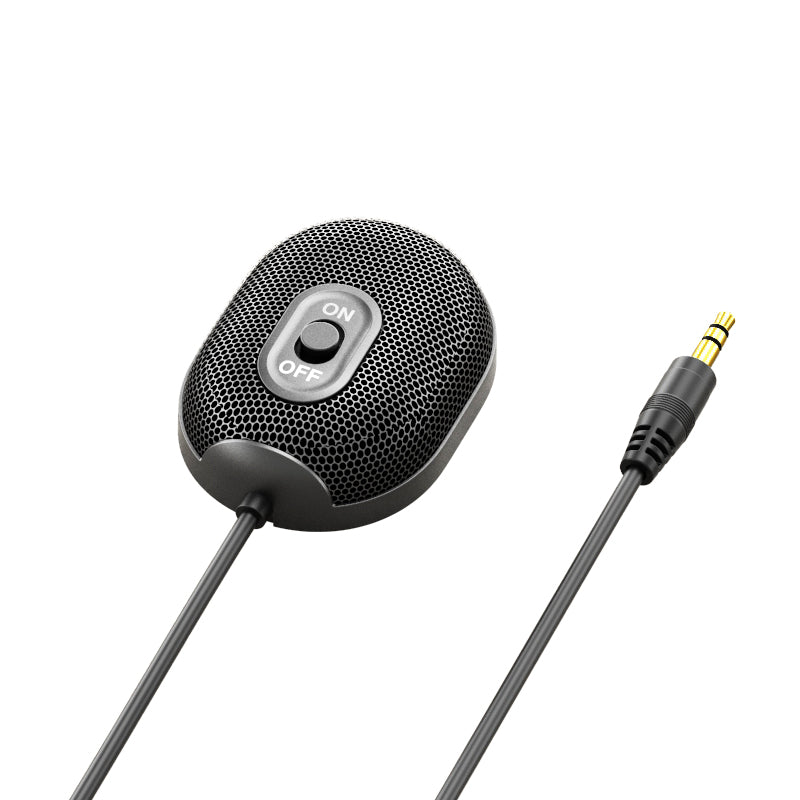


Group calls go better when every voice reaches the mic. This 360° desktop mic picks up speakers across a 3 m radius, so the whole table sounds like it is in the same room. Plug the 3.5mm AUX jack into the device you already use and start the meeting.
Read the full descriptionGroup calls go better when every voice reaches the mic. This 360° desktop mic picks up speakers across a 3 m radius, so the whole table sounds like it is in the same room. Plug the 3.5mm AUX jack into the device you already use and start the meeting.
360° pickup microphone for clear group conference audio on any device with a 3.5mm jack
Tired of laptop mics that only catch the person closest to them? Plug in a 360° pickup mic and everyone at the table comes through clearly.

The omnidirectional capsule picks up speakers from every direction across a 3 m radius. The colleague three seats away comes through as clearly as the person facing the screen. A laptop's built-in mic is aimed at one spot. This one covers the room.

The 3.5mm AUX plug fits laptops, desktops and many consoles, so there is no adapter to buy and no driver to install. Plug it into the jack you already use, then pick the mic as the input in your call app.

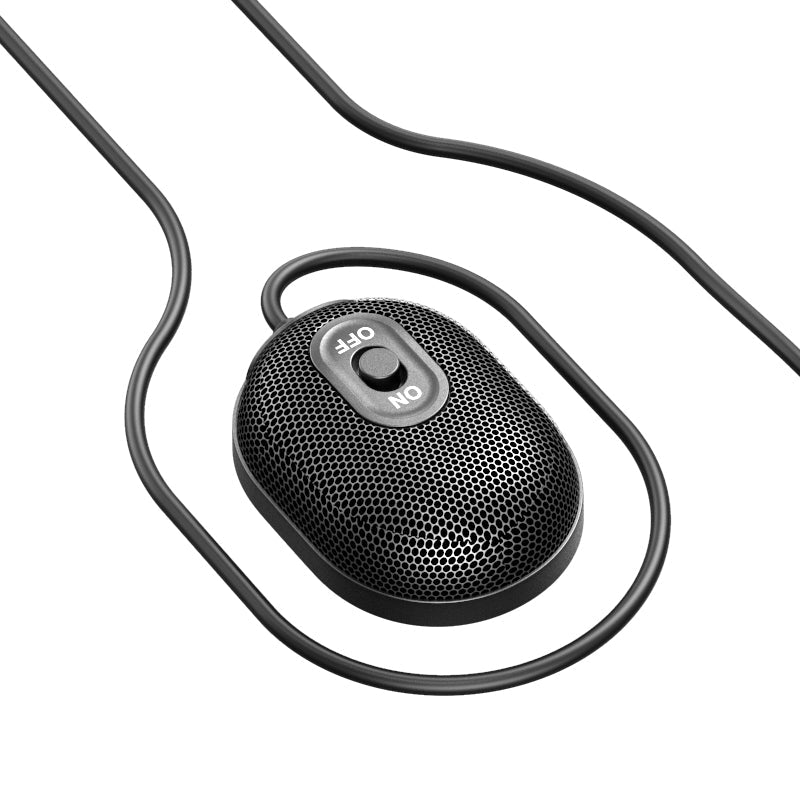
A raised slide switch sits on top of the body, easy to find by touch during a call. Flip it on and the mic is live. The flat base sits steady on any desk, and the body is compact next to two AA-style batteries, so it fits beside a keyboard without crowding it.
Connect the 3.5mm plug to the mic or headset input on your laptop, desktop or console.
Move the ON/OFF slider on top of the body to on. The mic is live without any software.
Place the mic in the middle of the group, then select it as the input device in your call app before you join.
360° pickup capsule in a matte black plastic body with honeycomb mesh grille and ON/OFF slider
Plugs into any device with a 3.5mm jack
Yes, as long as that port accepts a 3.5mm mic input. Plug the AUX jack in, switch the mic on, and choose it as the input in your app. If the port is headphone-only, no mic signal will register, so check your device's audio input settings first.
The 1.5 m cable covers the gap between a desktop jack and a spot in the middle of the desk. If your computer sits on the floor or across the room, plan on an extension cable.
The capsule is omnidirectional with 360° pickup and a 3 m radius. Set the mic centrally and everyone inside that circle comes through. People at the far edge of a large table will sound quieter, so nudge the mic toward them.
For group calls, yes. A laptop mic faces whoever sits in front of it and picks up keyboard clicks and fan noise. This mic covers the room from one spot on the desk, and it costs a fraction of a USB conference speakerphone for the same small-group job.
No. It is plug and play on any device with a 3.5mm input. Switch it on, select it in your call app, and join the meeting.
Yes. Teachers use it for seminars and class discussion, and streamers use it for voice chat with co-hosts. For streaming, keep it at mouth level on the desk and switch it off between sessions.


 360° Conference Microphone with 3.5mm Plug for Group Calls