
$54.90
Free delivery · 7–14 days
WiFi Range Extender 300Mbps That Fixes Wi-Fi Dead Zones

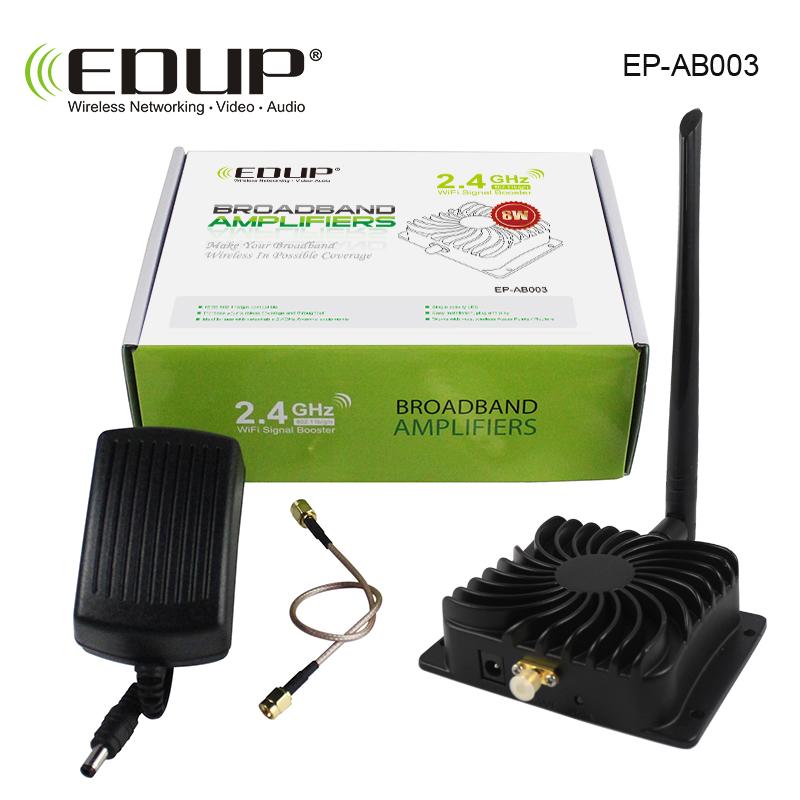


The EP-AB003 takes the Wi-Fi your router already sends and carries it into the back bedroom or far office, so calls and smart devices stay connected. An 8W 2.4GHz amplifier, a finned heatsink housing and an external antenna do the work, and the SMA cable and 12V 1.5A adapter come in the same box.
Read the full descriptionThe EP-AB003 takes the Wi-Fi your router already sends and carries it into the back bedroom or far office, so calls and smart devices stay connected. An 8W 2.4GHz amplifier, a finned heatsink housing and an external antenna do the work, and the SMA cable and 12V 1.5A adapter come in the same box.
8W 2.4GHz Wi-Fi booster that extends wireless broadband coverage
Today the signal fades before it reaches the back bedroom or the far office, and calls drop mid-sentence. With an 8W 2.4GHz booster placed between router and dead zone, those rooms hold a steady connection.

The 8W 2.4GHz amplifier is the reason this unit reaches past where a plug-in extender gives up. A booster at this rating holds a link at distance, so calls and smart devices stay connected in rooms that used to drop off.

Gold-plated SMA connectors on both ends of the included cable mean a firm, low-loss join to your router. You get one cable to connect, with no adapters to hunt down before you start.

The matte black finned housing sheds heat from an 8W amplifier. Leave the fins and the mounting flange in open air, and the unit runs without the warm-box problems that shorten the life of sealed electronics.
Stand where your phone still shows a solid connection, then move toward the dead zone until the signal starts to drop. Mount the booster there, on a shelf or wall with air around the fins.
Attach one end of the SMA cable to the router antenna port and the other end to the booster.
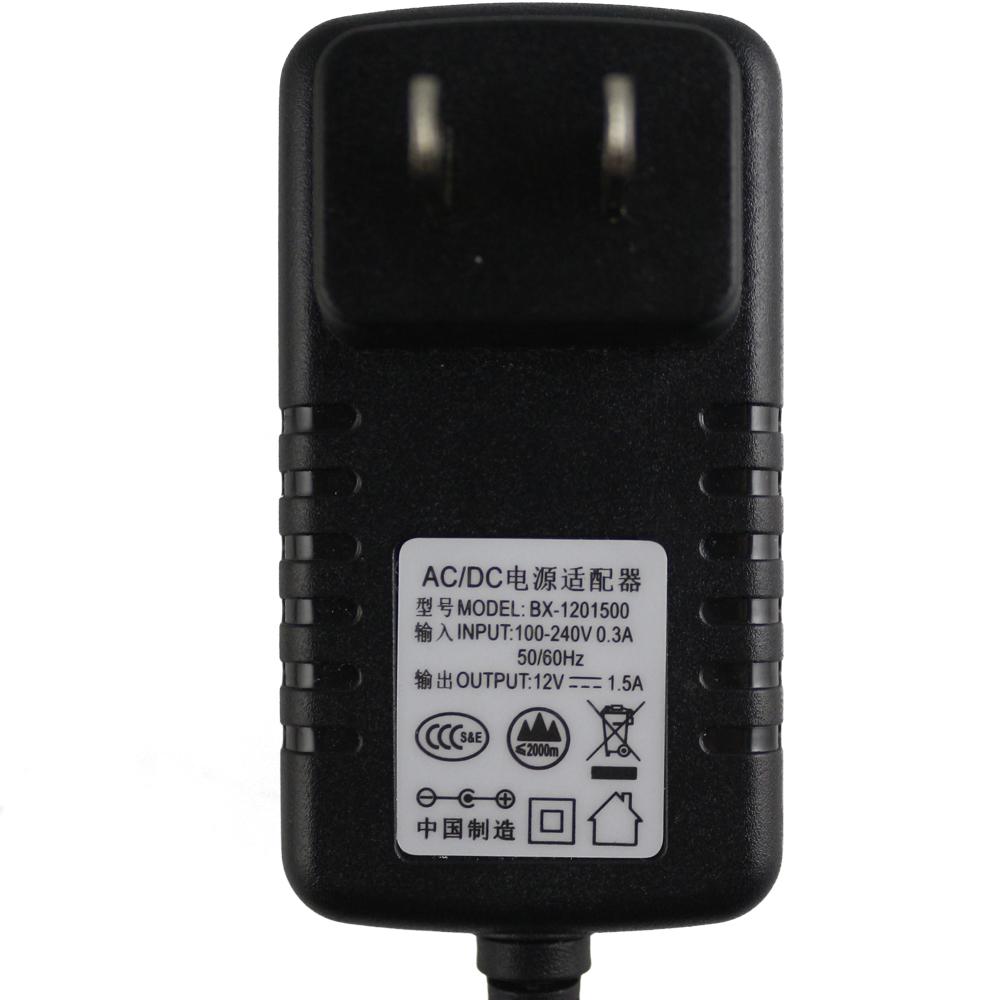
Connect the 12V 1.5A adapter to the DC jack on the booster and then to a wall outlet.
Walk into the far room with a phone or laptop and run a short video call. If the link holds, rotate the antenna toward that room and fix the booster in place.
Finned black housing with external antenna attached
Links the booster to your router antenna port
AC/DC supply for the DC jack
Every time you walk into the back bedroom, the video call stalls, the smart plug goes offline and the stream buffers into a blur. Restarting the router helps for a minute, then the room drops off again. Moving the router solves that room and breaks the living room, so most people end up stuck with the one spot that never works.
The EP-AB003 is an 8W 2.4GHz booster that takes the signal from your router and pushes it into the room beyond. You mount it midway, run the SMA cable to the router, and plug in the 12V 1.5A adapter. The router stays where it is, and the booster does the extra distance.
Once the booster is in place, the back room holds a usable link for calls, streaming and the smart devices in that corner. Small offices get the same result at the far desk, and installers can add coverage without swapping out a router that already works.
The EP-AB003 amplifies the 2.4GHz band only. It works with any router that broadcasts 2.4GHz and connects through an SMA antenna port. Devices that connect on 2.4GHz gain the extra reach. Devices that only use 5GHz will not be boosted by this unit.
The unit runs from the included 12V 1.5A adapter, so use that adapter and no other. Keep the finned housing in open air, mount it on a shelf or wall, and never seal it in a cabinet. The fins are what keep an 8W amplifier cool over long days.
No. The box includes the booster with its antenna attached, the SMA male-to-male cable and the power adapter. You connect the cable from the router, plug in the adapter and place the booster midway to the dead zone. Most of the work is walking the room with a phone to find the spot.
A cheap plug-in extender often loses half its speed and struggles to hold a link at range. A new router replaces hardware that already works. This booster keeps your current router in place and adds an 8W amplifier at the point where the signal starts to fade, so you pay once for the reach you actually need.
Value comes from what is in the box. You get the booster, the antenna, the SMA cable and the 12V 1.5A adapter, so you do not pay extra for the parts a basic extender leaves out. If the far room drops off every day, one booster costs less than the calls and work time you lose each week.
The cable is an SMA male-to-male coaxial cable with gold connectors on both ends. It links the booster to a router with an SMA antenna port. Check that your router has an external SMA port before you order, since an internal-antenna router has no place to connect.


 2.4GHz Wi-Fi Signal Booster 8W for Weak Wi-Fi Dead Zones