$89.90
Free delivery · 7–14 days
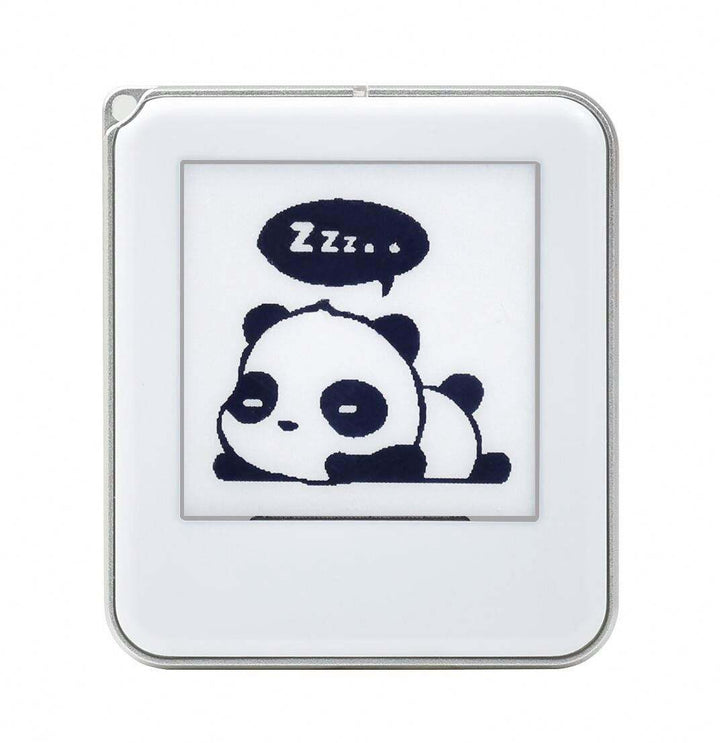
1.54-inch NFC e-Ink Display — Battery-Free Wireless Updates
E paper displays provide a low-power, paper-like way to show labels, prices, status information, schedules, and other static content. This category features a 1.54-inch NFC e-Ink display with battery-free wireless updates, suited to compact projects and information tags rather than large-screen viewing.
Start with the information you need to show and the physical space available. The 1.54-inch NFC e-Ink Display is designed for compact labels, identifiers, shelf information, inventory tags, and small project interfaces. Its battery-free wireless update method can be useful when you want to change displayed content without adding a dedicated battery to every tag. Check the display size, mounting requirements, viewing orientation, update method, and the type of content you plan to refresh. If you need dashboards, menus, or frequent interaction, consider whether a larger e-paper monitor or a different display technology is more suitable. For a small, mostly static display, a compact e-paper module can reduce wiring and simplify installation.
E-paper displays range from small modules for embedded projects to larger panels designed for signage or desktop use. Small modules, such as this 1.54-inch NFC display, are suited to labels, tags, device status, and compact prototypes. Larger e-paper displays provide more room for text, graphics, and layouts, while e-paper monitors are intended for extended desktop viewing rather than embedded installation. You may also see displays described as modules, which generally means the panel is supplied with an interface or electronics for integration into a project. When comparing types, look at screen size, color capability, refresh behavior, connection method, and software support. Choose the smallest format that clearly presents the information your application requires.
Review the complete module specification before buying. Important details include the active display area, supported colors, image resolution, update process, NFC compatibility, operating requirements, and any available development documentation. For an e-paper display Arduino project or e-paper display Raspberry Pi project, confirm that your chosen controller can communicate with the module or its update system; do not assume that every e-Ink panel uses the same library or connector. Also check whether the product is intended for standalone labels, prototyping, or permanent installation. This 1.54-inch NFC model is most relevant when compact size and battery-free wireless updates matter. If you need touch input, continuous animation, or video, verify those requirements carefully because standard e-paper modules are generally designed for still content.
Using an e-paper display usually involves preparing an image or text layout, transferring the content through the supported interface, and placing the display where it can be read. With the 1.54-inch NFC e-Ink Display, wireless updates are made through NFC, so the updating device must support the required NFC process and remain close enough to communicate. Begin with a simple label or short status message, then test text size, contrast, alignment, and update reliability before deploying multiple units. Keep the display’s intended installation and handling requirements in mind, especially during mounting. For development work, use the supplied documentation or compatible software tools rather than applying a generic e-paper library without checking compatibility.
A frequent mistake is choosing a display that is too small for the viewing distance. The 1.54-inch format works best for nearby labels and compact information, not room-scale signage or a full desktop workspace. Another mistake is confusing slow-refresh e-paper with an LCD: e-paper is normally chosen for readable static content, while LCD is usually better for rapid animation, video, or constant interaction. Buyers also overlook the update method, assuming a wireless display includes Wi-Fi, Bluetooth, or a built-in battery. This product uses NFC for battery-free wireless updates, so confirm that your workflow supports NFC. Finally, check integration details before starting an Arduino or Raspberry Pi build, including software compatibility, physical connections, and how the display will be powered or updated.
E-paper displays suit shoppers who need clear, low-maintenance presentation of information that changes occasionally rather than continuously. This compact NFC model can be a practical fit for product labels, room or equipment identifiers, inventory information, small signage, maker projects, and prototypes where avoiding a battery in each display is useful. It may also suit developers testing an e-paper display Arduino or Raspberry Pi concept, provided the update workflow and interface are compatible with the selected controller. Consider a larger e-paper display if viewers will stand farther away or if the layout needs several lines of detailed content. Choose an LCD or another active display when you need fast animation, video, touch-heavy interaction, or frequent visual transitions.
An e-paper display is a screen designed to resemble printed paper and show information with low visual distraction for static content. It is commonly used for labels, signs, tags, and embedded devices. The 1.54-inch NFC e-Ink Display is a compact example designed for battery-free wireless updates.
The price depends on screen size, color capability, interface, included electronics, and whether the product is a standalone display or a development module. Compact NFC e-paper displays can differ from larger e-paper monitors because they target different applications. Check the current product listing for the latest price and included components.
You can buy e-paper displays from specialist electronics and display retailers, including this category page. Before ordering, compare the display size, update method, documentation, compatibility, and intended use. For this product, confirm that NFC-based wireless updating fits your project or labeling workflow.
An e-paper display module is a display panel supplied with supporting electronics or an interface that helps it connect to a project. The exact connection method and software support vary by model. Always check the module documentation before using it with Arduino, Raspberry Pi, or another controller.
Neither is universally better; the right choice depends on the application. E-paper is a strong option for mostly static labels and signs, while LCD is generally more suitable for video, animation, and rapid interactive changes. A compact NFC e-paper display is best considered for nearby, information-focused applications.
Create the content, transfer it through the display’s supported update method, and test readability and placement before installation. This 1.54-inch model uses NFC for battery-free wireless updates, so your updating device and software must support the required NFC workflow. For Arduino or Raspberry Pi projects, verify compatibility and follow the product documentation.