
$44.90
Free delivery · 7–14 days
Bluetooth Sleep Eye Mask with Speakers for Night Audio


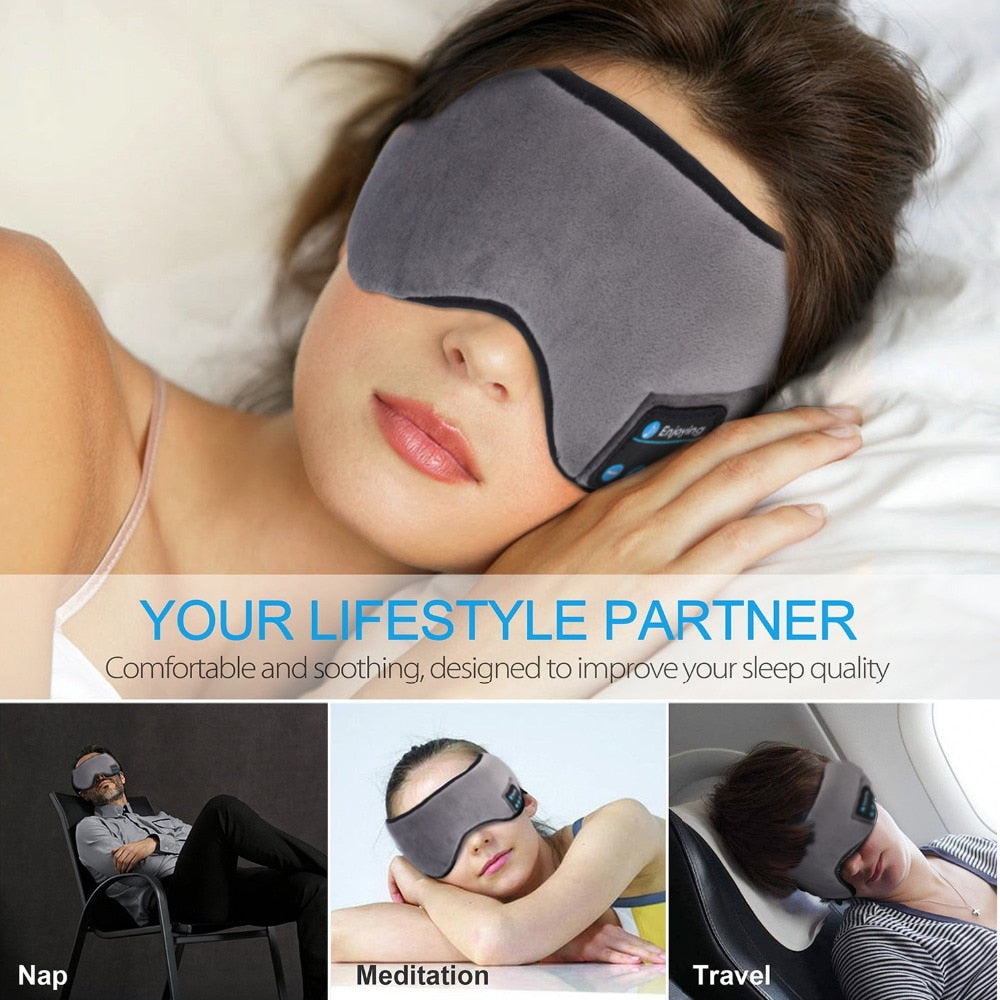


Lie on your side, press play, and drift off to a podcast, a meditation track or a call without an earbud in your ear. The soft plush mask blocks light and carries sound from speakers built into the fabric. It is made for side sleepers, insomnia nights and long flights.
Read the full descriptionLie on your side, press play, and drift off to a podcast, a meditation track or a call without an earbud in your ear. The soft plush mask blocks light and carries sound from speakers built into the fabric. It is made for side sleepers, insomnia nights and long flights.
Listen to music or calls in bed with a soft, comfortable sleep mask that also blocks light
Tired of earbuds that dig in or fall out when you roll over? This soft, light-blocking mask carries sound through its built-in speakers, so you can rest in the dark and wake up comfortable.

The speaker panel sits in the mask, not in your ear. Lie on either side and the sound stays with you, with nothing pressing into the ear canal or sliding out when you turn over. Pair once over Enhanced Bluetooth 5.0 and press play. Only one device connects at a time, so disconnect the old phone before you pair a new one.

The contoured eye cushion shades your eyes from a streetlamp, an early sunrise or a glowing phone screen. The lining stays soft against the skin through a long night, and the cushion stays in shape instead of flattening as you lie down.

The elastic band adjusts by pulling the strap, so you can snug it without a fixed one-size band pressing on your temples. The lining is 95% cotton with 5% polyester, which keeps the fabric light against your face on a warm night.
Connect the USB cable to the charging port on the mask and charge the built-in battery before the first night.
Turn on Bluetooth on your phone, select the mask from the list and connect. Disconnect any other device first, since only one can connect at a time.
Pull the elastic band until the cushion sits over your eyes and the speakers line up with your ears.
Start a podcast, track or call at a low volume, then lie on your side. Adjust the volume once you are settled.
Soft plush shell, contoured eye cushion, adjustable band
Charges the built-in battery through the mask's USB port
You lie down with a podcast ready to go. Lie on your side and the earbud presses into your ear, then slides out the moment you shift position. By midnight the audio is gone and the ear is sore, so you turn it off and lie awake with the light on.
The speakers sit in the mask itself, so nothing goes into your ear. The contoured eye cushion blocks light in the same piece of fabric. One soft mask covers both problems, and the sound stays with you whichever side you rest on.

Picture the room dark, a meditation track playing low, and your head sinking into the pillow. Charge the mask once, pair it with your phone, and you can test it on your next night in bed without changing anything else about your routine.
Charge the mask, pair it with your phone over Bluetooth, adjust the strap, and check the volume lying in your usual sleep position before you settle in.
Adjusting the elastic band a little on each use usually lets the cushion sit where your eyes and ears need it, so it stays on through side sleeping.
With regular use the mask becomes a nightly habit for music, podcasts or meditation, and you can judge honestly whether it helps your wind-down.
| This mask | Earbuds | Plain eye mask | |
|---|---|---|---|
| Audio without anything in the ear | — | — | |
| Stays in place when you roll onto your side | — | ||
| Blocks light | — | ||
| Plays music, podcasts or calls | — |
Yes, because nothing goes into your ear. The speakers sit in the mask panel, so the earbud ache and the sliding earbud are gone. Pull the band snug enough to hold the cushion in place, and avoid a tight fit on the temples.
The speakers sit close to your ears, so most people set the volume well below the top level. Start low before you lie down, then adjust. The sound is meant for a quiet room, not a noisy train, so keep the phone within easy reach for the loudest setting.
Yes. The band adjusts by pulling the strap, so you can set the length to your head rather than wearing a fixed size. Small adjustments on the first few nights usually settle the cushion over your eyes.
Connect the USB cable to the charging port on the mask and charge the built-in battery before your first night. The packaging does not list a playback time, so test it on a charge before a long flight.
No. The mask pairs with one device at a time. To switch, disconnect the current phone or tablet first, then pair the new one over Bluetooth.
The contoured eye cushion is built to shade the eyes completely, so a bright window or a streetlamp stays out. The fit depends on how you adjust the band, so tune it on the first night.

 Wireless Bluetooth Sleep Mask Headphones for Side Sleepers