
$46.90
Free delivery · 7–14 days
Mirror Digital LED Wall Clock with Temperature Display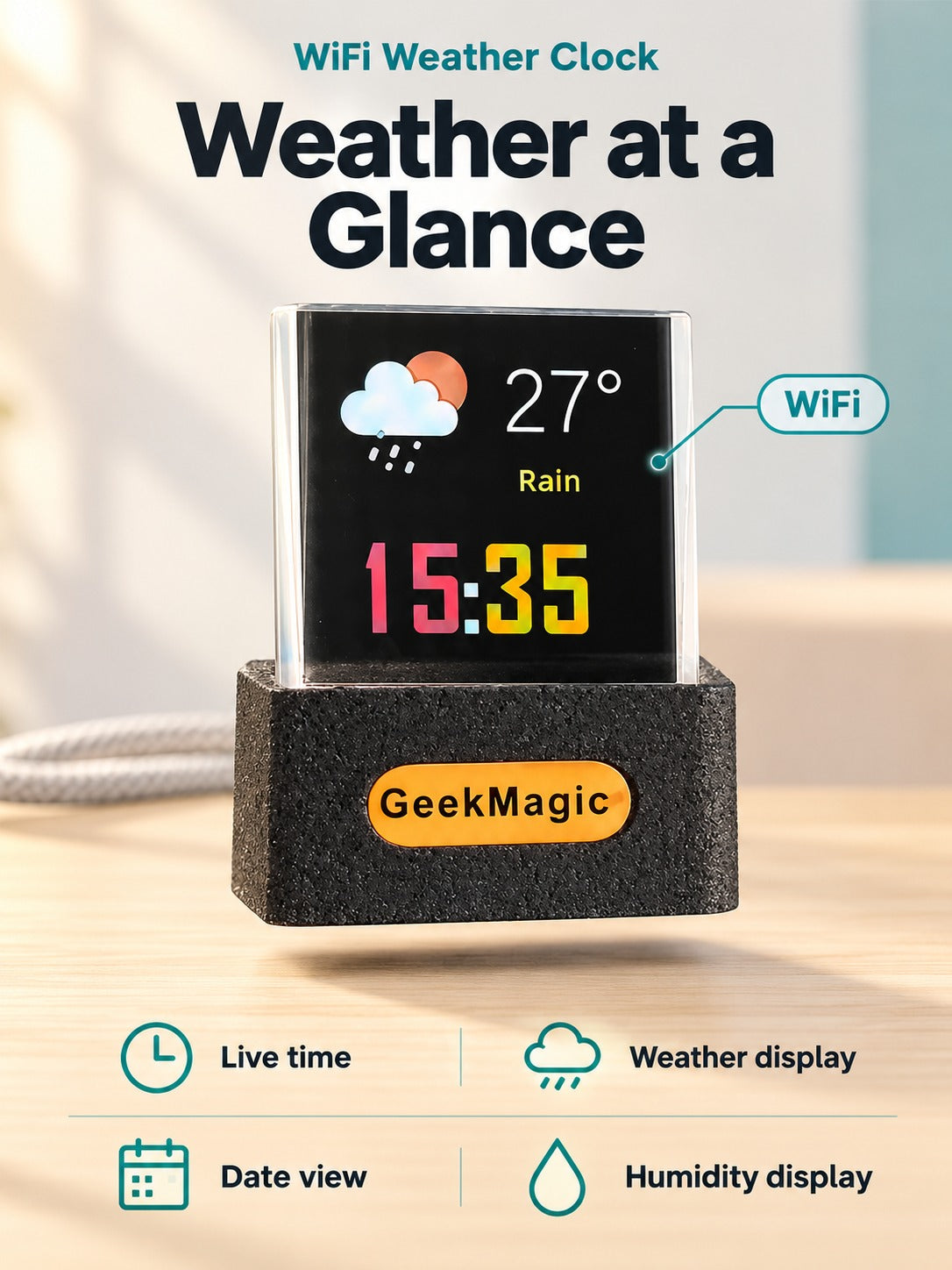
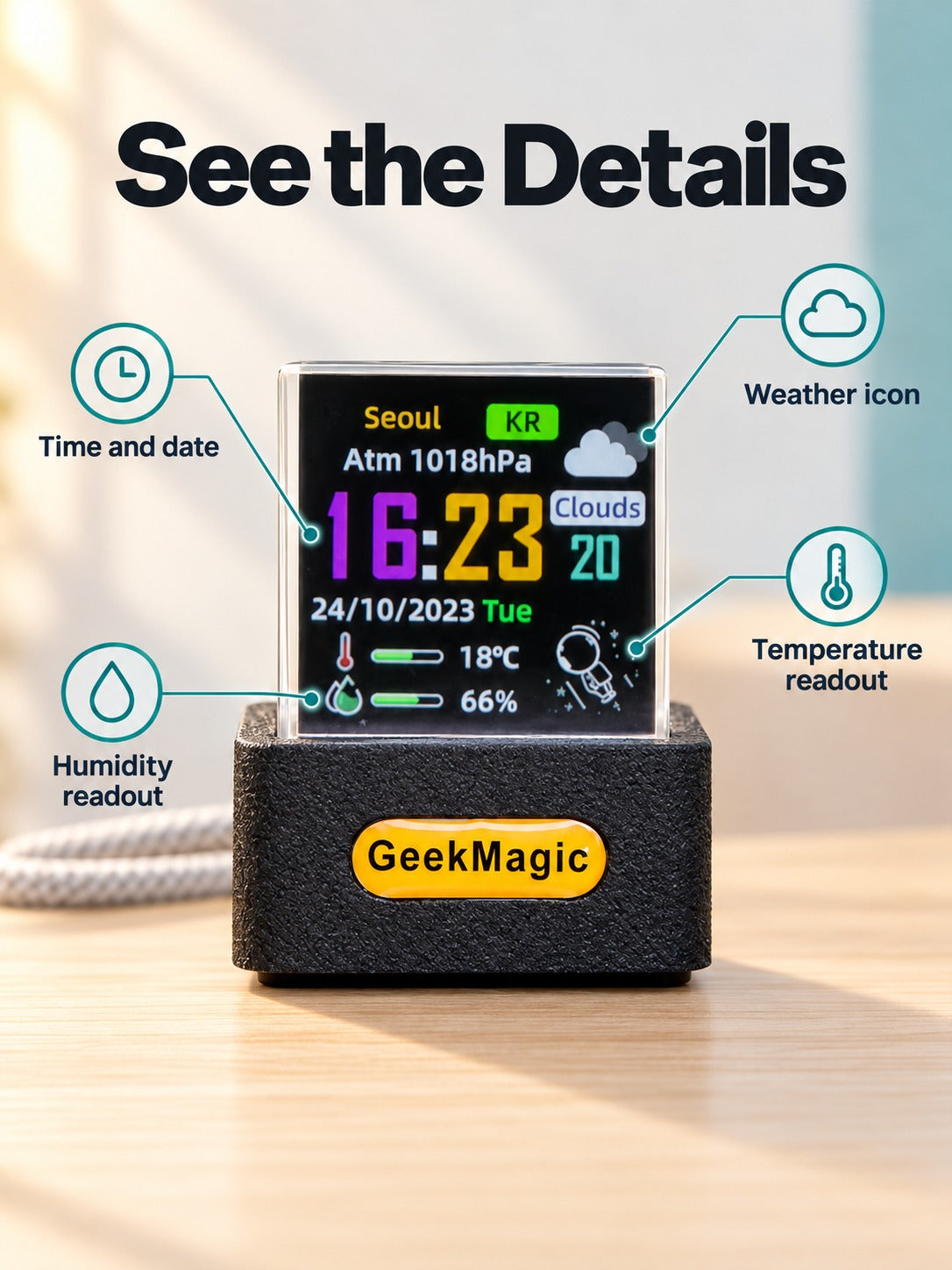



A clear acrylic cube that shows the time, city, weather icon, temperature and humidity in full color. Glance up from your monitor and the forecast is already there. It fits a desk, a nightstand or a gaming shelf, and the custom themes keep it looking deliberate.
Read the full descriptionA clear acrylic cube that shows the time, city, weather icon, temperature and humidity in full color. Glance up from your monitor and the forecast is already there. It fits a desk, a nightstand or a gaming shelf, and the custom themes keep it looking deliberate.
A glowing desktop cube that shows live weather and time at a glance
Stop unlocking your phone every time you wonder about rain. Before, your desk was bare and your focus kept breaking. After, a glowing acrylic cube shows the time, city, temperature and humidity while you work.

The full-color LCD carries the clock, city, weather icon, temperature and humidity in one view. The digits are sharp enough to read from your chair without leaning in. Nothing sits behind a menu or an app screen.

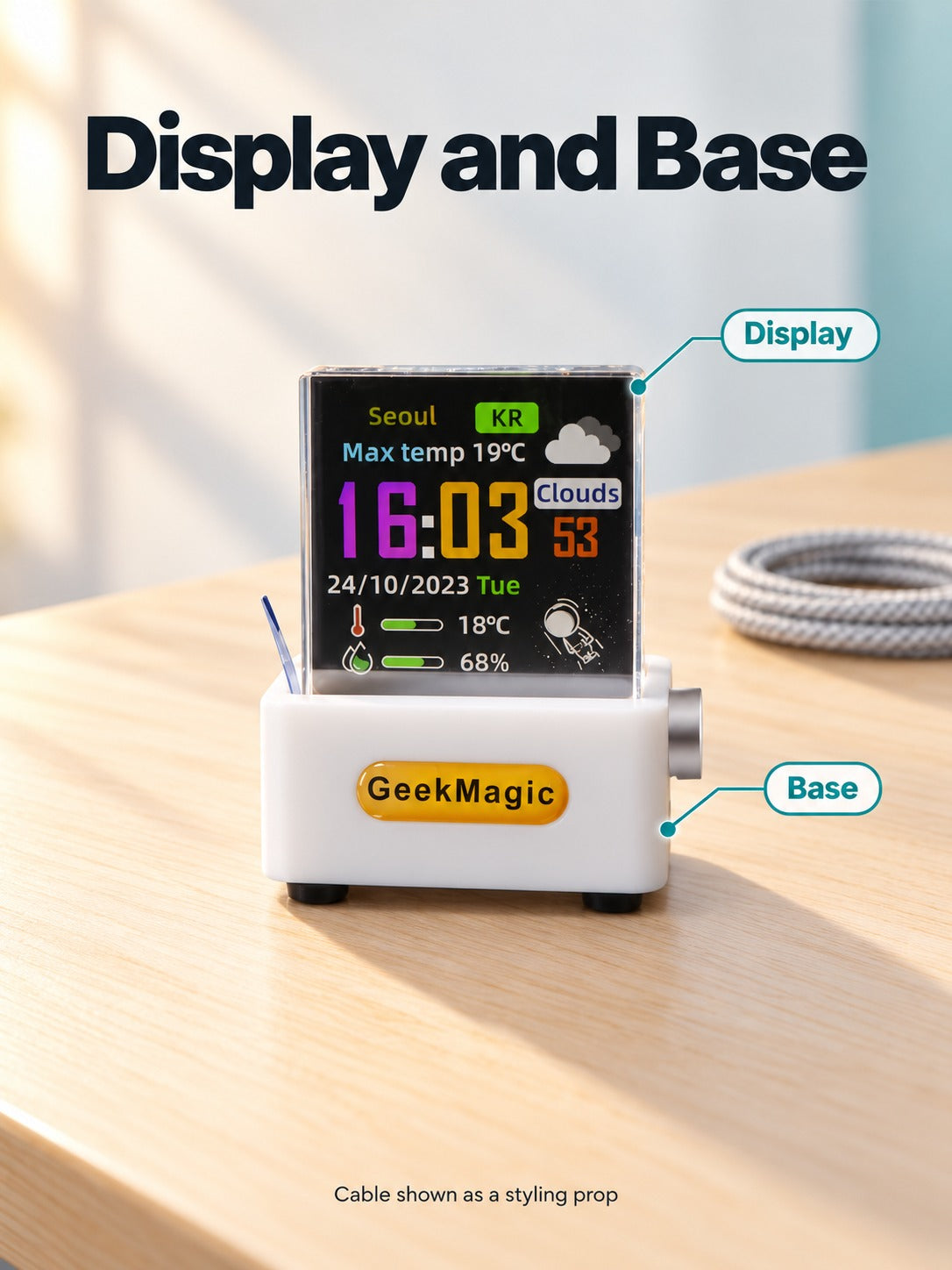
The cube is clear acrylic on a matte textured base, with an amber GeekMagic badge on the front edge. The glass-like body lets the lit screen do the work, and the base keeps it steady on a shelf or nightstand.

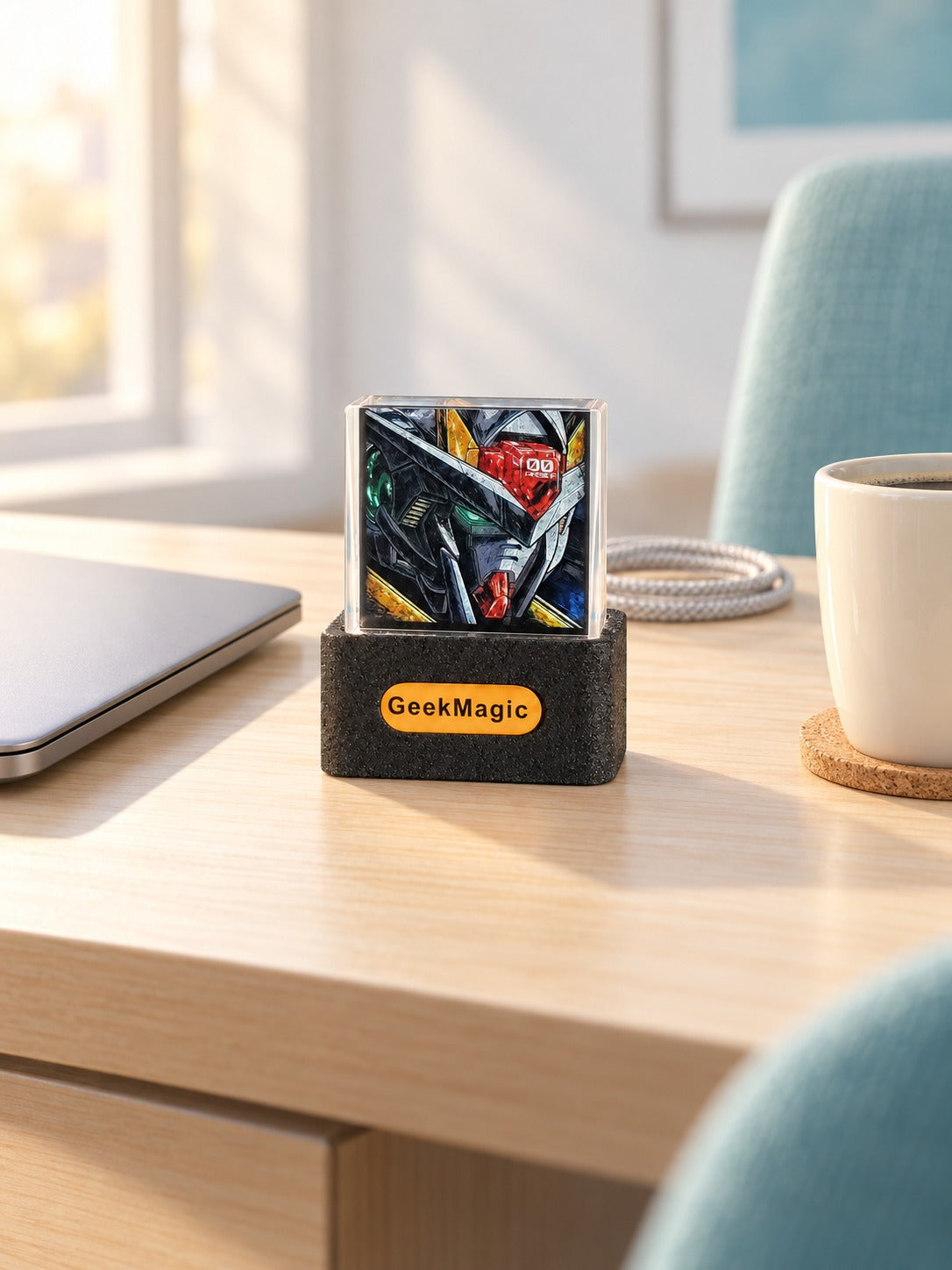
Alternate themes show custom artwork such as a mecha face and an astronaut graphic. Keep the clock on during the workday and switch to artwork in the evening. It works as a clock and as decor.
Lift the lid and find the clear acrylic cube nested in protective packing. The glossy surface catches light right away.
Place the textured base on a shelf, monitor stand or nightstand. The amber badge sits on the front edge.
Plug the USB cable into a stable power source and connect it to the base. The screen lights up as it starts.
Follow the setup guidance to join your network. Live time and weather load once the cube is online.

You pick up the phone to see if you need a jacket. A message arrives, a feed loads, and the forecast is somewhere under twelve notifications. Work that was going fine stops while you scroll. By the third check in an hour, the desk still looks empty and the answer is still missing.

The cube sits beside the monitor and answers the question before you reach for anything. Time, city, weather icon, temperature and humidity share one lit screen. One look up tells you whether the umbrella comes along. The phone stays face down and the spreadsheet keeps your attention.

Between weather checks the screen switches to custom artwork, such as a mecha face or an astronaut line drawing. The desk gets a focal point that looks chosen rather than left over. If you already like a rotating screen at home, a smart digital photo frame does the same job for family pictures.
| Weather cube | Phone weather app | Plain desk clock | |
|---|---|---|---|
| Weather visible without unlocking | Yes | No | No |
| Shows time | Yes | Yes | Yes |
| Temperature and humidity readout | Yes | Partial | No |
| Works as desk decor | Yes | No | Partial |
| Needs WiFi for live data | Yes | Yes | No |
The cube is a dedicated screen that stays on your desk, so the check becomes one glance up instead of an unlock, a feed and a detour. If you look at the forecast on your phone several times a day, the difference shows up fast. If you rarely check, it is still a clock with a forecast and a finish that suits a desk.
The cube joins your WiFi network and pulls live time and weather from online sources. Setup follows the guidance included with the cube. Once it is online, you read the screen without opening an app.
Live weather and time come from an online connection, so the forecast stops updating when WiFi is down. Keep the cube within reach of your router so updates keep coming through.
The cube is clear acrylic on a textured base, so it sits steady among keyboards and cables. Keep it out of direct sunlight and away from the edge of a shelf, and the screen stays easy to read.
A plain clock tells you the time and nothing else. This cube adds the city, weather icon, temperature and humidity on a sharp full-color screen, and it doubles as desk decor. The two-pack value makes a second cube for the bedside an easy add.
Yes. The custom artwork gives a desk that already has everything else a new focal point. Pick the black or white finish to match the gear they already own.


 WiFi Weather Clock Cube: Live Time & Forecast on Desk