
$36.90
Free delivery · 7–14 days
Wall Mounted Remote Control Holder for Living Room


The remote stops disappearing into the sofa and the phone stops sliding off the bedside. This open-top pocket holds both upright on a smooth wall, with a slot at the base for the charging cable. It mounts with wall-free adhesive, so the wall stays intact.
Read the full descriptionThe remote stops disappearing into the sofa and the phone stops sliding off the bedside. This open-top pocket holds both upright on a smooth wall, with a slot at the base for the charging cable. It mounts with wall-free adhesive, so the wall stays intact.
Keep your phone and TV remote within reach, mounted on the wall without drilling
Tired of digging between cushions for the remote and watching your phone slide off the bedside? This wall pocket holds both upright, with the charging cable tucked neatly out of sight.
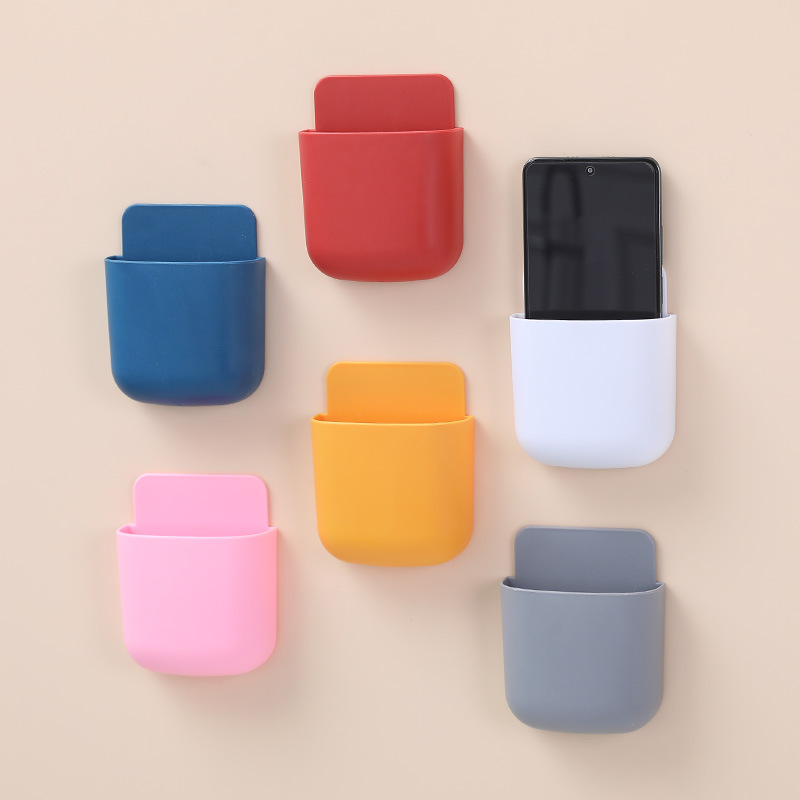
The open top holds the remote and phone standing up, so you spot them at a glance instead of digging. The pocket is deep enough that a phone stays put when you reach in for the remote.
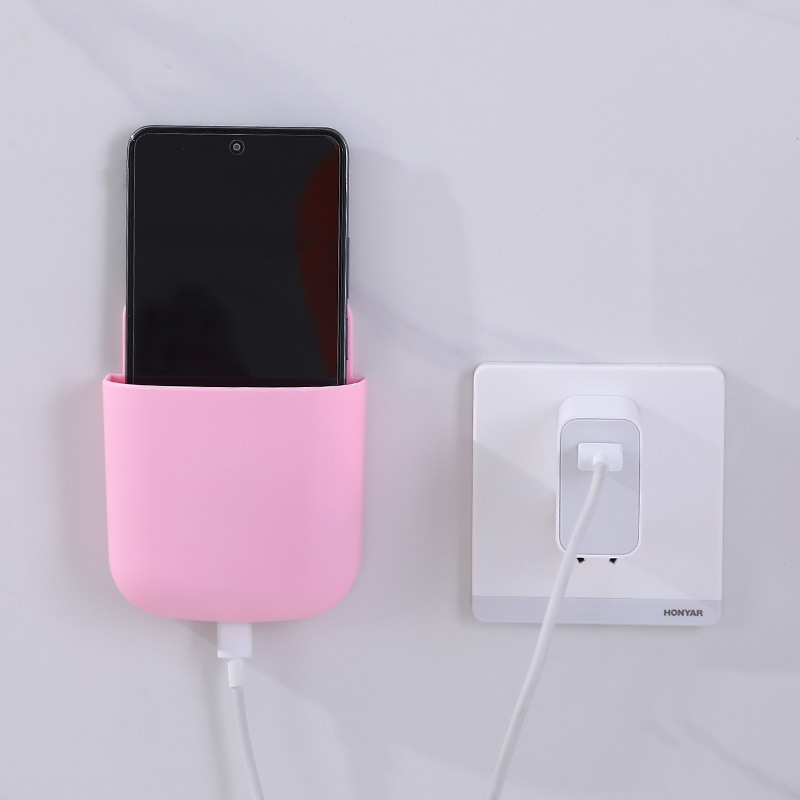
The back uses wall-free adhesive, so there are no holes to patch and nothing to explain at move-out. Wipe a smooth, dry patch of wall, press the pocket on firmly, and it is ready to load in minutes. Skip it on bumpy wallpaper, where the contact area is too small to hold well.
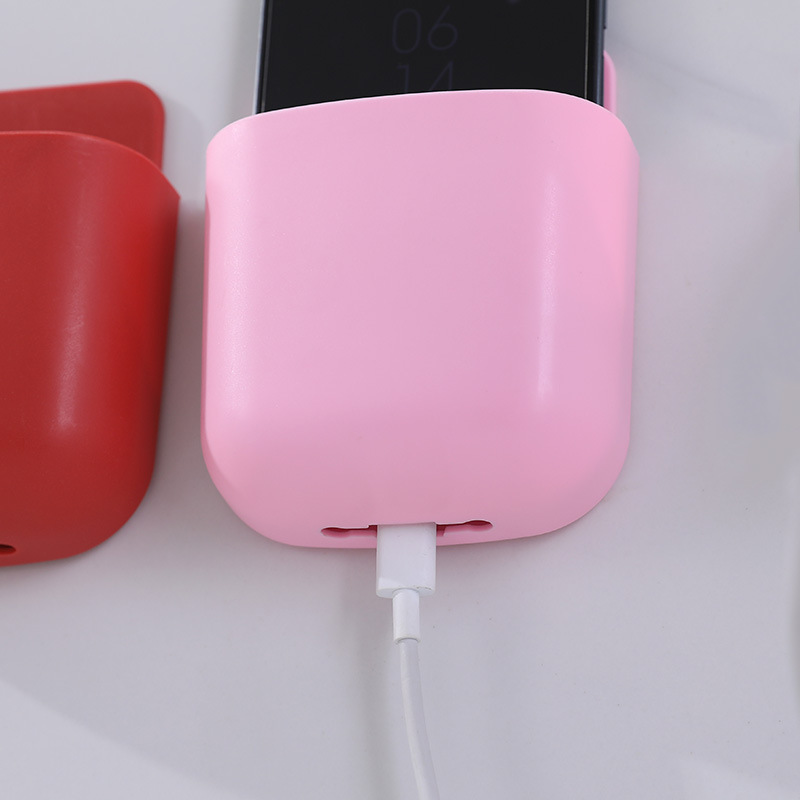
A slot at the base lets the charging cable exit neatly while the phone charges. The cord runs down the wall instead of across the floor, and the phone stays upright the whole time. Pair it with cable organizers for the rest of the setup.
Choose flat painted drywall beside the sofa, at the bedside, or behind the TV. Wipe the area with a dry cloth so no dust or grease is left.
Pull off the protective film on the back of the pocket, keeping your fingers off the adhesive surface.
Set the pocket on the wall and press firmly across the whole back for about 30 seconds.
Leave the pocket empty for a while so the adhesive bonds fully before you load it.
Place the remote or phone upright in the pocket, then run the charging cable out through the base slot.
Dust, oil, or flaking paint weakens the bond. A dry cloth before mounting is enough.
Built for a phone and a remote. Heavy tablets or bulky controllers pull on the adhesive.
The matte plastic shows dust less than glossy finishes, and a dry wipe keeps it looking fresh.
It is designed to come off without drilling holes, but removal depends on the paint. Test a hidden corner first on fresh paint, and peel slowly at a low angle, pulling the adhesive back along the wall rather than straight out.
Yes, for a phone and a TV remote. The pocket is built for those two items, so keep heavier things like tablets or bulky controllers somewhere else.
Use it on smooth, flat walls such as painted drywall. Bumpy wallpaper and textured surfaces reduce the contact area, which weakens the grip over time.
Both work well. Behind the TV it keeps the remote handy and hides the cable run, and at the bedside it holds the phone upright while it charges.
A caddy eats floor or table space, and a drilled shelf can cost you a deposit. This pocket uses no tools and no holes, and it clears the surface below it, so the cost is a one-time fix instead of a repair bill at move-out.


 Wall-Mounted Remote & Phone Holder, No-Drill Wall Storage