
$129.90
Free delivery · 7–14 days
Foldable GPS Drone with 6K Dual Camera and Auto Return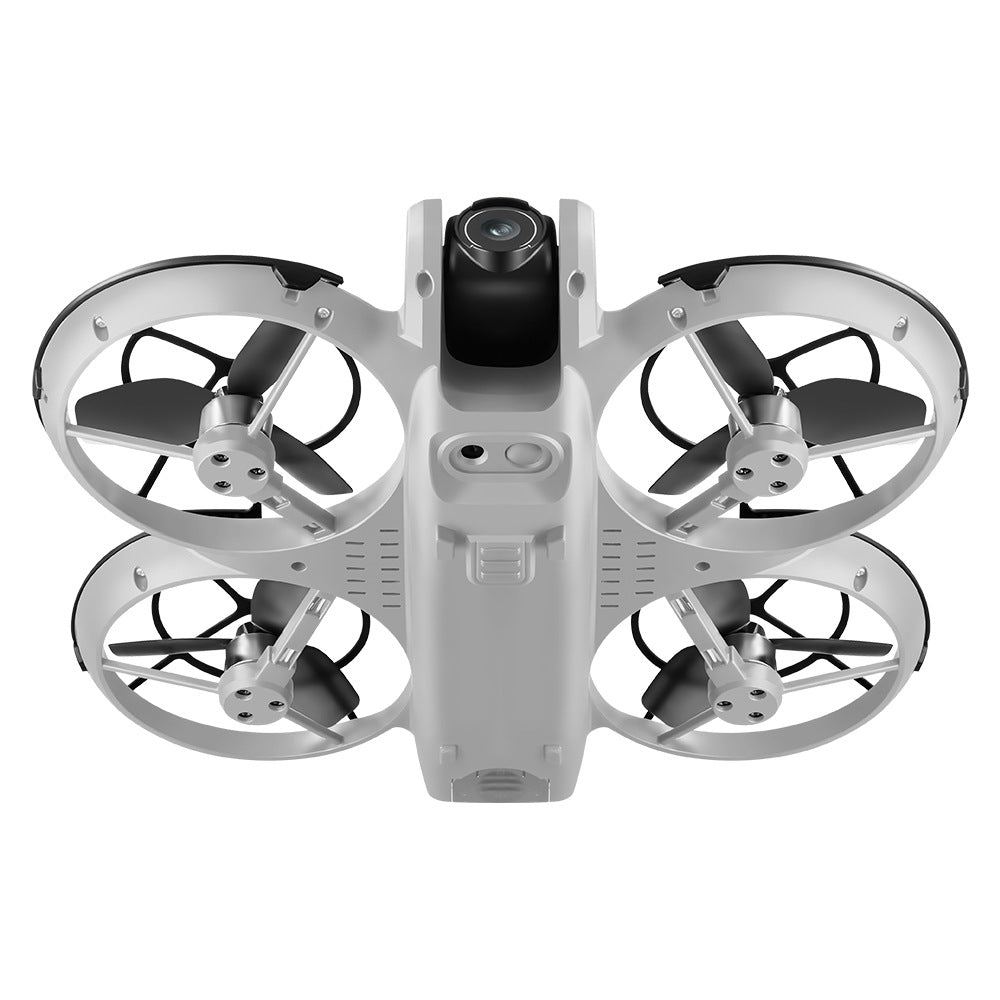

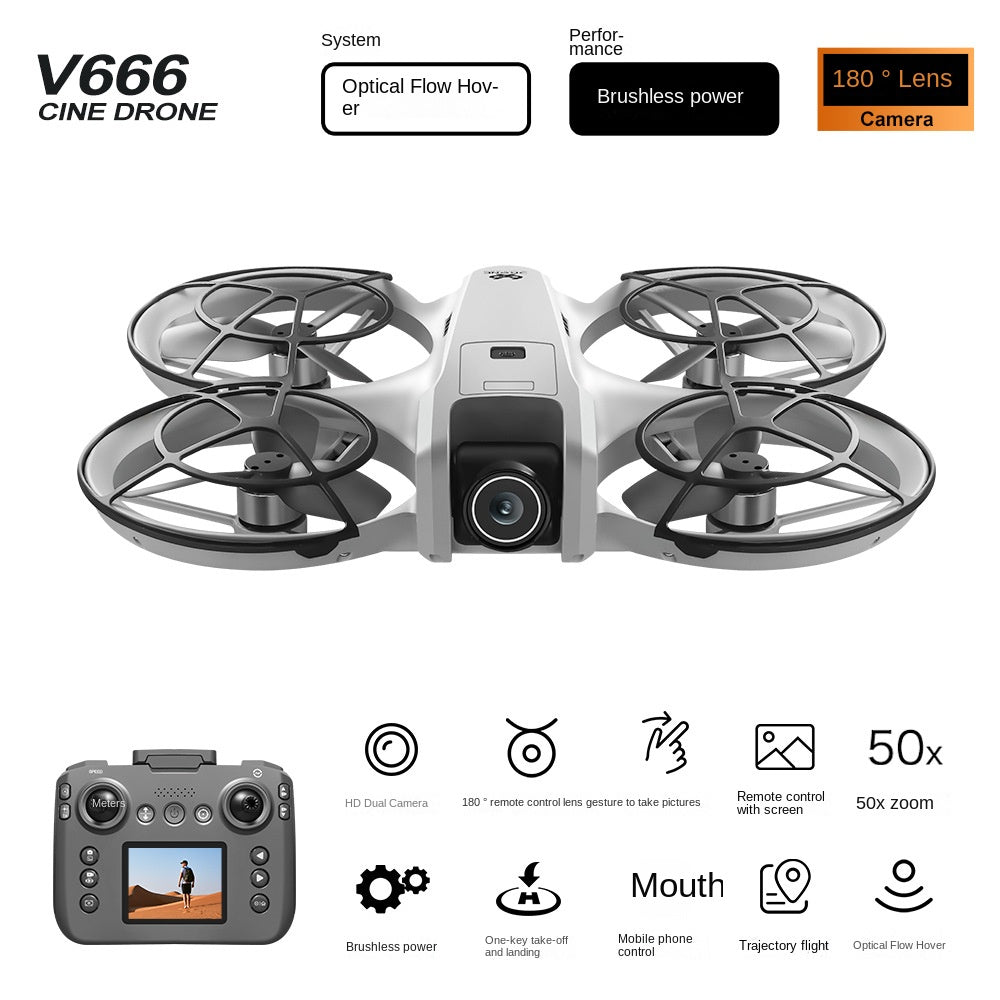


Hover steady, frame the shot on the controller screen, and bring home aerial footage you chose the angle for. The V666 pairs a 180° forward lens and 50x zoom with optical flow hover and ring guards, so early flights stay calm. Built for trips, weekends and anyone starting in aerial photography.
Read the full descriptionHover steady, frame the shot on the controller screen, and bring home aerial footage you chose the angle for. The V666 pairs a 180° forward lens and 50x zoom with optical flow hover and ring guards, so early flights stay calm. Built for trips, weekends and anyone starting in aerial photography.
Compact HD cine drone with a 180° lens, optical flow hover and brushless power, flown with a screen-equipped remote
Before: a phone balanced on the grass, guessing angles while the drone wobbles. After: a 180° lens, optical flow hover and a screen on the remote that lets you frame every shot.

The optical flow positioning sensor keeps the V666 in place once you release the sticks, so the frame stays put while you check the screen. Brushless motors supply the power to hold that position in a breeze. For drone photography, a steady hover is the difference between a usable clip and a shaky one.

The forward-facing 180° lens takes in a wide field of view, so a ridge, a river bend or a sports field fits in one frame. The 50x zoom handles tighter shots. The controller screen shows the feed live, so you judge the framing before the drone leaves the ground. If you later want a headset view, look at drone goggles.

Ring-style guards wrap each propeller, so a bump against a fence post or a branch is less likely to reach the blades. That makes backyard and indoor practice far less stressful. Guards do not replace common sense, though. Keep your distance from people and land at the first sign of trouble.
Choose a calm day and a clear area with no people or obstacles nearby.
Switch on the drone and the remote, then check that the controller screen shows the live feed.
Press the take-off button and let the drone climb and hold its position.
Use the screen to line up the shot. The 180° lens gesture on the remote can take pictures without touching a button.
Press the landing button to bring the drone down, then review your clips on the screen.
Ring propeller guards and forward 180° camera
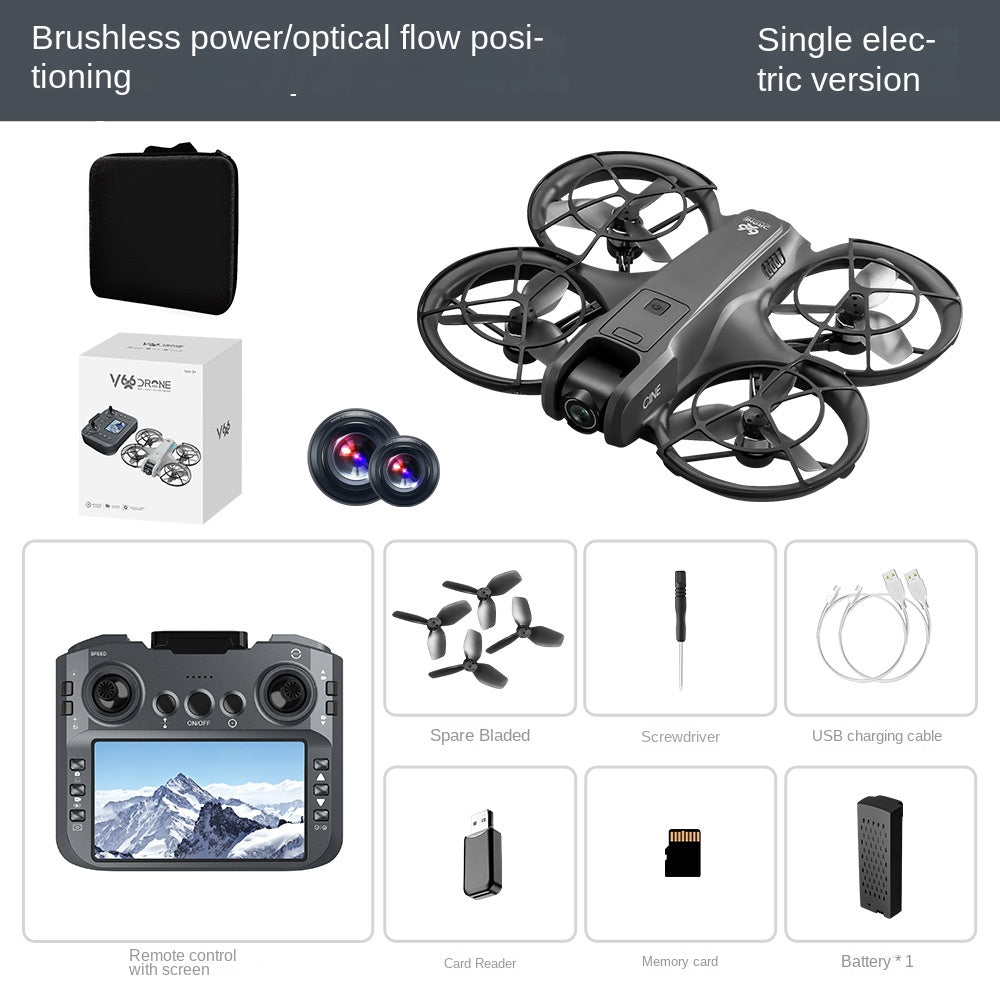
Built-in screen and phone holder for mobile view
Retail packaging

You launch, the drone wanders, and by the time you steady it the best view is gone. You land, check the clip on your phone and find the horizon tilted and the subject cut off. Repeat that twice and the drone goes back in the closet.

The V666 remote has its own screen, so the live feed sits in your hands instead of on a phone propped on the grass. The 180° forward lens gives you a wide frame to start from, and the phone holder on the controller is there if you prefer a phone view. You frame, adjust and fly from one place.

Press the take-off button, let the drone climb and hold. Frame the view on the screen, then land with the one-key button. A single outing can give you a clip you actually want to show someone.
Expect a few careful test hovers to learn stick response and one-key take-off. Fly in an open space away from people.
With practice, hovering and framing on the controller screen start to feel natural, and wind matters less as you learn its effect.
Regular flights build a small library of wide aerial clips you chose the framing for yourself.
| V666 with screen remote | Phone-only budget drone | Pricier cine drone | |
|---|---|---|---|
| Controller with built-in screen | — | Partial | |
| Ring propeller guards | — | Partial | |
| Optical flow hover | Partial | ||
| Phone needed to see the feed | — | Partial |
Yes, if you start in the right place. Use one-key take-off and landing, hover in an open space, then add framing once the sticks feel natural. The optical flow sensor keeps early hovers from drifting away from you. Most first-timers need a few sessions before hovering feels automatic, so plan on practice before chasing cinematic clips.
Yes. The remote has a built-in screen that shows the live view from the forward lens. There is also a phone holder on the controller if you want a bigger view on your own device.
Ring guards reduce the chance that a blade contacts a person or an object, which is a big reason this drone suits backyard and indoor practice. They do not make close flying safe on their own. Keep a safe distance, fly in calm air and land early if control gets shaky. Recommended age is 8+.
A standard lens sees a narrow slice of the scene. The 180° forward lens takes in a much wider field of view, so ridgelines, rivers and sports fields fit in a single frame. The 50x zoom handles tighter shots once you have the wide one.
Count what you would otherwise buy. A phone-only drone needs a bracket, a clear view of the drone and a phone you are willing to risk in the field. The V666 puts the screen on the remote, so one purchase covers the flight, the framing and the live view. Compared with pricier cine drones, you get the features a first-timer uses on every flight without paying for pro-level gear you will not touch for a while.
Yes, especially for a teen who wants to try aerial photography without a big commitment. Ages 8+, guards and simple one-key controls make it easy to hand over. Pair it with a safe open area for the first flights so the day starts well.


 Drone with Screen, HD Camera for Beginners