
$159.90
Free delivery · 7–14 days
Aluminum USB-C Hub with HDMI, VGA & Gigabit Ethernet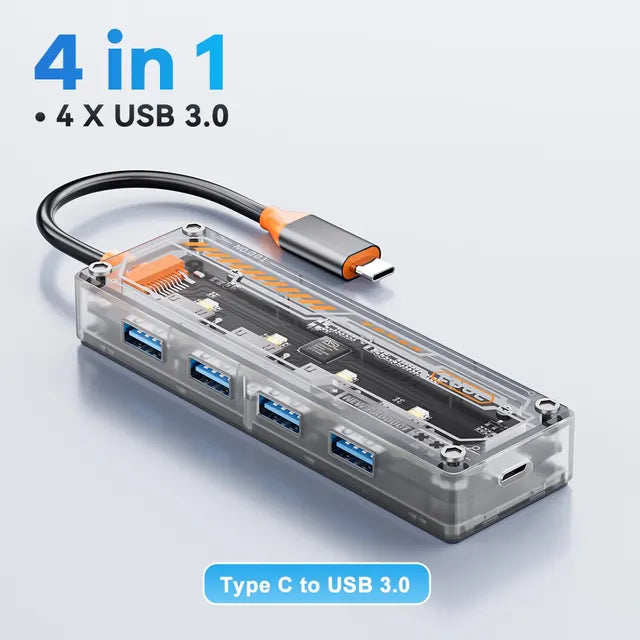




One USB-C port becomes four USB 3.0 ports, so your drives, keyboard and mouse stay connected at the same time. The transparent shell shows the circuit board and status LEDs, and the hub sits on a laptop desk without taking over the space.
Read the full descriptionOne USB-C port becomes four USB 3.0 ports, so your drives, keyboard and mouse stay connected at the same time. The transparent shell shows the circuit board and status LEDs, and the hub sits on a laptop desk without taking over the space.
Turn one USB-C port into four USB 3.0 ports at 5Gbps
Your laptop has one or two USB-C ports and every drive is fighting for them. This 4-in-1 hub gives you four USB 3.0 ports at 5Gbps on one clean desk.

Four Type-A ports take drives, keyboards, mice and card readers at once. Plug them in once and leave them there. The hub sits between your laptop and the devices, so the port you were fighting over is free again.

USB 3.0 runs at 5Gbps, or 500MB/s. USB 2.0 tops out at 480Mbps, which is 60MB/s. On a large video or photo folder, that gap is the difference between a coffee break and a quick copy. The drive needs to be USB 3.0 too to reach the faster rate.

The smoky transparent shell shows the circuit board, with orange accents and metallic screws at the corners. Status LEDs sit beside the ports, so you can see each connection is live without checking the laptop.
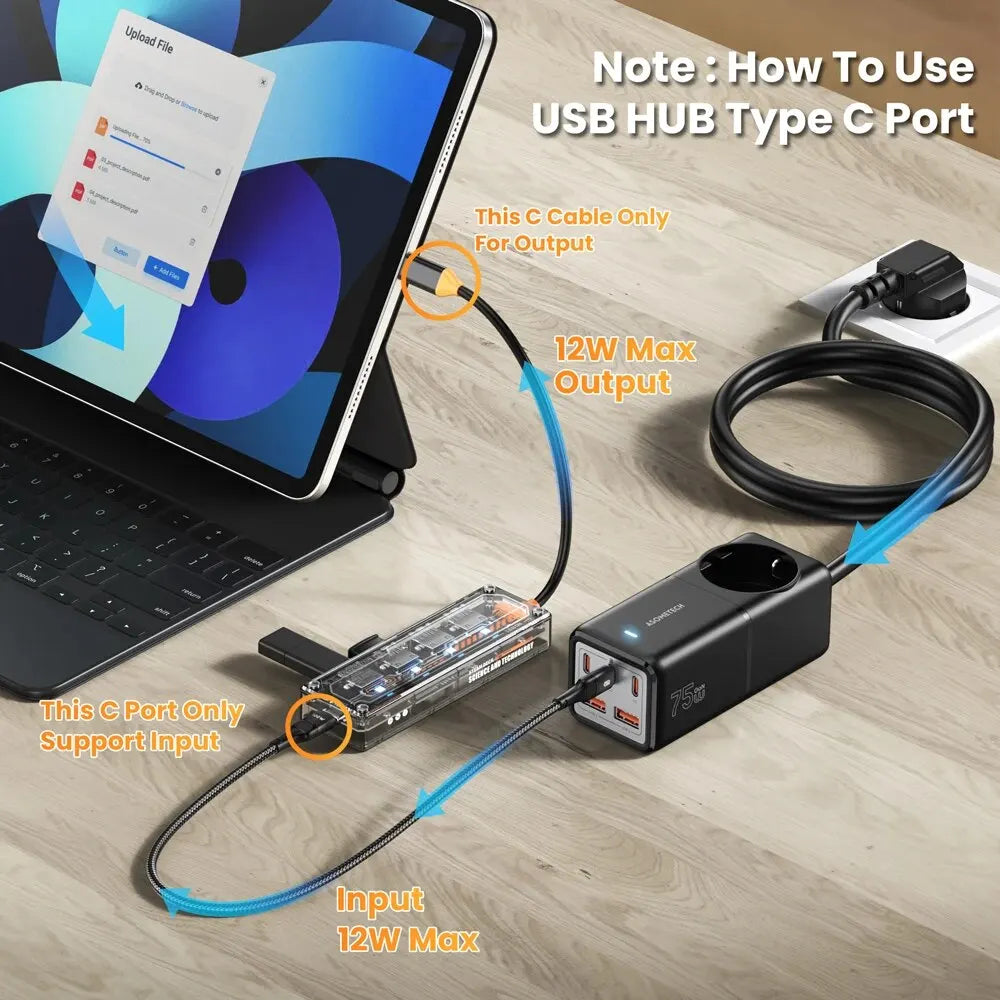
This cable is the output side. It carries the four ports' connection back to your MacBook, laptop, iPad or phone.
The USB-C port on the hub body is input only, rated 12W max. Use a 12W-capable charger there. Never plug a charger into the braided cable.
Connect a keyboard, mouse, card reader or USB 3.0 drive to any of the four Type-A ports. Use USB 3.0 drives to reach the 5Gbps rate.
Each connected port lights its LED. If a port stays dark, unplug the device and seat it again before you start a transfer.
Yes. The hub works with MacBooks, laptops, iPads, iPhones and Samsung devices that have a USB-C port. Connect the braided cable to the device and the four Type-A ports are ready to use.
Plan on 12W. The hub body's USB-C port takes up to 12W of input from a power source, and the braided cable only outputs to devices. Keep your laptop on its own charger for full charging and use the hub for drives and peripherals.
Yes, when the drive is USB 3.0 as well. USB 3.0 runs at 5Gbps (500MB/s) against 480Mbps (60MB/s) for USB 2.0. A USB 2.0 drive keeps its own speed, so check the drive spec before you buy. Compared with buying a second dock, one hub covers four devices at once.
The braided USB-C cable outputs to your devices. The USB-C port on the hub body is input only, up to 12W. Using the right port keeps the hub working the way it is meant to.
The shell is plastic, with metal screws at the corners and a metal USB-C connector with an orange ring. Set it on a flat surface where it can sit still while cables are plugged and unplugged.


 USB-C Hub 4-Port USB 3.0 Splitter for MacBook Laptop