
$54.90
Free delivery · 7–14 days
Wireless Gaming Earbuds with LED Battery Display Case


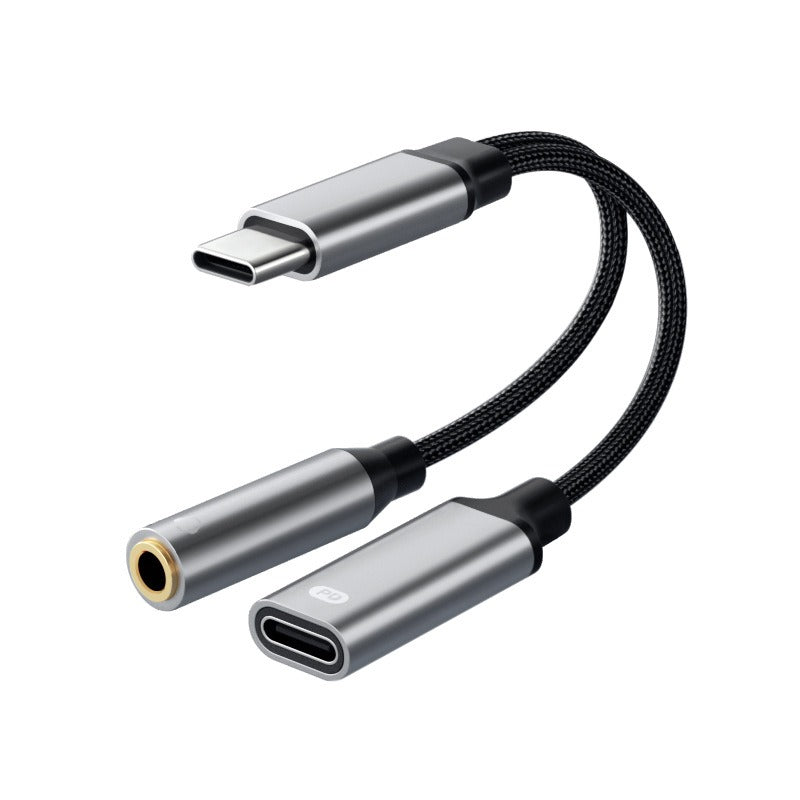
Keep the battery full and the headset plugged in. One USB-C port handles charging and wired audio at the same time, so a match or a call never stops for a low battery warning. Aluminum connectors and a braided nylon cable make it feel solid in the hand.
Read the full descriptionKeep the battery full and the headset plugged in. One USB-C port handles charging and wired audio at the same time, so a match or a call never stops for a low battery warning. Aluminum connectors and a braided nylon cable make it feel solid in the hand.
Charge and listen at the same time with one USB-C port
Tired of your phone dying mid-match the moment you plug in wired headphones? Now one USB-C port charges and plays audio at the same time.
The USB-C male plug feeds the phone, the 3.5mm jack sends audio to your headset, and the USB-C female port takes your charger. Power runs through the adapter to the phone while the headset keeps playing. The pack lists a 60W charging claim, and your charger and cable set the real speed.
Brushed aluminum connector housings, a black braided nylon cable and gold-tone 3.5mm contacts make this feel sturdier than a thin plastic splitter. The cable holds its shape in a bag and the metal ends stay cool to the touch when you unplug.
Push the plug in straight until it seats. Hold the aluminum housing, not the cable, when you pull it out.
Any headset with a standard 3.5mm plug works for game audio, music and voice chat.
Use a USB-C power brick and cable rated for the speed you want. The phone charges while the audio keeps playing.
Charging speed comes from your own charger and cable. The adapter passes power straight through to the phone, so a USB-C power brick and a rated cable give you the fastest result. A weak charger will charge slowly with or without the adapter.
Slim cases fit without trouble. Thicker cases make the plug snug, so take the case off or check the fit first, then push the plug in straight.
Yes, as long as the headset uses a standard 3.5mm plug. The jack carries game audio and voice chat, so you can talk and listen while the phone charges.
A basic splitter gives you audio or power, and often a flimsy plug on top. This one covers both in a single piece with aluminum connector housings, a braided nylon cable and gold-tone 3.5mm contacts. One adapter replaces a dongle and a second cable, so the extra spend lands back in your pocket quickly.
It is built for USB-C phones. Android and iPhone models with a USB-C port use it the same way, so check that your phone has a USB-C port before you order.


 USB-C Headphone Adapter That Charges and Plays Audio