Touch Screen Digital Multimeter with NCV Live Detection






Test an outlet with a clear signal instead of a guess. The ANENG 683 puts 6000-count readings on a touch screen, warns you of live wires with NCV and lights the way with a built-in flashlight, all on a rechargeable USB battery.
Read the full descriptionDescription
Test an outlet with a clear signal instead of a guess. The ANENG 683 puts 6000-count readings on a touch screen, warns you of live wires with NCV and lights the way with a built-in flashlight, all on a rechargeable USB battery.
Smart touch-screen multimeter with NCV voltage sensing and rechargeable design
- hard-to-read or cluttered meter controls
- risk of electrical shock when testing live circuits
- need to find live wires quickly
- frequent battery replacement
Read the circuit and find the live wire first
Stop squinting at a cluttered dial and guessing which wire is hot. The ANENG 683 shows clear readings on a touch screen and alarms as you near a live source.
Everything you need to test in one meter

A touch screen you can read at a glance
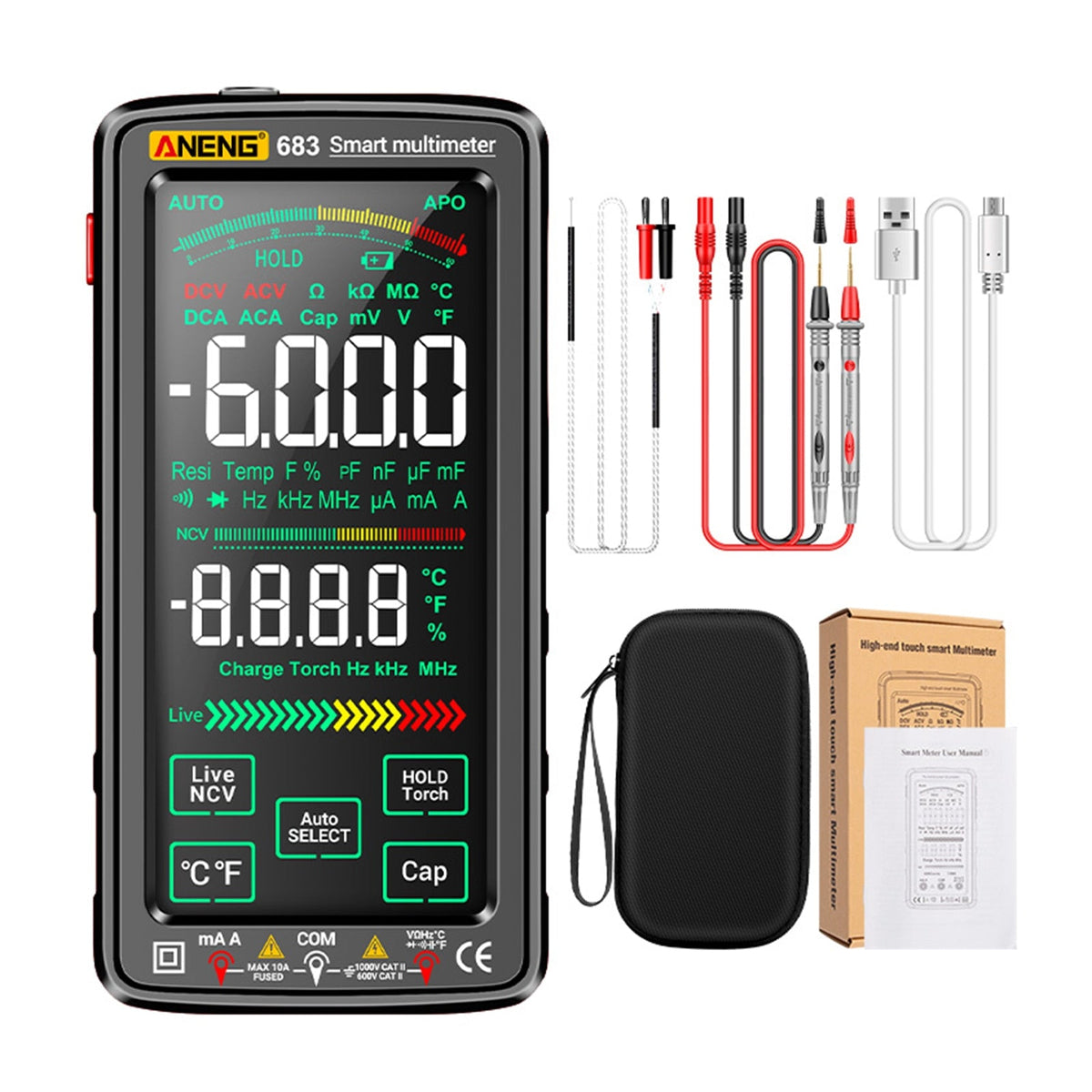
The full-color reverse-display screen shows readings such as -6.000 in clear, large digits. Touch controls replace a cluster of small dial positions, so you spend less time hunting for the right setting.

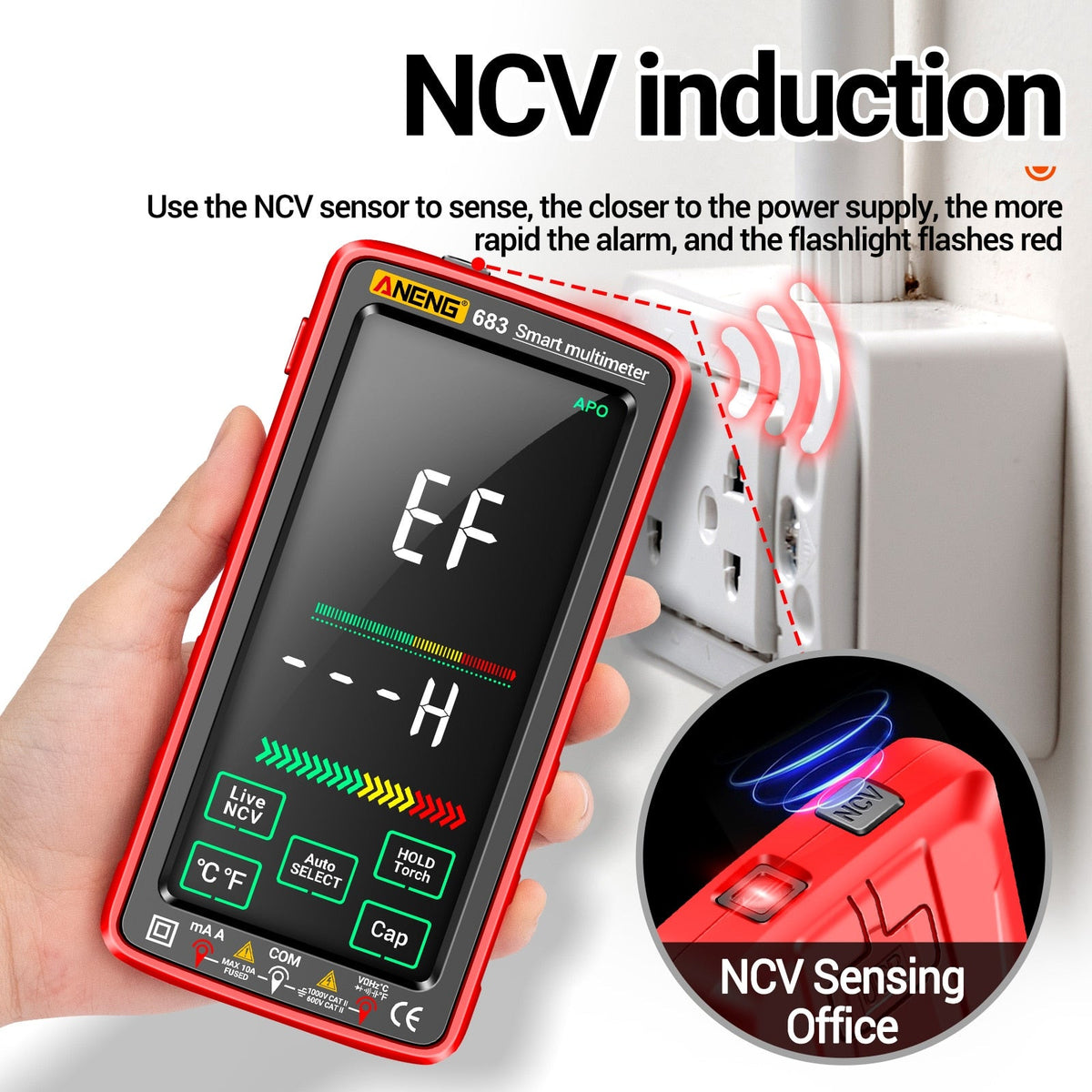
Know a wire is live before you touch it
The NCV alarm gets faster the closer you get to a power source, and the flashlight flashes red to signal proximity. It is a warning, so confirm with a voltage reading before you handle any conductor.

Built for real electrical ratings
The meter carries CAT III 1000V and CAT II 600V rating marks plus CE marking. Those marks tell you where it belongs, and the USB port keeps it charged without hunting for batteries.
Rated for real work
- 6000display counts
- 1000VCAT III rating
- 600VCAT II rating
- 152mmlength, 76mm wide, 25mm thick
Check an outlet in four steps
- 1Power on
Wake the meter and check the battery indicator. Charge over USB first if it is low.
- 2Select the function
Tap the function you need on the touch screen, or press Auto select.
- 3Sense with NCV
Press Live NCV and move the tip toward the outlet. The alarm quickens and the flashlight flashes red as you near power.
- 4Probe and read
Confirm with a voltage measurement, then read the value on the display before touching any terminal.
What's in the box
- ANENG 683 multimeter×1
Red or black body
- Test leads and probes
See package contents list
- USB charging cable×1
For the built-in battery
Compact enough for one hand
- 76 mmWidth
- 152 mmLength
- 25 mmThickness
About the length of a large smartphone, but thicker
One tool, not two
| ANENG 683 | Dial meter + NCV pen | |
|---|---|---|
| Touch screen display | — | |
| Live-wire alarm built in | Separate pen | |
| Flashlight | Partial | |
| Rechargeable over USB | Partial | |
| One tool to carry | — |
Characteristics
Reviews
Questions and answers
Touch response depends on the glove material, and thin or conductive-tip gloves usually register best. The meter also has physical Hold/Torch, Live NCV, Auto select, Cap and °C/°F buttons, so key functions do not rely on the screen alone.
No. NCV warns you that voltage is nearby but does not measure it, and shielded wiring can fool it. Use the alarm to find the live side, then confirm with a voltage reading on the meter.
Plug a USB cable into the built-in port and charge from any standard USB socket. Charge it before field work and check the battery indicator at the start of the job.
Each rating sets the voltage and transient level the meter is built for. CAT III covers fixed installations such as distribution panels, CAT II covers outlet-level and appliance circuits. Stay inside the rated category.
Yes. It reads AC/DC voltage, resistance, capacitance, diodes, temperature and frequency, which covers outlet checks, appliance repair and field maintenance.
One rechargeable tool replaces two, so there are no spare batteries to track and fewer steps per test. Over years of regular use, that is one less device to buy, carry and replace.
Similar products
See all Touch Screen Digital Multimeter with NCV Live Detection