
$74.90
Free delivery · 7–14 days
5GHz WiFi Extender 1200Mbps Dual Band Range Booster


Weak Wi-Fi in the bedroom or basement stops costing you calls and game nights once the Tenda A18 is plugged in halfway to the dead zone. Two external antennas and dual-band 2.4G/5G do the reaching, and a 100 Mbps LAN port connects a TV or console on a cable. One plug, no new wiring.
Read the full descriptionWeak Wi-Fi in the bedroom or basement stops costing you calls and game nights once the Tenda A18 is plugged in halfway to the dead zone. Two external antennas and dual-band 2.4G/5G do the reaching, and a 100 Mbps LAN port connects a TV or console on a cable. One plug, no new wiring.
Extend your Wi-Fi coverage to dead zones with AC1200 dual-band speeds and a built-in LAN port
Stop losing calls and buffering in the bedroom or basement. Plug in one compact extender midway and get a steadier signal where you actually sit.

Two external antennas on a dual-band AC1200 unit push the signal into rooms the router cannot cover well. Both 2.4G and 5G run on the same unit, so a crowded 2.4G band does not leave you stuck with one slow option.

The built-in 100 Mbps LAN port takes one wired device directly. Run an Ethernet cable from the back of the unit to the TV or console, and that device stops sharing the air with everything else in the house.

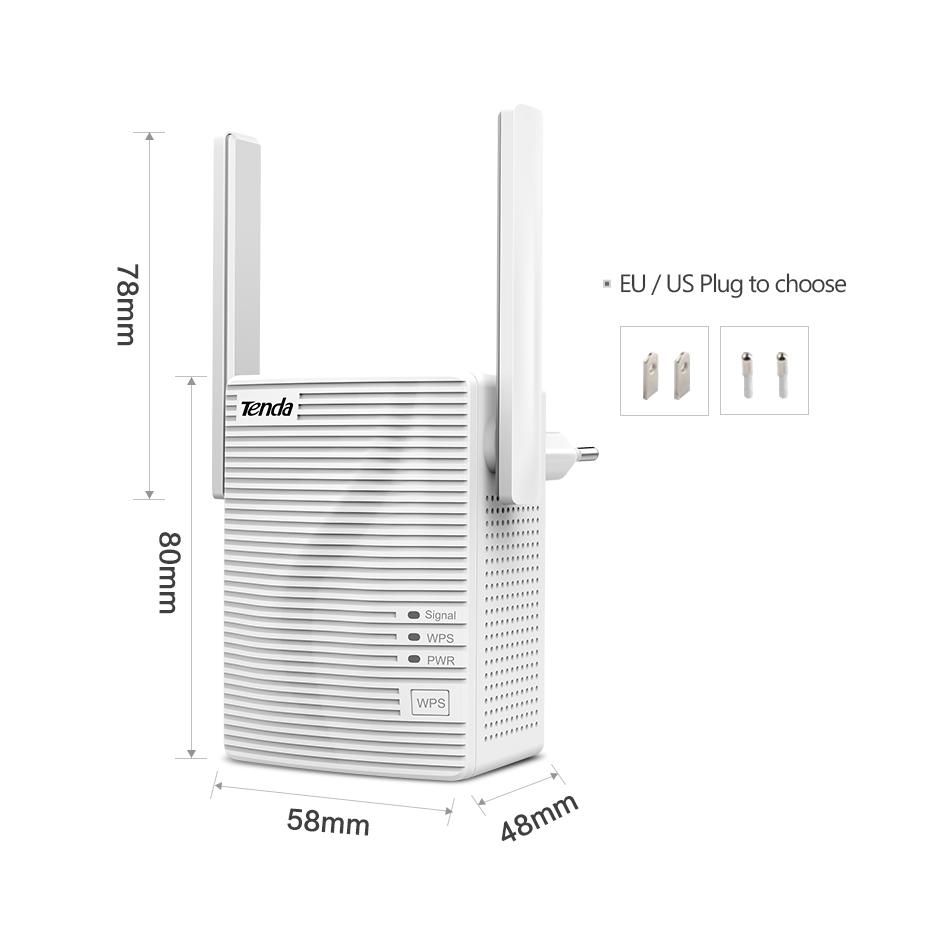
No mounting and no second cable run. The unit plugs into a wall outlet, the Signal LED shows the link status, and the box includes EU and US plug pins for either outlet type.
Pick a wall outlet roughly halfway between the router and the dead zone, where your phone still shows a solid signal from the router.
Snap the EU or US pins onto the unit until they seat flush, then plug it into the outlet.
Press WPS on the router, then press the WPS button on the extender. Watch the WPS LED while it pairs.
Wait for the Signal LED to settle, then run a video call or stream in the room you use. If the signal is still weak, move the unit one outlet closer to the router.
AC1200 dual-band with two external antennas
Interchangeable set for European outlets
Interchangeable set for US outlets
Your phone shows one bar in the bedroom, and the video call freezes mid-sentence. It keeps happening. Moving the router helps for a day, then the dead zone comes back.
The Tenda A18 is a compact plug-in unit measuring 58 x 48 x 80 mm. Plug it into a wall outlet halfway between the router and the dead zone. There is nothing to mount and no cable to run.
Calls hold steady where you sit. Two external antennas and dual-band 2.4G/5G give the signal more ways to reach you. When the TV or console needs a wired link, the 100 Mbps LAN port is right there.
Plug the unit midway between your router and the dead zone, press WPS on both devices and watch the Signal LED settle.
Test the room you use most with a video call or stream. If the signal is still weak, move the unit one outlet closer to the router.
The unit usually stays in the same outlet day to day once the room you care about holds a steady connection.
| Tenda A18 | Mesh kit | Longer Ethernet run | |
|---|---|---|---|
| Extends Wi-Fi into the room | Yes | Yes | No |
| Wired LAN port for a TV or console | Yes | Partial | Yes |
| Needs new cable runs | No | No | Yes |
| Dual-band 2.4G/5G | Yes | Yes | No |
| Cost for one room | Lower | Higher | Lower |
The unit repeats whatever signal it can hear from your router, so placement matters more than the brand. Plug it where your phone still shows a solid bar from the router, roughly halfway to the dead zone. Walls and distance decide the rest, so test the spot before you settle in.
The plug pins are interchangeable, and the box includes both an EU set and a US set. Snap on the one that matches your outlet and slide it in until it seats flush.
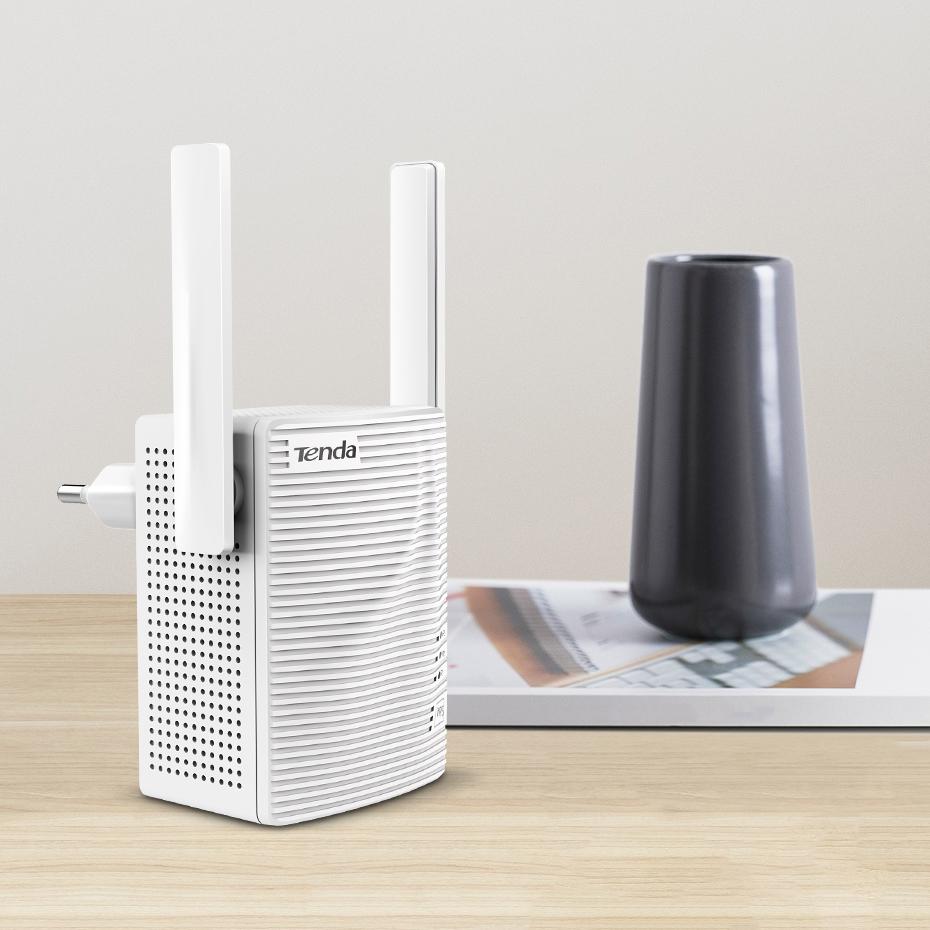
The housing is matte ribbed plastic with a ventilation grille. It sits in one outlet, so the thing to watch is airflow. Keep the grille clear and the unit stays out of your way.
If one room is the problem, a plug-in extender costs far less than a full mesh kit and needs no new cables. The LAN port adds a wired option for the TV or console on top of that. For a whole house with several weak rooms, a mesh setup makes more sense. Browse other wifi signal booster options if you want to compare.
Yes. The 100 Mbps port takes one wired device, such as a game console, a laptop or a keyboard with a port, as the rear view shows.


 Wi-Fi Range Extender AC1200 Dual-Band with LAN Port