
$54.90
Free delivery · 7–14 days
Wireless Gaming Earbuds with LED Battery Display Case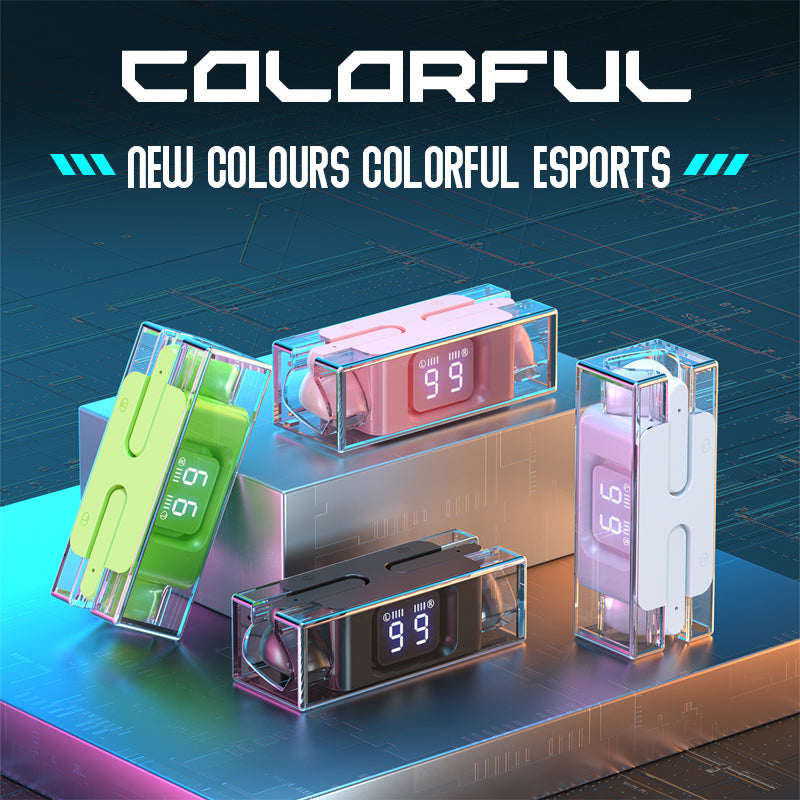
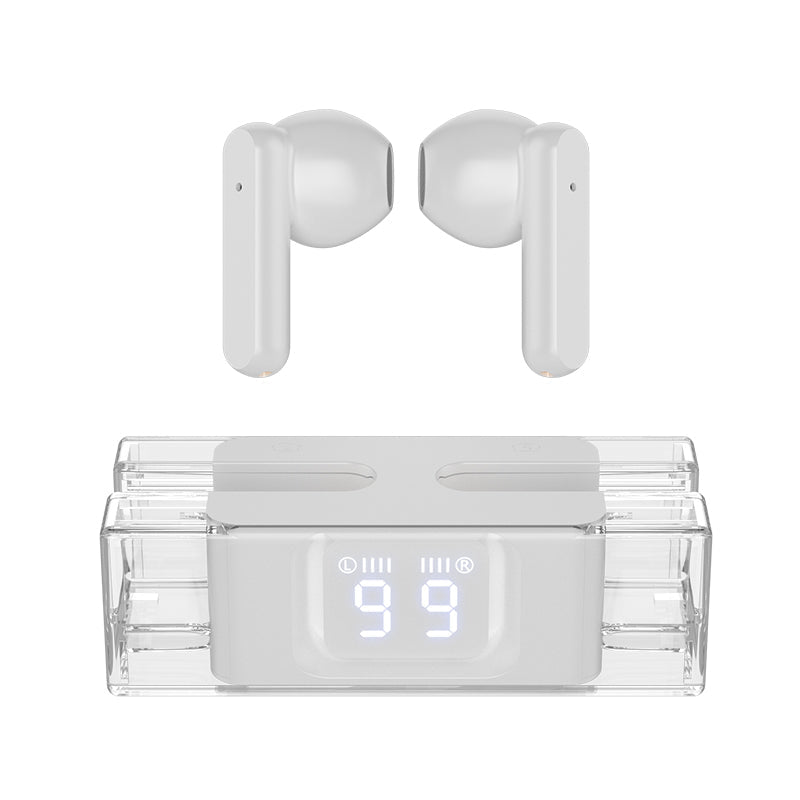
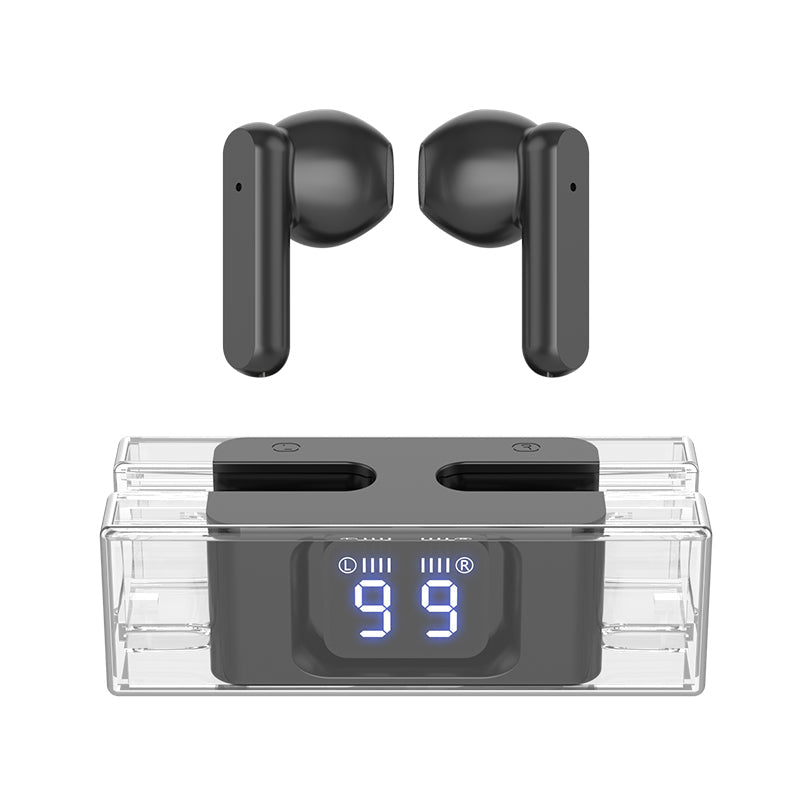
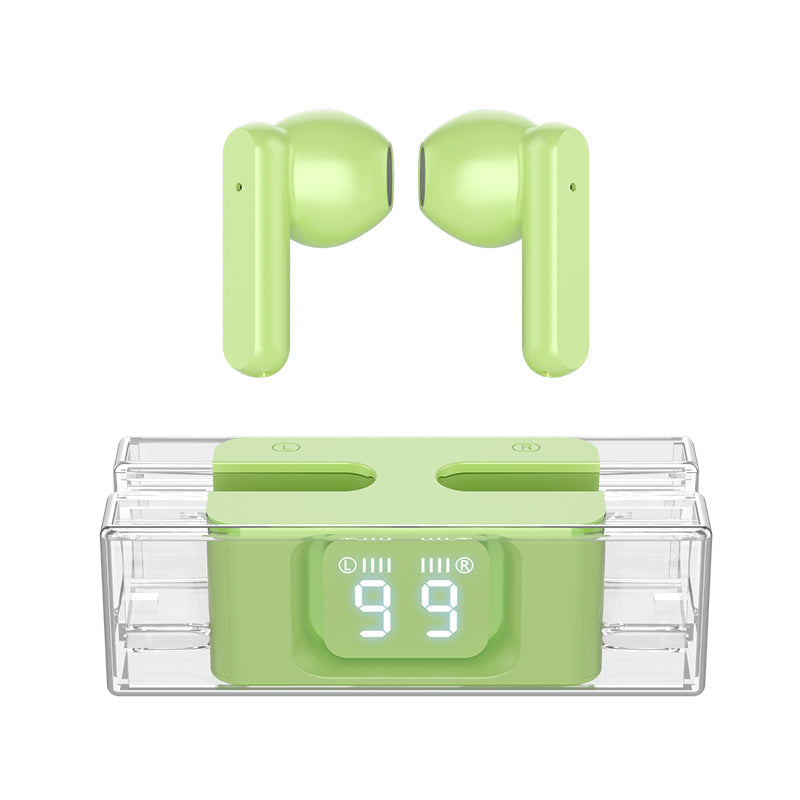

SP28 TWS earbuds are built for gamers who want audio that lands on time. A low-latency game mode keeps sound close to the action, and the see-through case shows the battery level of each earbud at a glance. Pick the colour that suits your setup and queue knowing both sides are charged.
Read the full descriptionSP28 TWS earbuds are built for gamers who want audio that lands on time. A low-latency game mode keeps sound close to the action, and the see-through case shows the battery level of each earbud at a glance. Pick the colour that suits your setup and queue knowing both sides are charged.
Low-latency TWS earbuds with a transparent digital display for gamers
SP28 TWS earbuds bring a low-latency game mode and a see-through case with an LED readout for each earbud. Check the battery before you queue, keep audio in sync with the action, and pick a colour that suits your setup.
Turn on the game mode and the audio follows the action more closely. Footsteps, reloads and callouts land when they should, which is the whole point of playing with earbuds instead of a speaker. Pair it with a game controllers pc setup and you are ready for any session.
The LED on the charging case shows the level of the left and right earbud separately. One earbud can run lower than the other, and this display shows you which one before you start a match. No more guessing from a single battery icon on your phone.
Touch controls on the earbud stems handle pause, skip and call answers. You stay on the keyboard and the mouse while the match runs. The glossy finish and compact shape sit comfortably in the ear for daily listening too.
Open the case and check the left and right battery levels. Top up the lower side if either one looks low.
Turn on the low-latency game mode before you launch the match. Leave it on for competitive sessions.
Connect the earbuds to your device and run a quick footstep check in a warm-up or practice range.
Pause, skip or answer with a tap on the stem so your hands stay on the controls.
Glossy finish with touch controls on the stems
LED display shows left and right battery levels

You hear the footstep after the enemy has already moved. Cheap TWS buds with no game mode add that delay, and most give you no clue about battery until the audio cuts out mid-fight.

The see-through case shows the battery level of the left and right earbud on its LED display. Glance at it before you queue and you know which side needs a top-up. You stop guessing and start the match with both earbuds ready.

Switch on game mode, tap the stems to pause or skip without moving your hands, and keep the colour that fits your desk. Gaming season is here, and these are built to get you through every session.
| SP28 TWS | Standard TWS buds | |
|---|---|---|
| Low-latency game mode | — | |
| Per-earbud battery display | — | |
| Transparent charging case | — | |
| Colour options | Partial |
The low-latency game mode cuts the delay you hear compared with standard TWS buds, so footsteps and callouts arrive closer to the on-screen action. A wired headset still has the edge for pure zero-delay play. If you play at a high rank and need the absolute lowest delay, a wired set is the stronger choice. For most ranked queues and watch parties, the game mode is the setting that matters.
Yes. The display on the charging case shows the level for the left and right earbud on their own, so you can see which one is lower. The LED reads out the level in the case, which is the number to check before you queue.
The earbuds have a smooth, glossy body and a compact shape that sits in the palm and in the ear without bulk. Fit varies from person to person, so try the pair before a long session. Keep both earbuds in the case between sessions so they stay charged and clean.
You get two earbuds and a clear charging case with a game mode and a per-earbud battery readout. Basic TWS buds leave out both, so you pay for the lag and the surprise dead earbud instead. Two items at a value price make it a practical spare pair as well as a main set.
The range includes white, matte black, lime green and pink, and the product page lists the colourways available for ordering. Pick the one that matches your desk setup or your gaming gear.


 TWS Gaming Earbuds: Low Latency & LED Battery Display