
$139.90
Free delivery · 7–14 days
Smart Bedside Lamp With Touch and App Control Glow


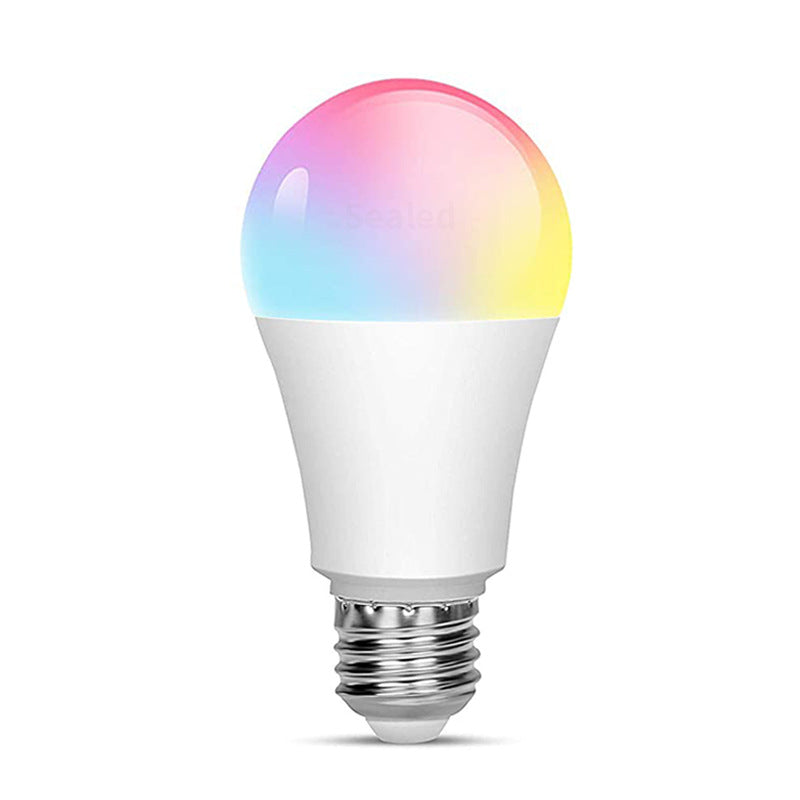
Screw one E27 bulb into the lamp you already own and it becomes a colour-changing mood light. Set the glow by voice, app or remote, and let timers and music rhythm handle the rest. No hub, no rewiring.
Read the full descriptionScrew one E27 bulb into the lamp you already own and it becomes a colour-changing mood light. Set the glow by voice, app or remote, and let timers and music rhythm handle the rest. No hub, no rewiring.
One smart bulb that makes any lamp a colour-changing, voice and app controlled mood light
Stop living under one fixed light. Screw in one bulb and your lamp moves from reading white to warm amber to party colour, by voice, app or remote.
RGBCW colour sits alongside cool and warm white, so one bulb covers sharp reading light, amber evenings and violet party nights. The frosted diffuser spreads the glow evenly, so the whole lampshade takes on the colour rather than a single hot spot.
Alexa voice commands, the app colour wheel and the included remote all control the same bulb. Say the change, tap the wheel or press a button, whichever is closest. Nothing needs a hub, so setup stays between the bulb, your WiFi and your phone.
Music rhythm mode pulses the colour in time with the sound, which makes a gaming session or a playlist feel like an event. Set a timer and the light switches on or off by itself, so the room is ready when you walk in and dark when you leave.
Switch the lamp off at the wall, screw the E27 bulb into the socket and switch it back on. Keep the lamp switch on. The bulb is controlled from the app, Alexa or the remote.
Install the app, create an account and add the bulb. Connect it to your 2.4GHz WiFi network, since 5GHz-only networks can block setup.
In the Alexa app, add the smart home skill for your bulb and discover devices. Then say the room or lamp name with a command, such as warm amber or party colours.
Open the colour wheel in the app, pick a colour and then step through the night, reading, party and soft modes. The remote does the same from across the room.
Matte white diffuser with a silver E27 base
Switches colour, white tones and modes from across the room
Steps to download the app, join WiFi and link Alexa

The overhead light is harsh, the lamp is flat and the room looks the same whether you are winding down or trying to read. Every change means walking to the switch, usually in the dark. The problem is not the room. The bulb has only ever had one setting.

Ask Alexa for soft white, open the app for a deeper blue, or press the remote from the sofa. The same bulb answers all three. Once you have changed the mood a few times, the switch by the door feels like the old way of doing things.

It is a standard E27 bulb, so it screws into any lamp holder socket that takes one. No hub, no rewiring and no new fixture. Start with one lamp in the bedroom and see how far the mood can go.
Screw the bulb in, link it to the app over WiFi, then try the colour wheel. Most people connect in one session once the WiFi password is entered correctly.
After linking Alexa, you can switch colour and brightness with a spoken command. Many people start building routines for evenings and mornings.
Reading, relaxing and party modes become your default switches. Timers and rhythm mode are the features most people settle into over time.
| This bulb | Hub-based smart bulb | Plain E27 bulb | |
|---|---|---|---|
| Needs a separate hub | No | Yes | No |
| Changes colour | Yes | Yes | No |
| Voice control with Alexa | Yes | Yes | No |
| Remote included | Yes | Partial | No |
Yes, if the lamp takes a standard E27 screw bulb. Table lamps, floor lamps and most bedside lamps do. Check the base on your current bulb: if it screws in with a wide, threaded socket, this one fits.
No hub is needed. The bulb connects over WiFi and works from the app and the included remote straight away. A smart speaker is optional. Add Alexa if you want voice control, and skip it if you do not.
Yes. Alexa, the app and the remote all control the same bulb, so a voice command and a tap on the colour wheel stay in sync. Whichever you used last is what the bulb shows.
Set it to a cool or neutral white for reading and it gives a clear, focused light for a page or a screen. Coloured modes are better for mood than for close work, so keep white on for the book.
A hub-based smart bulb needs a separate hub before it does anything, which adds a second purchase and a second thing to set up. This bulb skips the hub, so the lamp you already own becomes a colour-changing, voice-controlled light for the cost of one bulb.
The remote keeps working independently of your phone and Alexa. Press it to change colour, white tone or mode, and the lamp still responds when your WiFi is busy.


 Smart WiFi RGBCW Bulb E27 with Alexa Voice Control