
$89.90
Free delivery · 7–14 days
Gaming Mouse with 10000 DPI and 7 Programmable Buttons


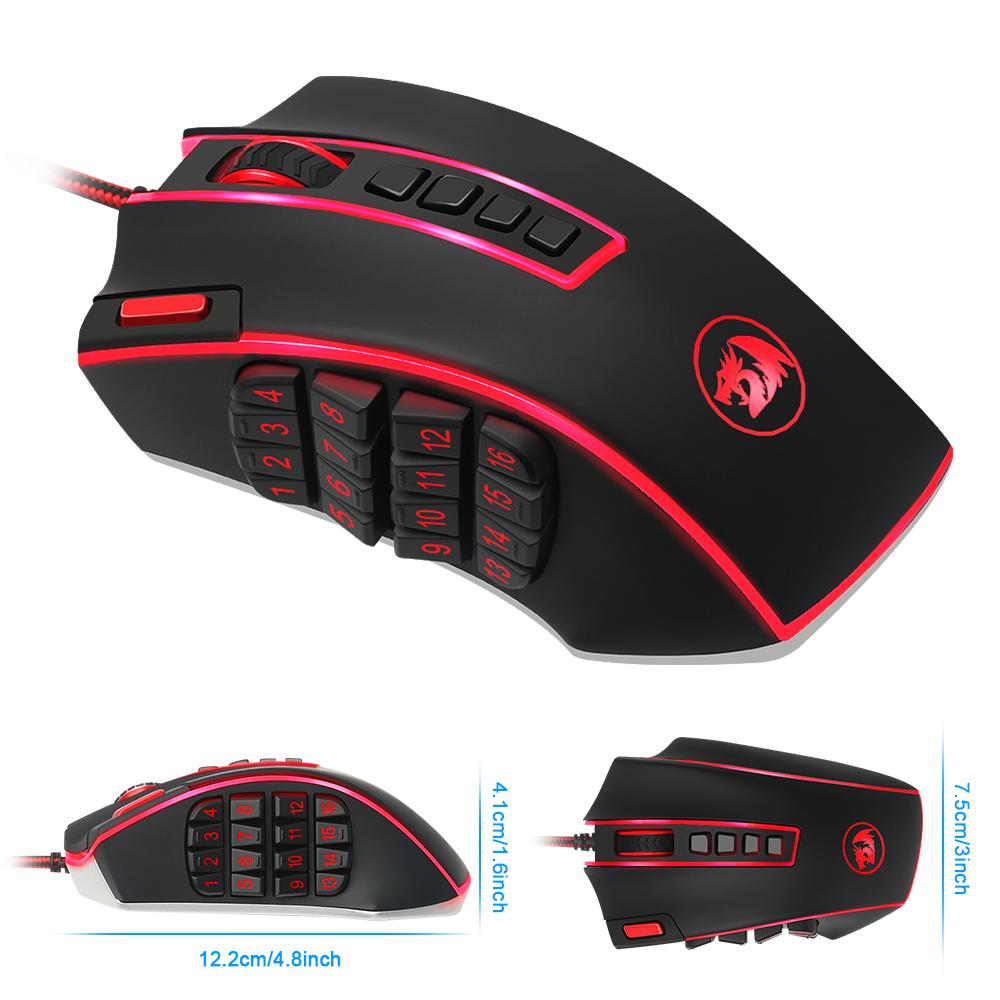
Long raids and MOBA ladders stop being a keyboard scramble when every macro sits under your thumb. The Redragon Legend gives you 24 programmable buttons, 16400 DPI laser tracking and 8 weights to tune the feel. Set your binds once, then keep your hand on the action.
Read the full descriptionLong raids and MOBA ladders stop being a keyboard scramble when every macro sits under your thumb. The Redragon Legend gives you 24 programmable buttons, 16400 DPI laser tracking and 8 weights to tune the feel. Set your binds once, then keep your hand on the action.
16400 DPI laser precision with 24 programmable buttons for MMO and MOBA gaming
Tired of alt-tabbing to find the right key mid-raid? Put 24 programmable buttons under your thumb and keep your keyboard hand on the action.

The side grid holds 16 programmable buttons and 4 more sit on top, so macros stay one press away while your hand never leaves the mouse. Bind potion pops, utility spells and chat lines to the grid and keep movement on the keyboard. A red programmable power button and a mode switch sit in the mix too, so you change profiles without opening a menu.

A removable cartridge holds 8 weight options. Swap weights in or out to make the mouse heavier for steady aim or lighter for quick repositioning. One mouse fits a relaxed palm grip and a tight claw grip alike, and you can change the setup between games.

The 16400 DPI laser engine gives fine control for aiming and quick repositioning. Run a lower DPI for careful work and raise it when you need to cover ground fast. The 16 million color backlight runs across the logo, scroll roller and button grid, so the mouse matches the rest of your desk.
Connect the braided USB cable to a free port on your PC.
Load the driver from the included CD or the manufacturer site. It controls DPI, button mapping and the 16 million color backlight.
Start with the keybinds you use every fight, such as a potion macro, a utility spell and a chat line. Add more after a week.
Pick a weight from the 8 options in the cartridge, set a mid DPI for everyday play and a higher one for when you need it. Save each setup in one of the 5 modes.
Wired, full-size, aluminum chassis
Holds 8 adjustable weights
Setup guide for the mouse
Installs DPI, button and backlight settings

Mid-raid, you need a fourth ability, a potion macro and a chat shortcut at the same moment. Your fingers stretch across the keyboard, your character stands still, and the boss keeps winding up. Every fumbled keybind costs the fight. Most players blame their reflexes, but the real problem is that the keyboard simply does not have enough reachable keys.

The Redragon Legend puts 16 programmable side buttons on a thumb grid, plus 4 more on top. Your thumb already rests in that spot, so the layout does not ask you to learn a new grip. Press the thumb key for the macro you need, then go back to moving with WASD.
The body is full-size and shaped to sit under the palm through hours of play. The 8 adjustable weights in the removable cartridge let you match the mouse to your grip, so a long session does not turn into a fight with your hand. Heavier for steady aim, lighter for quick flicks. The feel is yours to set.
The shell is matte plastic with blue-lit edge trim, and the internal chassis is aluminum. The body is light in the hand, which suits fast flicks. For value, consider what a second keypad costs in money and desk space: this mouse gives you 24 inputs in one device.
Most players start with four to six binds they use every fight, then add more over a week. Your thumb finds the side grid within a few sessions, and mis-presses fade as the layout becomes habit. Mapping all 24 on day one is the fastest way to forget which key does what.
Yes. In MOBAs, item actives and summoner spells fit the thumb grid while main abilities stay on the keyboard. In RTS, production and control-group hotkeys sit under the thumb and the camera keys stay on the board. The mode switch lets you keep a separate profile for each game.
Yes. The tuning cartridge holds 8 weights, and you swap them in and out as you like. Heavier suits steady aim, lighter suits fast repositioning, and you can adjust the setup between games.
It is a wired USB mouse with a braided cable, so any PC with a free USB port can run it. The driver CD in the box controls DPI, button mapping and backlight settings. Install the driver first so the buttons and lighting behave as expected.


 Gaming Mouse with 24 Programmable Buttons for MMOs