
$44.90
Free delivery · 7–14 days
PS5 Monster Hunter Skin Set for Console and Controllers


Your console runs cooler, your controllers stay charged, and your headset has a home. The base sits beside the PS5 or PS5 Slim and turns a tangle of cables into one tidy spot that is ready for the next session.
Read the full descriptionYour console runs cooler, your controllers stay charged, and your headset has a home. The base sits beside the PS5 or PS5 Slim and turns a tangle of cables into one tidy spot that is ready for the next session.
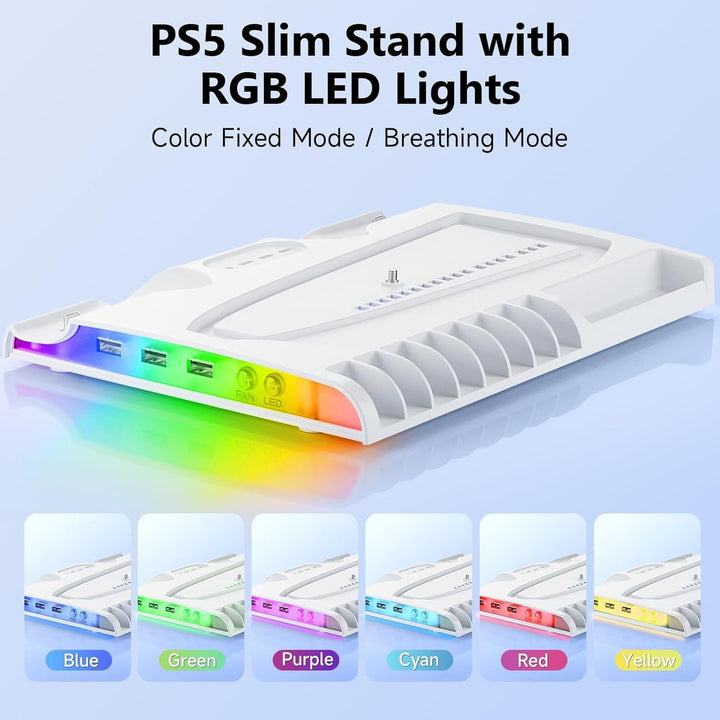
Cooling and dual-controller charging stand for PS5 and PS5 Slim
Tired of a hot console, dead controllers, and cables everywhere? One base cools your PS5 or PS5 Slim, charges both controllers, and holds your headset, so game night starts on time.
The fan vent pushes air from the base up through the PS5, so the console runs cooler through long sessions. Keep the vent side clear and the airflow path stays open. Blue airflow arrows on the base show exactly where the air goes.
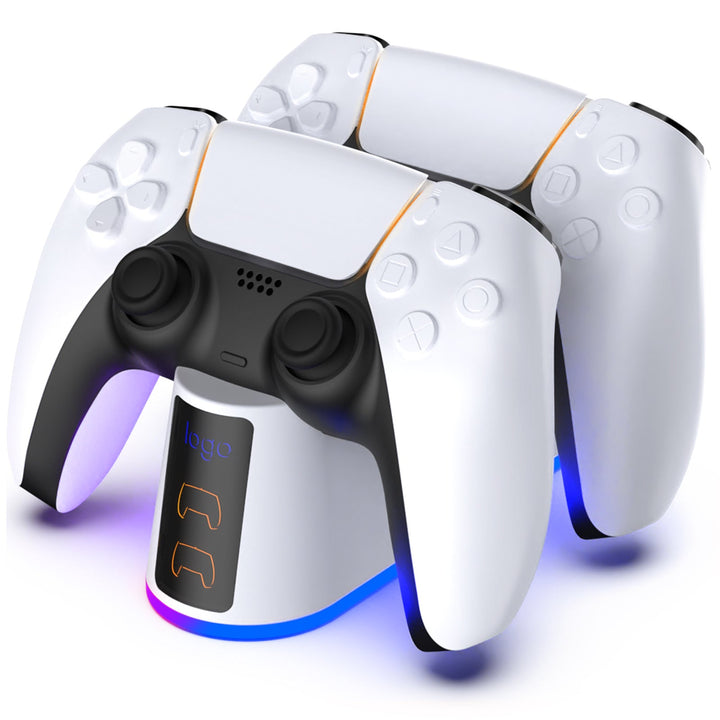
Two dedicated docks charge both controllers at once, so the second pad never sits dead on the couch. Each LED icon confirms its controller is charging. The black version uses the same layout if your console sits on a black TV stand.
The included hanger gives your headset a home off the desk and out of the cable tangle. Three USB-A ports sit on the base for extras, so the rest of the desk stays clear.
Set the base next to the PS5 with the vent side open. Leave clear space so air can move up through the console.
Plug the USB-C cable into the base and power it from the console or a wall adapter. The status lights confirm it is charging.
Set each DualSense on its dock. Watch the LED icons to confirm both pads are charging.
Clip your headset onto the included hanger so it stays off the desk and out of the cables.
Fan vent, two controller docks, three USB-A ports
Clips into place to hold your headset
Powers the base with LED status lights

Mid-match the console starts to run hot and the controller battery icon starts flashing. You dig behind the TV for a cable while your co-op partner waits on the screen. A plain stand lifts the console and does nothing else.

The base puts the fan vent under the console, pushing air up through it. Two docks take both controllers, and the headset parks on the hanger. Cooling, charging, and storage now live in one footprint instead of three gadgets.
The console stays cooler through long sessions, both controllers are charged before anyone asks, and the living room looks like someone planned it. Nobody spends the first twenty minutes of co-op hunting for a cable.
Place the base beside the console, connect the USB cable, and dock both controllers. The LED icons confirm each controller is charging.
Controllers stay on the base between sessions. The TV stand looks clearer, and you stop hunting for a cable before each game.
Controllers are ready when you are. Keep the vents clear and the console stays cooler during long sessions.
| This base | Plain PS5 stand | Single-controller charger | |
|---|---|---|---|
| Cools the console with a fan vent | — | — | |
| Charges two controllers | — | Partial | |
| Headset hanger included | — | — | |
| USB charging ports | — | — |
Yes. The base is listed as compatible with both the PS5 and the PS5 Slim, so one stand covers either console. Measure your entertainment center first, since the base takes up real shelf or desk space.
The base has a fan vent that pushes air up through the console, and that airflow is the main reason to buy it. Keep the vent side clear and the console gets room to breathe during long sessions. It cannot fix a console sealed inside a cabinet.
The base sits under the console with the vent side open. Route the USB cable out of the way so the connection stays snug and the status lights stay on.
A basic dock charges controllers and nothing else. This base cools the console, docks two controllers, holds your headset, and adds three USB-A ports. Buying a stand, a dual dock, and a headset hook separately adds up quickly and still leaves three more things on the desk.
Yes. There are two dedicated controller docks, and LED icons show when each pad is charging.
Hang it on the included hanger. It keeps the headset off the desk and away from the cable path.
 PS5 Cooling Stand with Dual Controller Charging Dock