
$54.90
Free delivery · 7–14 days
Wireless Gaming Earbuds with LED Battery Display Case

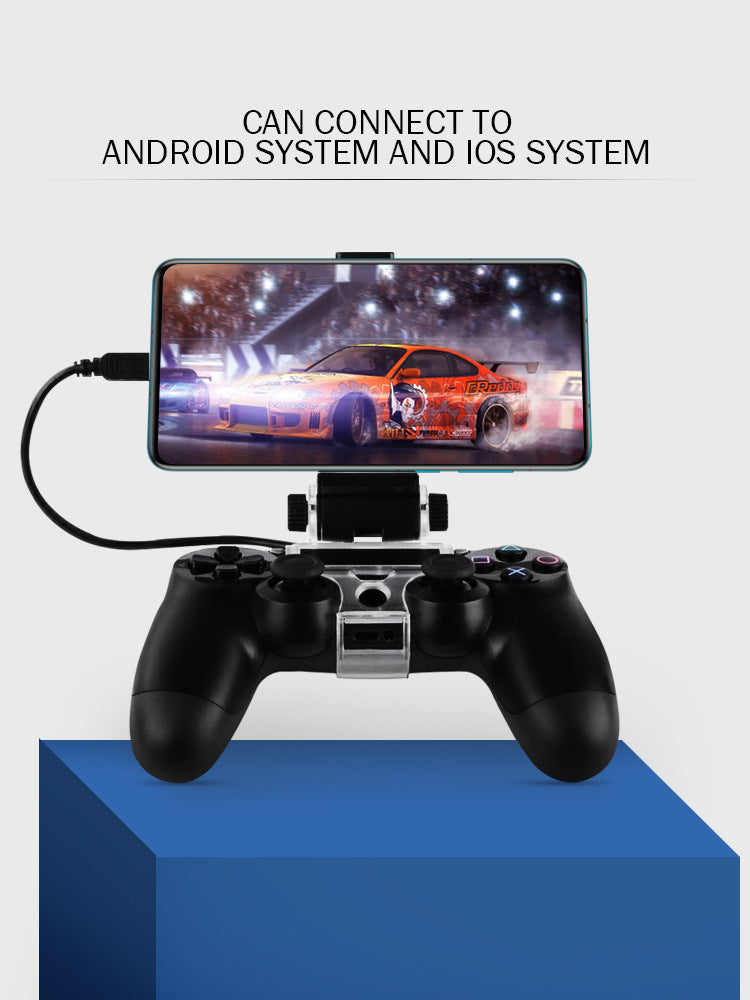

Your PS4 controller already has the grip you need. Clip the telescopic stand onto it, set the phone at eye level and keep both thumbs on the sticks. It works with Android and iOS phones, so the controller you own becomes your mobile setup.
Read the full descriptionYour PS4 controller already has the grip you need. Clip the telescopic stand onto it, set the phone at eye level and keep both thumbs on the sticks. It works with Android and iOS phones, so the controller you own becomes your mobile setup.
Turn your PS4 controller into a mobile gaming stand for Android and iOS phones
Stop propping your phone on a cushion or holding it up mid-match. Clip it to the controller you already own and play at eye level with both thumbs on the sticks.
The clamp is clear acrylic with a smooth glossy finish, and it wraps the grip of a PS4, PS4 Slim or PS4 Pro controller. Seat it on the grip, tighten the knobs by hand and the stand stays put while you play. The body is see-through, so you can line it up before it touches the pad.
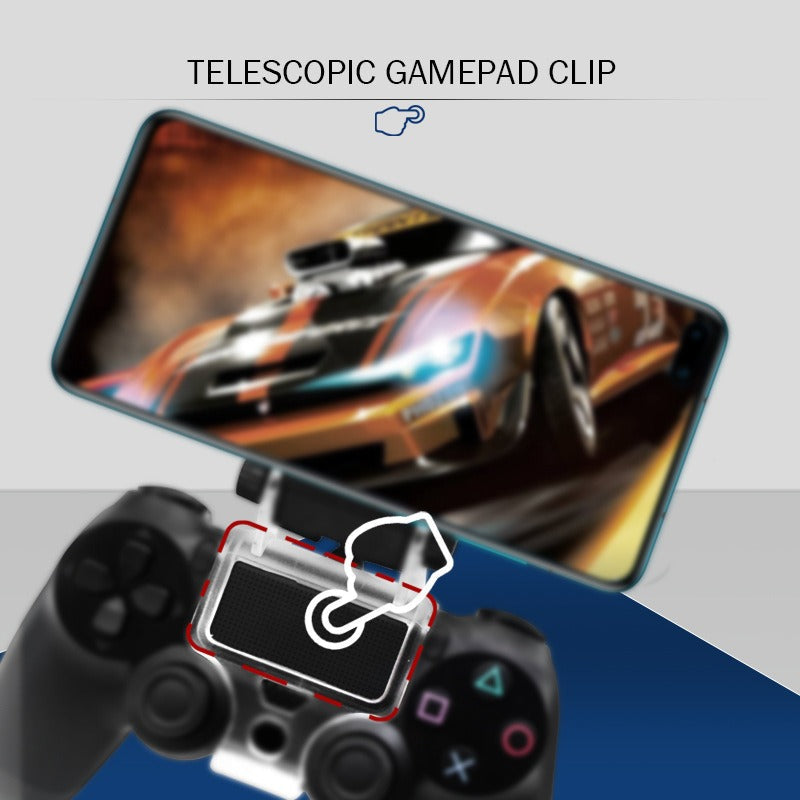
Two silver thumb-screw knobs control the telescopic arm. Extend it until the phone sits at eye level, then lock it down. The screen stays where you set it, so you stop tipping your head to find the action.
With the phone upright on the clip, both thumbs stay on the sticks and face buttons. The USB cable runs from the phone along the arm, out of the way of your hands. The same controller works with Android and iOS phones, so one setup covers both.
Seat the clear acrylic clamp on the grip of your PS4, PS4 Slim or PS4 Pro controller. Check that it sits flat before you tighten.
Turn the silver knobs by hand until they lock. Stop once the grip feels firm, since over-tightening stresses the acrylic.
Place your Android or iOS phone in the holder. A thick case may need a moment to sit square, so test it before a long session.
Loosen the telescopic knobs, raise the arm until the screen sits at eye level, then lock it. Run the USB cable along the arm so it stays off your hands.
Grips the PS4, PS4 Slim and PS4 Pro controller body
Extends to set the phone height
Lock the clamp and the arm height
Connects your phone and runs along the arm
Yes. The clamp follows the original controller shape of the PS4, PS4 Slim and PS4 Pro, so the same clip works on all three. Seat it on the grip before you tighten the knobs.
The clamp closes by hand with thumb screws, so you set the pressure yourself. Tighten until the grip feels firm and stop there. Forcing the knobs is the one thing to avoid, since it stresses the acrylic over time.
It holds most cases. A very thick case sits less square on the holder, so test the phone with its case on before a long session and adjust the height until it sits level.
Yes. Set the phone upright on the stand, connect the USB cable and start the stream with the controller in your hands. You get a steady screen and a physical pad for streamed games.
Yes. The stand works with both Android and iOS phones. The holder is telescopic, so it adapts to a wide range of phone sizes.
If you already own a PS4 pad, this is the cheaper route. You skip buying, learning and carrying a second gamepad, and the controller you own does the job.


 PS4 Controller Phone Stand for Android and iOS Gaming