
$69.90
Free delivery · 7–14 days
4-in-1 Wireless Charging Station for iPhone & Apple Watch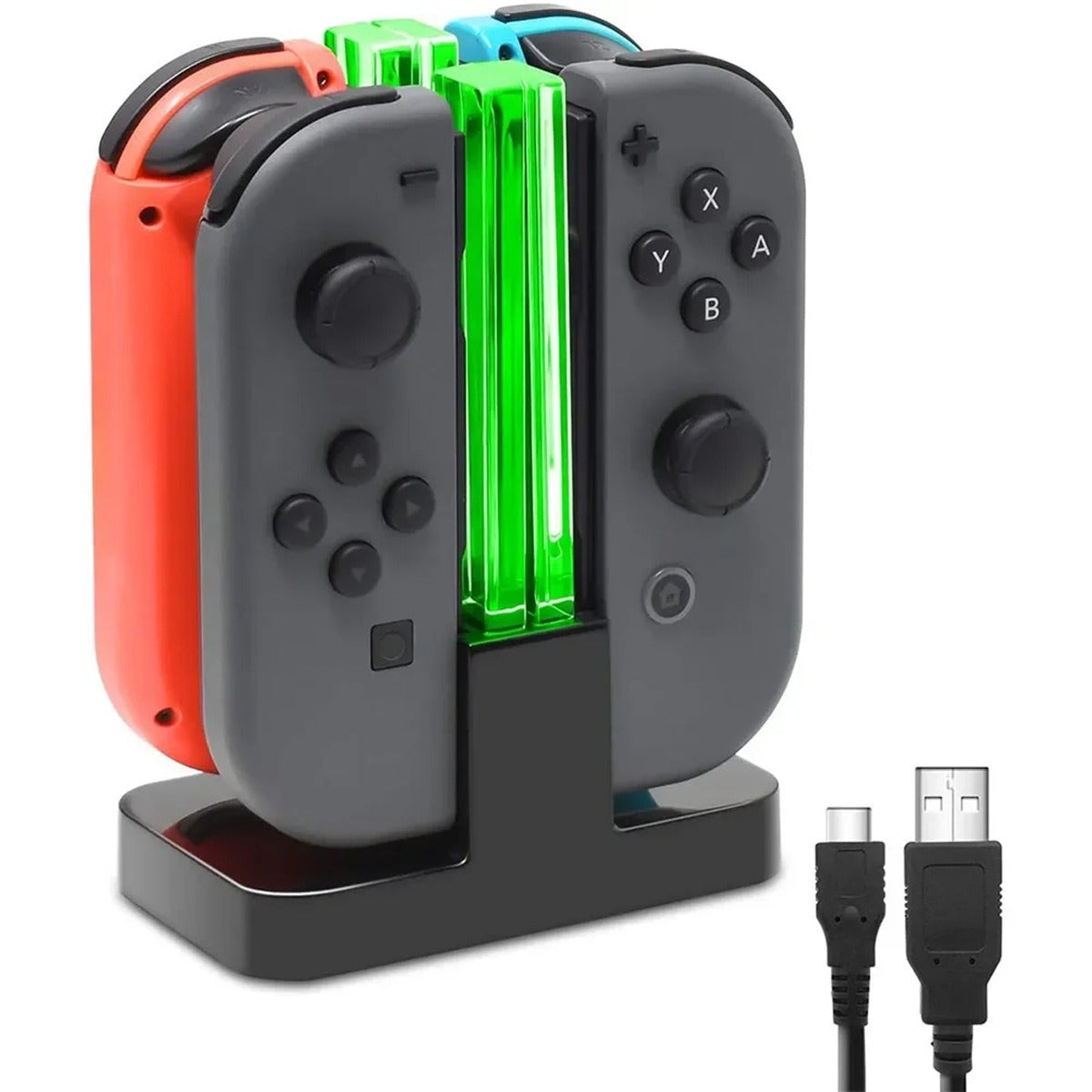


Four Joy-Con controllers charge at once in one compact base, with green acrylic columns that glow while they charge. Game night starts with full batteries and one cable runs the whole setup.
Read the full descriptionFour Joy-Con controllers charge at once in one compact base, with green acrylic columns that glow while they charge. Game night starts with full batteries and one cable runs the whole setup.
Charge all four Joy-Con controllers at once with a compact, illuminated dock.
Stop digging for cables and waiting on dead Joy-Cons. Four controllers charge together in one illuminated base and are ready when the group sits down.

Dock the whole set at once instead of plugging in separate cables. Each of the four slots takes one Joy-Con, so a full group charges in one spot and the cable clutter behind the TV goes away.

Clear acrylic columns glow green on the docked controllers. You can see at a glance which Joy-Cons are charging without picking one up, which helps when a session is about to start and someone needs the spare pair.

The base lists overvoltage, undervoltage, short circuit, overcurrent, overtemperature and overload protection. Leave the crew docked overnight and the charging runs with those safeguards in place.
Set the dock on a flat shelf or desk near the console where you play. Keep it out of direct sun and off soft fabric.
Connect the cable to the USB-C input on the base, then plug the other end into a power source.
Line up each controller with its slot and slide it in gently until it sits flush. Crooked placement can keep the contacts from charging.
The green columns light up on the docked controllers. When the group sits down, pull out the lit ones and start the game.
Matte black base with four Joy-Con slots and glowing acrylic light columns
USB-C connector for the input port on the base
USB-A connector for a standard power source
The dock is made for Nintendo Switch Joy-Con controllers, with one slot per controller and four slots in total. If you run a mixed set of Joy-Cons, all four fit the same base.
The base lists overvoltage, undervoltage, short circuit, overcurrent, overtemperature and overload protection. That is the check we look for before leaving controllers on a charger while we sleep. Set the base on a flat, open surface away from direct sun and soft blankets so heat can escape.
You get the quad charging dock plus two charging cables, one with a USB-C connector and one with a USB-A connector. You will need a power source for the USB-C input on the base.
A single-slot stand charges one controller at a time. Buy two of them and you still have two cables and two spots on the shelf. This dock holds four controllers in one footprint, so the value comes from the time saved before game night and the cable mess you do not have to manage.
The green columns light up on the docked controllers to show charging status. They are there to show you what is charging, so you know which Joy-Con is ready before the session starts.


 Joy-Con Charging Dock: Quad Charger with Light Columns