
$79.90
Free delivery · 7–14 days
Rechargeable Zoom LED Headlamp for Camping & Fishing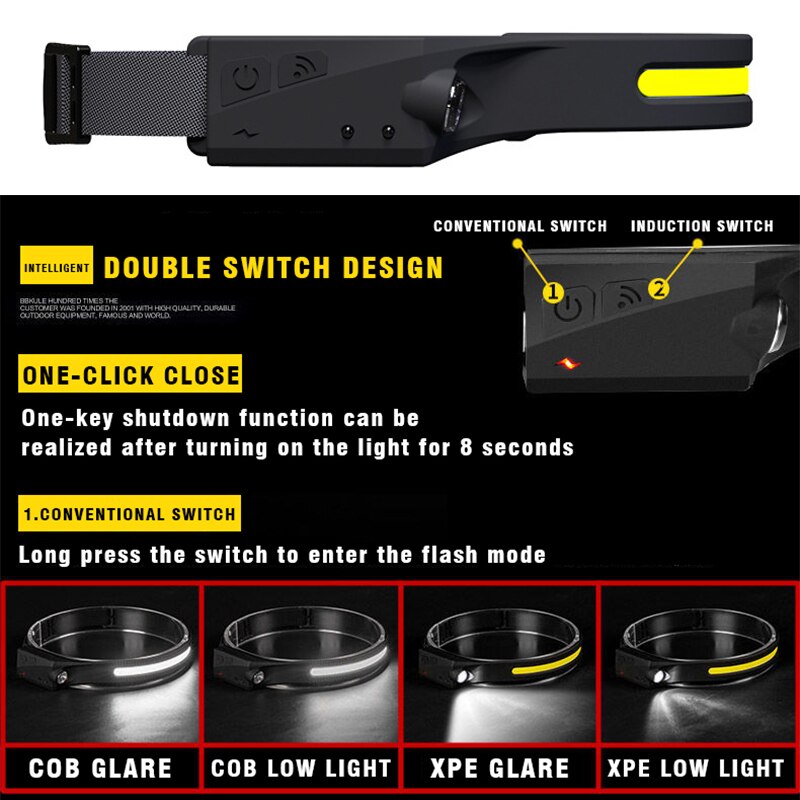
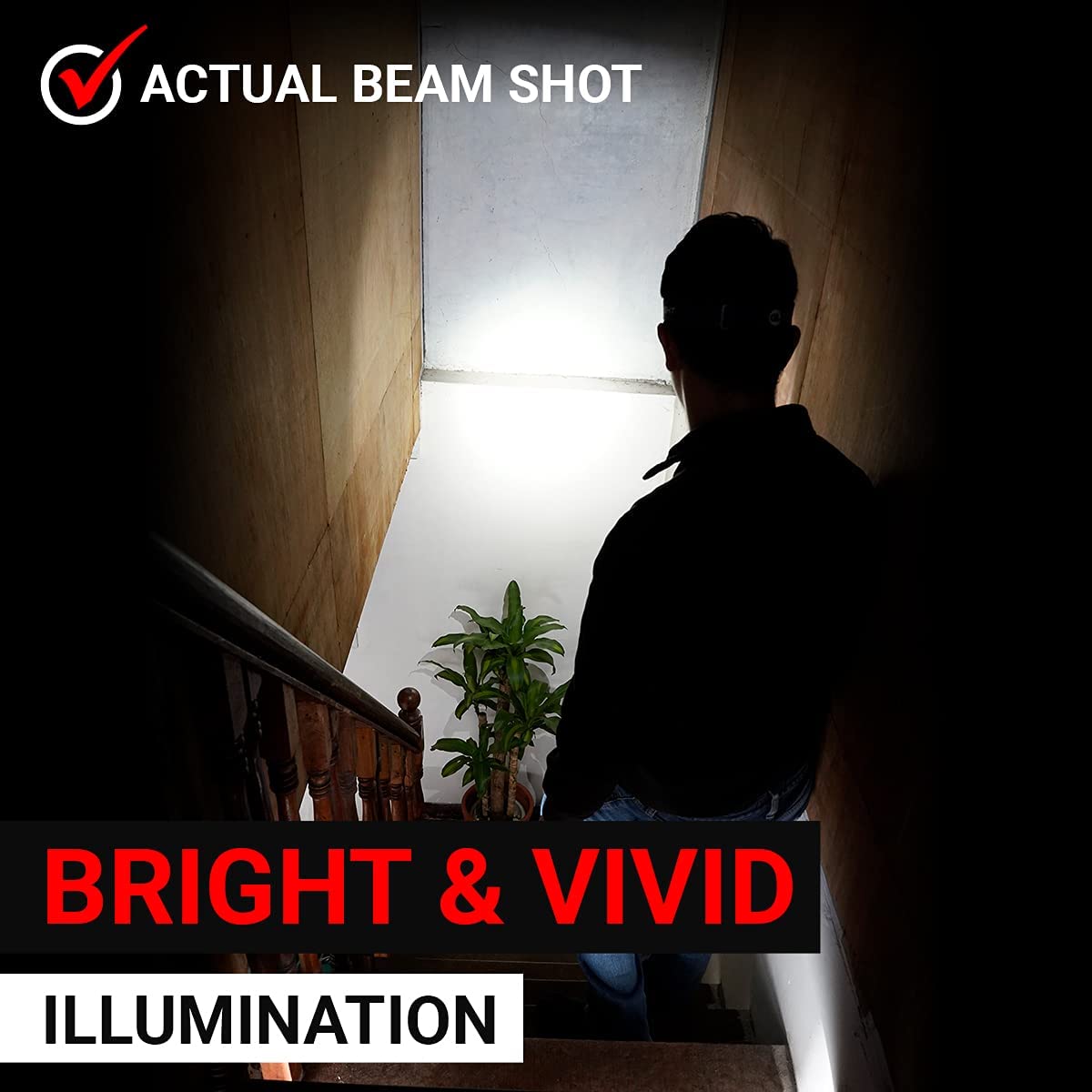
Wave once and the dark gives way to 350 lumens, with both hands free for the work. The COB strip lights a whole bench, attic, or campsite, while the XPE spot reaches down a trail or staircase. Charge it over USB-C and keep the button as a backup.
Read the full descriptionWave once and the dark gives way to 350 lumens, with both hands free for the work. The COB strip lights a whole bench, attic, or campsite, while the XPE spot reaches down a trail or staircase. Charge it over USB-C and keep the button as a backup.
Hands-free wave-activated headlamp with bright COB and XPE beams
Stop digging for tiny buttons with gloves on. Wave once, and 350 lumens light the path, stairs, or workbench while your hands stay on the job.
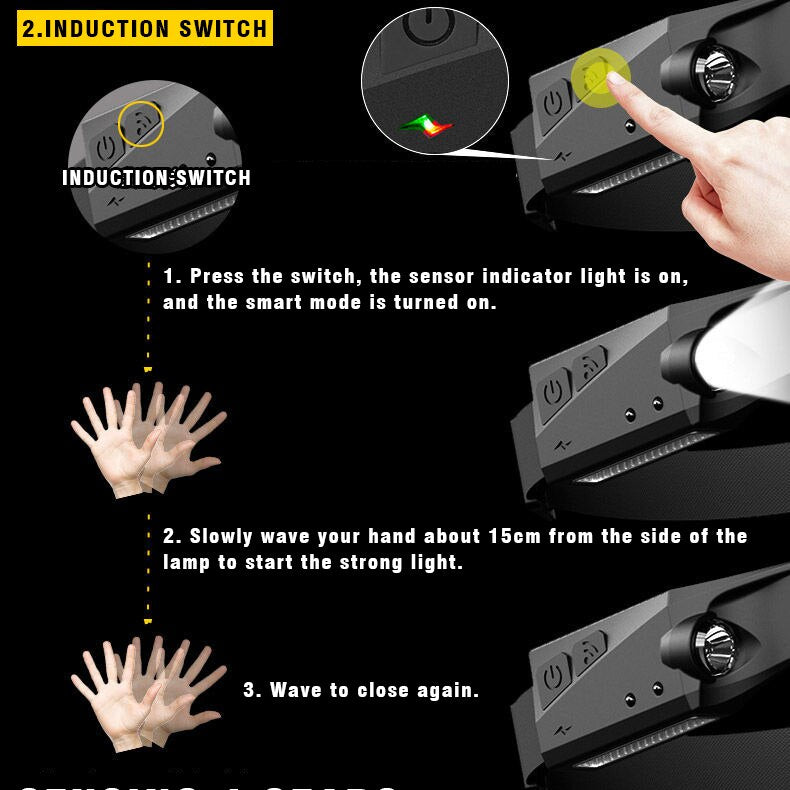
Press the switch until the sensor indicator lights, then wave slowly about 15cm from the side of the lamp. The strong light comes on, and a second wave closes it. The conventional button stays on the body as a backup, so you always have a way to switch the light.
The COB strip spreads light across a whole work area, which suits a bench, an attic or a campsite. The XPE spot reaches down a trail or a staircase. Rated at 350 lumens, it lights a dark stairwell well enough to see every step.
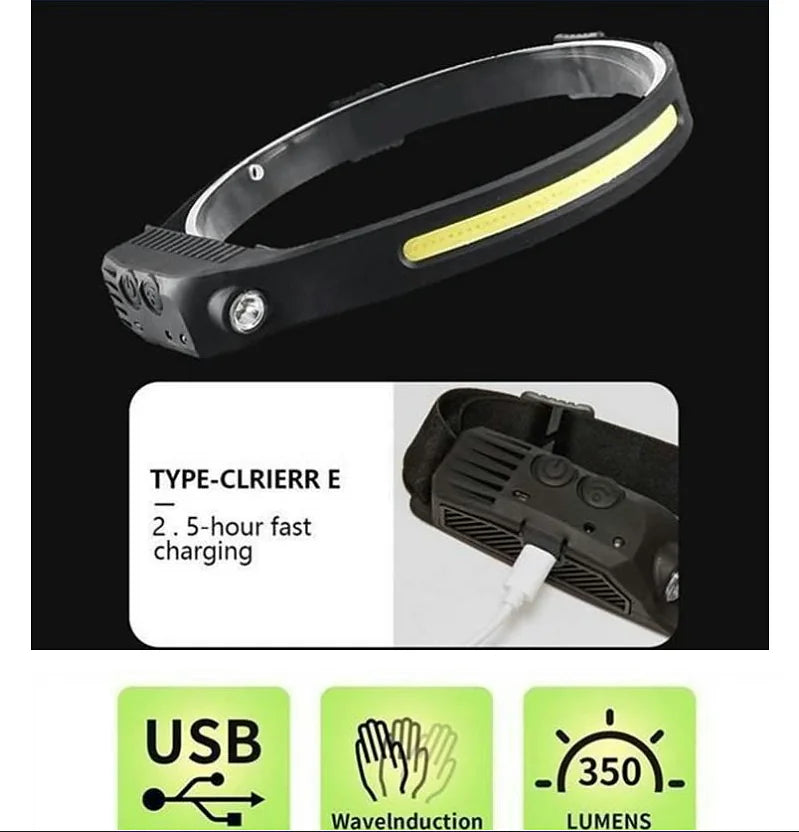
The USB-C port takes a 2.5-hour fast charge, so a short top-up before dinner is enough for the next dark task. Keep it charged on a hook and it is ready for the next power cut.
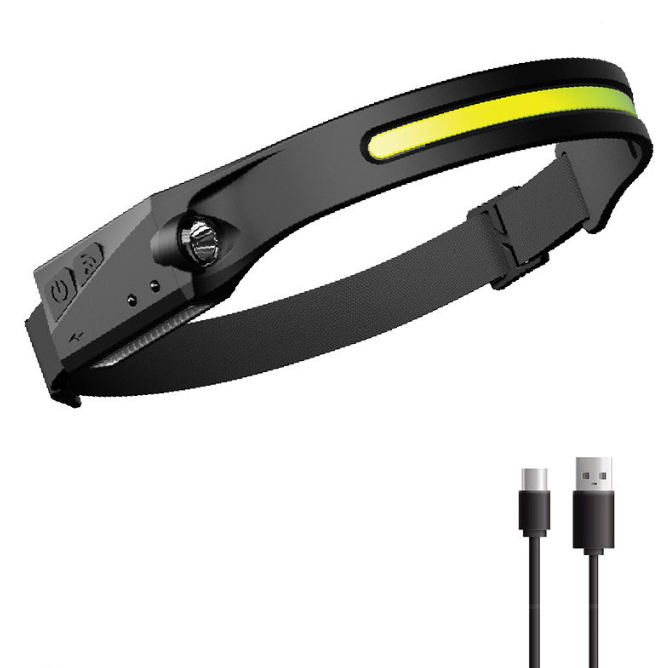
Plug the USB-C cable into the port on the lamp. The packaging lists a 2.5-hour fast charge.
Press the switch and check that the sensor indicator lights up. The wave only responds once smart mode is on.
Hold your hand about 15cm from the side of the lamp and move it slowly. The strong light starts.
A second slow wave closes the light. Use the one-click shutdown when you want it off straight away.
The wave only works after you press the switch and the sensor indicator lights up. A lamp sitting in standard mode in a pack will not respond to movement. Keep it out of smart mode when you stow it, and turn smart mode on only when you are about to use it.
Yes. The sensor responds to a hand moving near the side of the lamp, so you do not need to press anything with gloves, mud, or wet hands on it. Move slowly, about 15cm from the side, because quick swipes may not trigger it.
For night camp, stairs, power cuts, and hands-on repairs, 350 lumens gives plenty of working light. The COB strip fills a bench or attic, and the XPE spot reaches down a trail. If you need light for fast technical descents, a brighter lamp will suit you better.
Use the one-click shutdown to turn the light off at once, or wave again to close the strong light. The conventional button remains a backup if you prefer pressing.
The lamp charges over USB-C in about 2.5 hours, so you skip buying disposable batteries for each camping trip or power cut. Charge it once in the evening and the lamp is ready for the next dark task.
The body is matte plastic and the black elastic strap is adjustable, so you can tighten it until the lamp sits where your eyes point. Set the strap before you run, then check the fit after the first few kilometers.


 Induction Headlamp: Hands-Free Wave-Activated Light