
$35.90
Free delivery · 7–14 days
4-Port USB-C Multi Charging Cable: Charge Four at Once

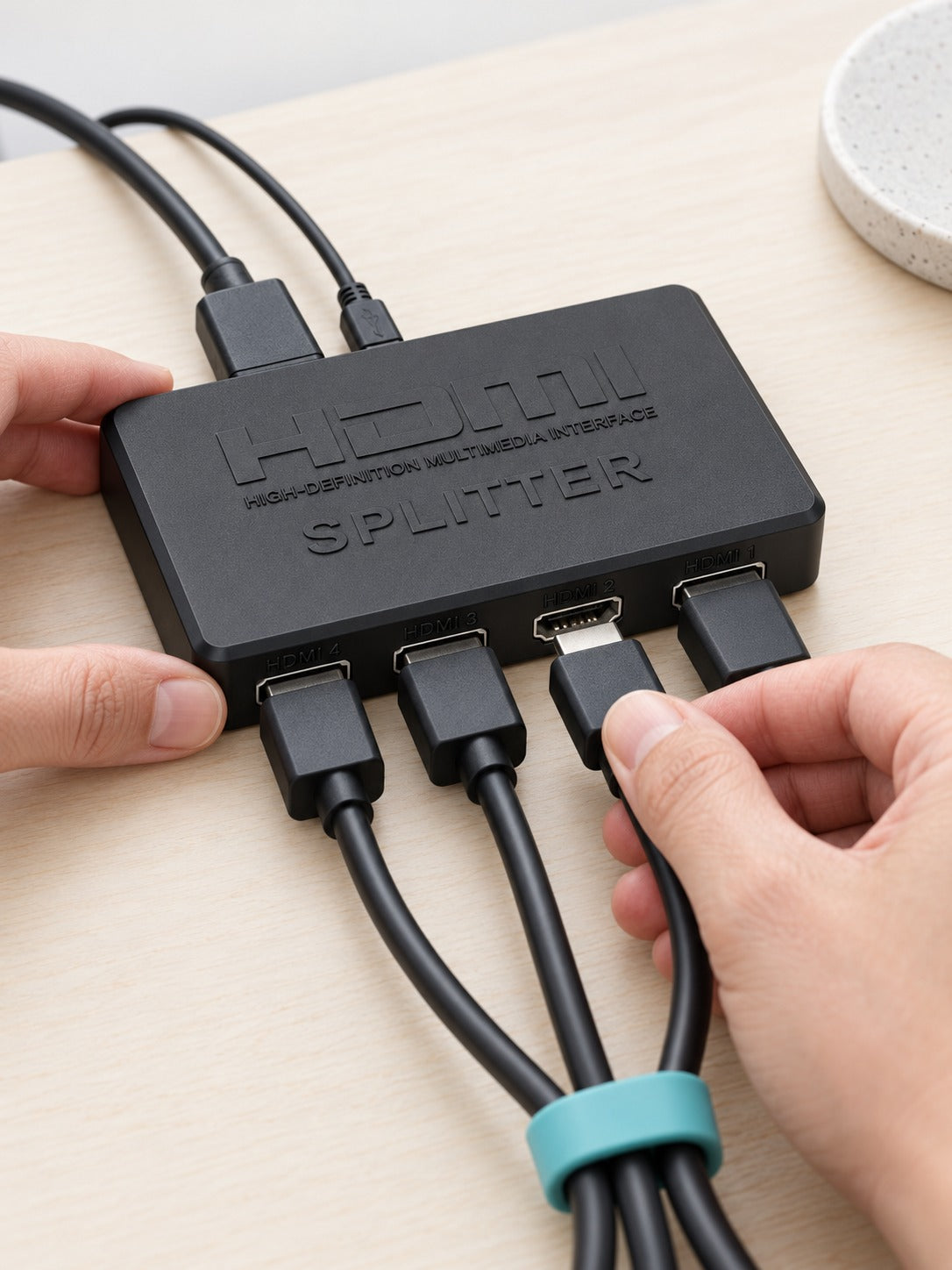


Show one picture on every screen in the room at once. This compact 1-in, 4-out HDMI splitter takes a single source and feeds four 4K HD outputs, with indicator lights that confirm each display is live. It runs plug and play, so a media player, console or PC can drive several TVs or monitors from...
Read the full descriptionShow one picture on every screen in the room at once. This compact 1-in, 4-out HDMI splitter takes a single source and feeds four 4K HD outputs, with indicator lights that confirm each display is live. It runs plug and play, so a media player, console or PC can drive several TVs or monitors from one small black box.
Split one HDMI source into four 4K HD outputs, plug and play, in a compact black box
Instead of a tangle of cables or a switch you flip between screens, one player or PC feeds four displays in the same room, plugged in and running in minutes.

One HDMI source feeds four HDMI outputs, so each display gets the same picture. The layout is easy to read: a single IN port on one side and four numbered outputs for your cables. Four screens, one source, no switching.

Indicator lights cover the input, outputs 1 to 4, and power. A lit output tells you that display is connected and receiving signal. When one screen goes dark, you know which cable to check before you start unplugging things.

The flat, matte black housing fits behind a TV or on a crowded shelf without taking up much room. There is no driver software to install and no menu to configure. Connect the cables, power it up, and the picture is already moving.
Run an HDMI cable from your player, console or PC into the single IN port on the splitter.
Plug an HDMI cable into each output from 1 to 4 and route it to the matching TV or monitor.
Connect the micro USB power cable. The PW light comes on when the unit has power.
Confirm the IN light and each output light are lit. If an output stays dark, check that cable and its display first.
Matte black housing with IN, output and power indicators
Powers the unit through the micro USB port

A media player on the living room shelf, a console by the couch, and a second TV in the kitchen all want the same picture. Without a splitter, that means a separate source for every screen or a manual switch that leaves three of the four displays dark. Most evenings end with one screen on and the rest stuck on a blank input.

The splitter takes one HDMI input and sends the same signal out through four HDMI outputs. Connect the source, run one cable to each display, and plug the micro USB power cable in. Every screen shows the same 4K picture at the same time, from a single compact black box that sits on a shelf.
| This splitter | Manual HDMI switch | |
|---|---|---|
| Same picture on every screen at once | Yes | No |
| Needs a flip between screens | No | Yes |
| Indicator light for each output | Yes | No |
| Plug and play setup | Yes | Partial |
All four outputs receive the same signal from your source, so set the source to a resolution every screen accepts. A 1080p display will show a 4K signal at its own native resolution, which can look softer than a 4K panel.
The packaging lists 4K HD support and audio-video synchronization. It does not list a refresh rate, so check your displays and source settings before you commit to a 60Hz setup.
Power comes in through the micro USB port, and the power cable is in the box. For a permanent install, plug it into a stable outlet and keep the cable routed away from foot traffic so the unit stays powered.
Yes. Any source with an HDMI output works as the input, and the splitter needs no drivers or software setup, so a PC, console or streaming box connects the same way.
A manual switch shows one screen at a time, and a second source costs a full device per screen. One compact splitter with premium materials covers all four outputs, so the value is one purchase instead of a stack of switches or sources.


 HDMI Splitter 1 to 4 4K, Show One Source on Four Screens