Garden Hose Timer: Automatic Scheduled Lawn Watering
Set the days and start times once, and the lawn gets its water whether you are home or away. The timer threads onto your outdoor tap, the hose clicks onto the quick-connect, and the LCD keeps the program in view. Your evenings go back to you.
Read the full descriptionDescription
Set the days and start times once, and the lawn gets its water whether you are home or away. The timer threads onto your outdoor tap, the hose clicks onto the quick-connect, and the LCD keeps the program in view. Your evenings go back to you.
Automatic watering on a programmed schedule
- forgetting to water the garden
- uneven or missed watering while away
- manual hose handling
Your garden waters on schedule, even while you're away
Stop dragging a hose out every evening and guessing at the tap. Program it once, and the timer waters on time, on regular days and on holiday trips.
Set the schedule once and forget the hose
- Program it once
Seven labelled red buttons, Esc, Day, Hour, Min, Time, Prog and Man/Auto, sit under the LCD. You set the days and start times in one session, then change them as the weather turns. Switch to MAN for a one-off run or to OFF to pause the program.
- Clear view, steady valve
A clear domed cover keeps the display readable and protected from splashes. Underneath, a ball valve body controls the flow, so the water shuts off cleanly when the program ends.
- Connects in minutes
The tap adapter nut and the hose quick-connect fitting come in the box. Screw the adapter onto the tap, click the hose on, and you are ready to program. No extra parts to hunt down.
From outdoor tap to watering in four steps
- 1Fit the tap adapter
Screw the tap adapter nut onto your outdoor tap. Confirm the thread matches before you tighten it by hand.
- 2Attach the timer
Connect the timer between the tap and the hose line so all the water passes through the ball valve.
- 3Click on the hose
Fit the quick-connect fitting to your garden hose, then join it to the timer outlet.
- 4Set the schedule
Use Day, Hour, Min and Prog to set the program, then switch the dial to AUTO.
Everything you need to connect it
- Main timer unit×1
LCD controller, seven control buttons, ON/AUTO/OFF indicator and clear domed cover
- Tap adapter nut×1
Threads onto your outdoor tap
- Hose quick-connect fitting×1
Clicks onto your garden hose for fast removal
From the hose to the timer
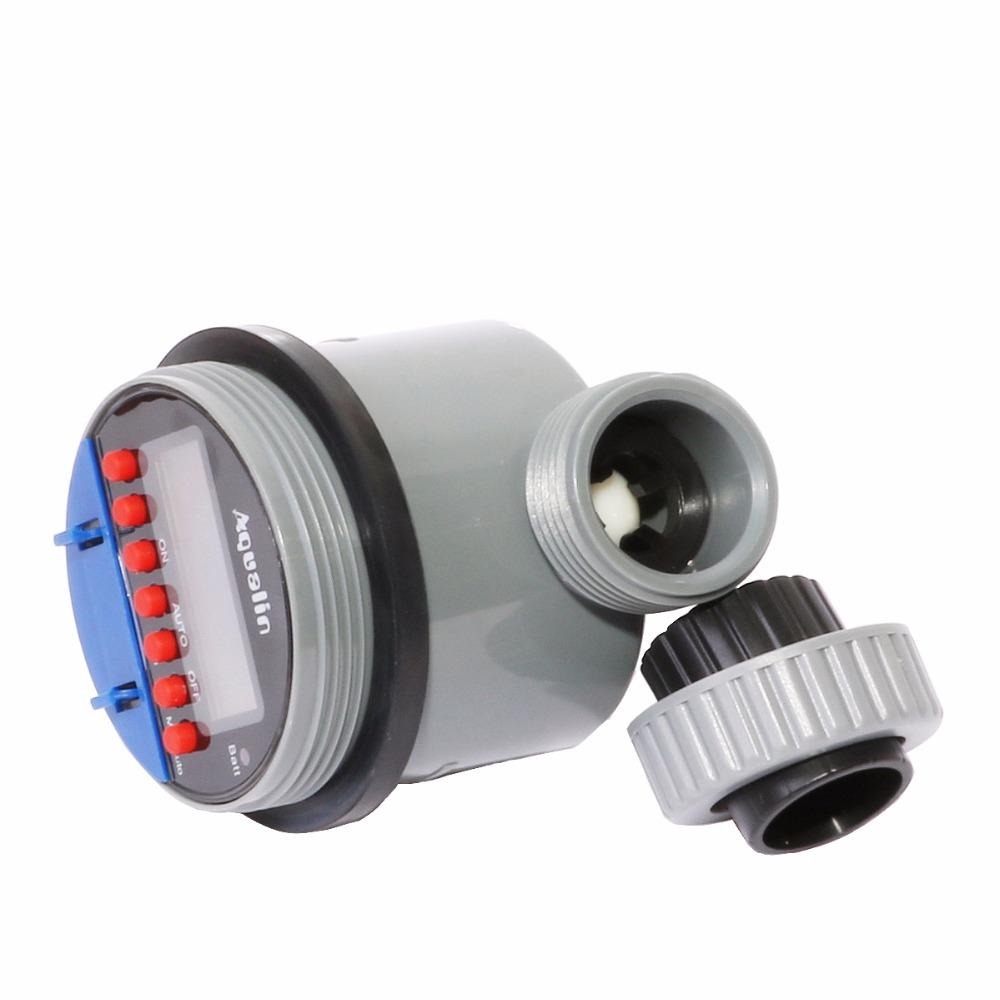
The daily hose
Every evening the hose comes out, gets dragged across the lawn, and gets coiled back up again. Some days it gets skipped, and by the weekend the grass shows it. Asking a neighbour to cover a trip only works when their schedule allows it.
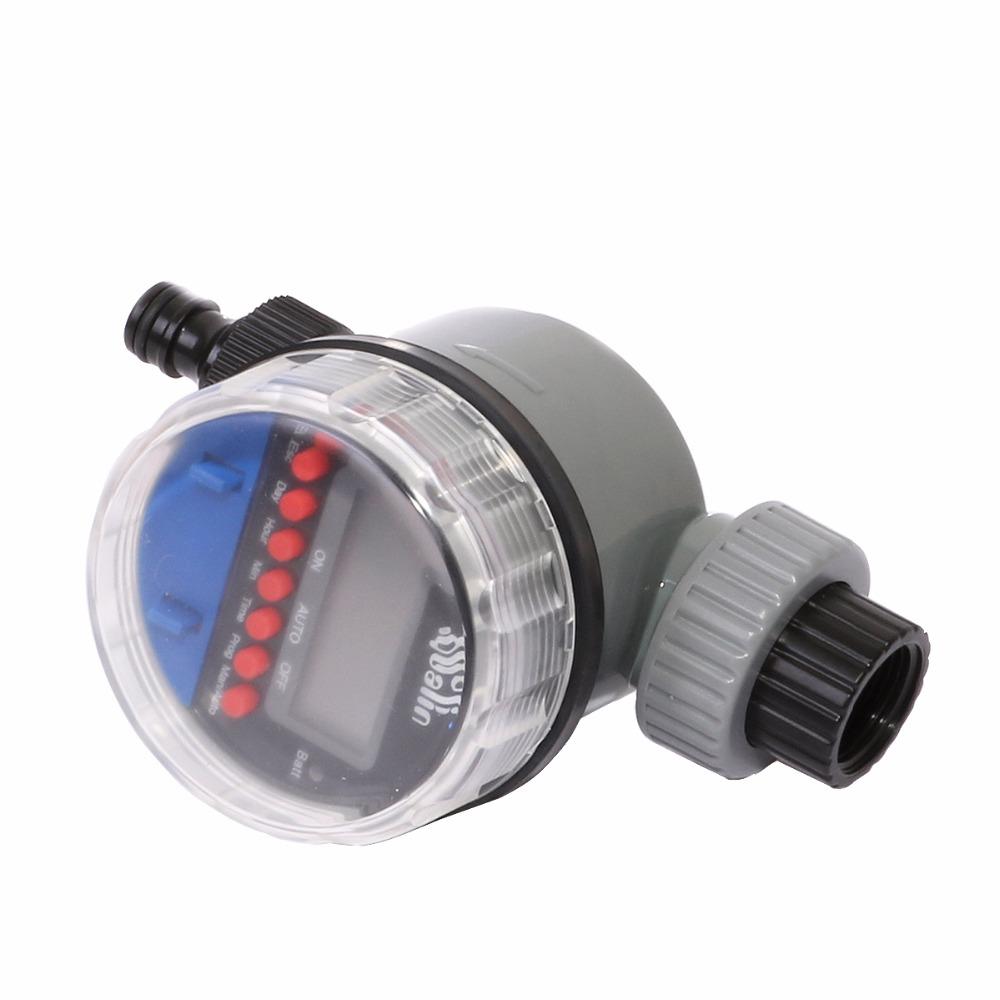
The schedule that runs itself
The timer threads onto the tap and the hose clicks onto its outlet. Seven red buttons set the days, the hour and the minute, and the LCD shows what is running. Once the program is set, the water starts on time whether you are in the garden or three states away.
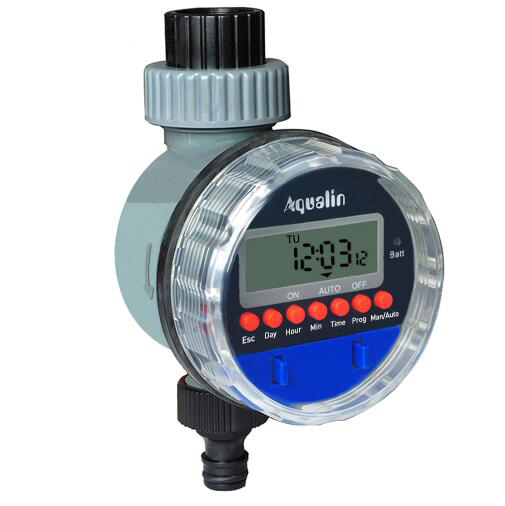
Back to your evenings
The dusk chore is gone. Mornings start with a watered lawn and no hose in your hand. Before the next dry spell or the next trip, set the program once and the garden keeps going without you.
What to expect over time
- First useConnected and programmed
Attach the adapter and quick-connect, then set your first watering time on the LCD. Run one manual cycle to confirm water flows and the hose stays sealed.
- Week 1Schedule running on its own
Your programmed watering runs without you touching the hose. Check the display once to confirm the battery indicator and that the schedule looks right.
- Day 30Routine feels automatic
Watering becomes background noise. Adjust days or times as the weather changes, and check the valve and fittings for drips.
A few habits that keep it running
- Drain before freezing
Empty the timer and hose before winter and store the unit somewhere sheltered.
- Check the battery monthly
Look at the battery indicator on the LCD at the start of each month so the program never stops mid-season.
- Keep the fittings clean
Rinse grit off the threads and the quick-connect so both seal without forcing.
Why a programmable timer beats hand-watering
| This timer | Hand-watering | Basic sprinkler timer | |
|---|---|---|---|
| Watering on a set schedule | — | ||
| Hose-free daily watering | — | Partial | |
| Seven-button LCD programming | — | — | |
| Holiday cover while you are away | — |
Characteristics
Reviews
Questions and answers
The kit includes a tap adapter nut that threads onto your outdoor tap. Check the thread against the adapter before you connect, so the join seals snugly without forcing.
The hose quick-connect fitting clicks onto your garden hose. Fit it to the hose end you already use and you can detach the hose in seconds when you need to move it.
The body is matte plastic with a clear domed cover over the display. Drain the timer and hose before freezing weather and it will last the full watering season.
No. The seven buttons are labelled: Day, Hour and Min set the days and start times, Prog stores the program, and Man/Auto switches between a one-off run and the schedule.
You pay for the materials: a clear dial cover, a ball valve body and an LCD controller. Against a daily hose session, the timer returns your evenings for the whole season and keeps the lawn on time.
Yes. Program the schedule before you leave, confirm the ON/AUTO indicator on the display, and check the battery level so the program runs the whole time you are away.