Portable Power Station 1000W with Fast Drone Charging




Your drone battery is running low and the sun is going down. DJI Power 500 keeps the camp lit, the drones charging and the laptop running from one quiet 1000W unit, with an LCD that shows every watt moving in and out.
Read the full descriptionDescription
Your drone battery is running low and the sun is going down. DJI Power 500 keeps the camp lit, the drones charging and the laptop running from one quiet 1000W unit, with an LCD that shows every watt moving in and out.
1000W portable power that runs your outdoor gear and charges it fast
- running out of power off-grid
- charging multiple devices at once
- slow charging of drones and gadgets
Keep the shoot running, wherever you are
Dead batteries mean lost footage, cold food and a dark campsite. DJI Power 500 delivers 1000W from one quiet unit and shows every watt in and out.
See every watt come in and go out

Watch every watt move
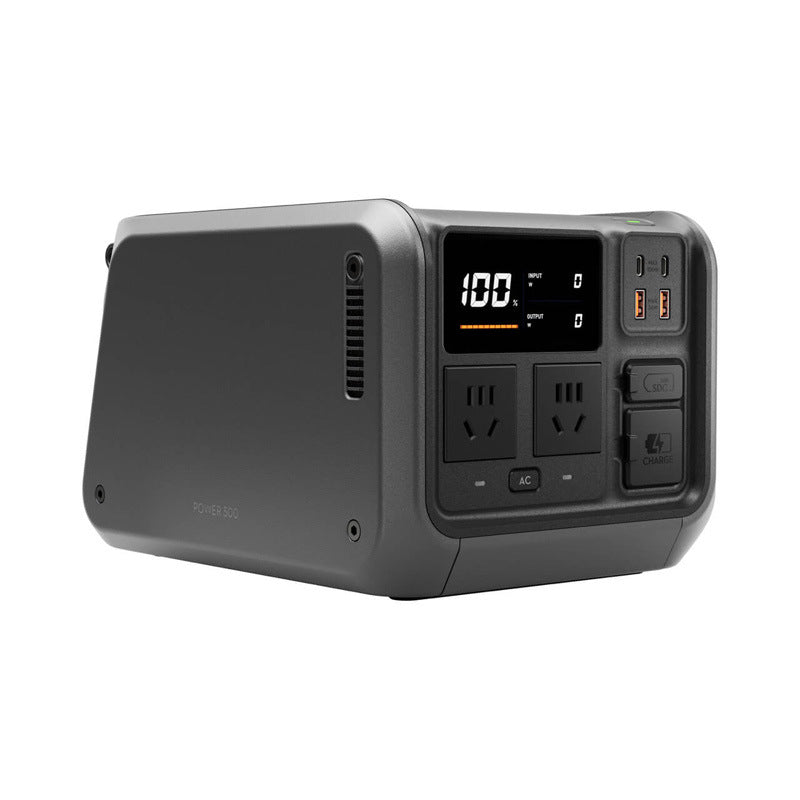
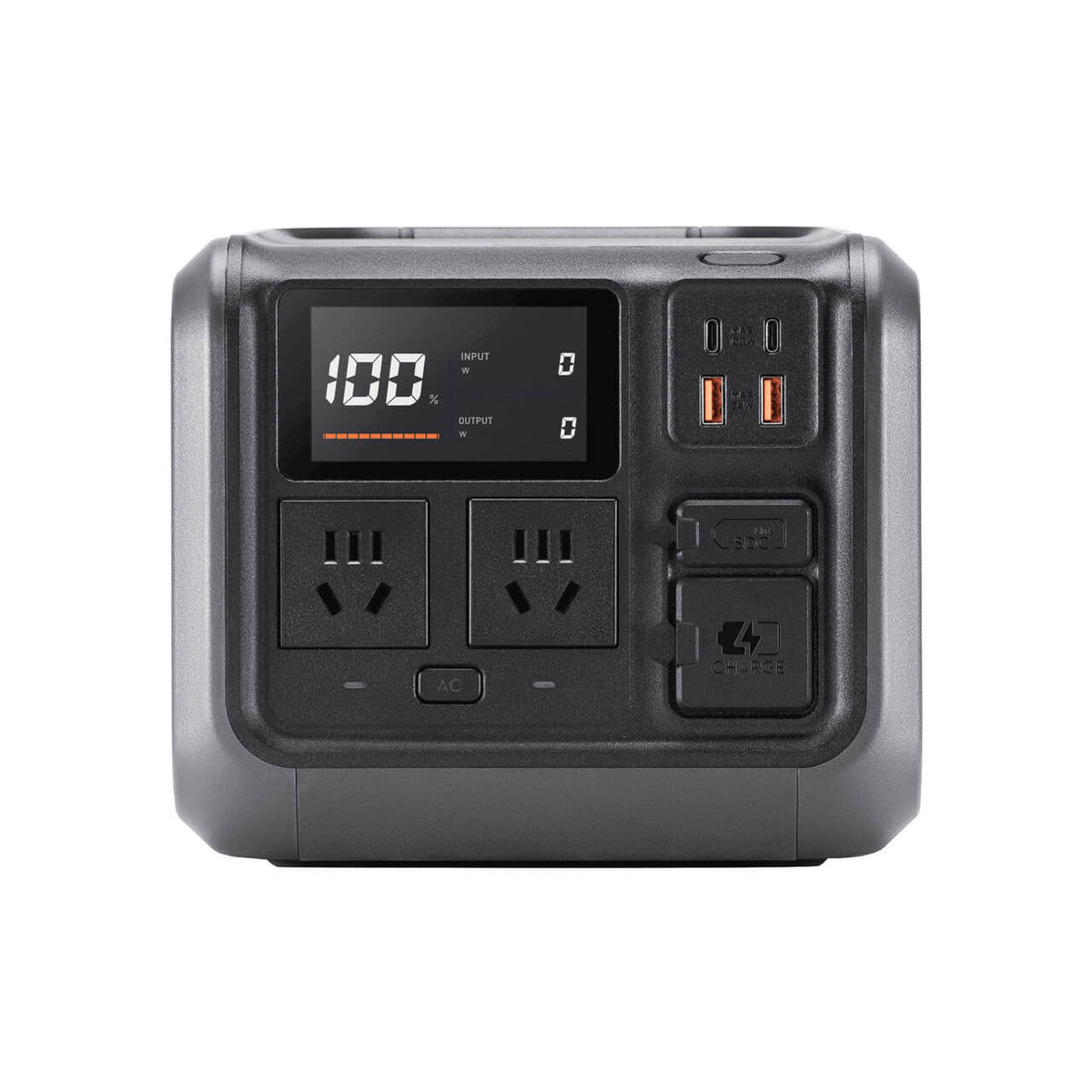
The LCD shows charge percentage along with live input and output watts. Charging shows up as input, while a fridge or lamp shows up as output, and both numbers move in real time. You know what is filling the box and what is draining it long before the battery runs low.
Fast drone charging
The packaging lists fast drone charging, so pilots can top up batteries between flights from the same unit. Plug a battery into a USB-C port and watch the input climb on the LCD. Planning a full day of flights gets simpler when the station is the only charger you carry.

Power for every device
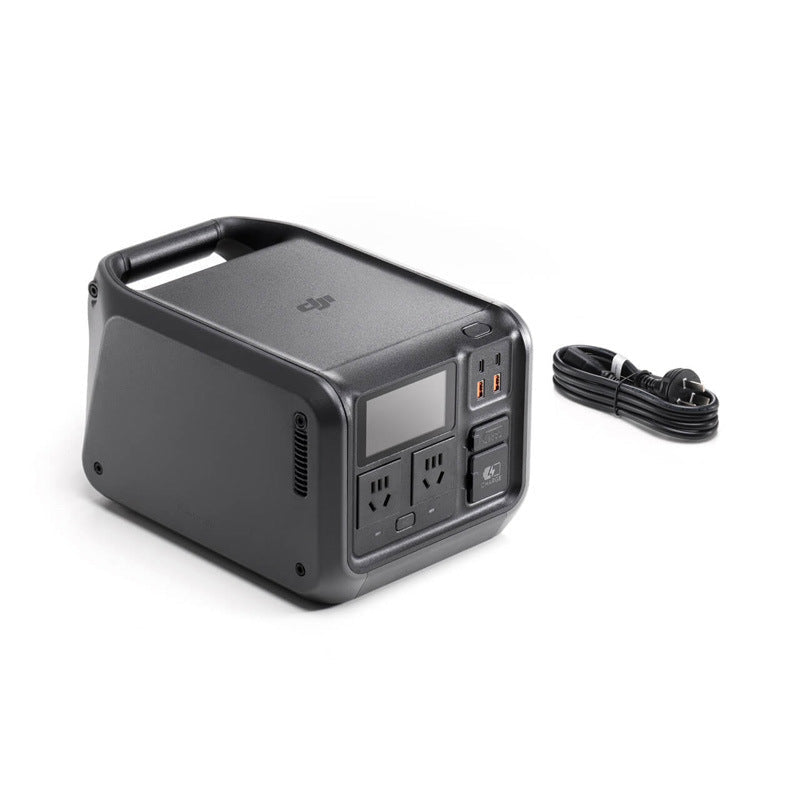
Two AC outlets, two USB-C and two USB-A plus an SDC port cover the camp, the drone and the laptop at once. The AC power button controls the outlets, so heavier loads stay off until you need them.
Charge it, read it, then plug in
- 1Plug in the charge input
Connect the CHARGE input cable to its dedicated port. The input watts appear on the LCD as the station begins to fill.
- 2Read the LCD
Check the charge percentage and the live input and output watts before you head out.
- 3Connect your gear
Plug drone batteries into the USB-C ports, phones into the USB-A ports, and lights or a laptop into the AC outlets.
- 4Switch on the AC power
Turn on the AC power button for the outlets, then watch the output watts as each device starts drawing.
Every port your field gear needs
- AC outlet×2
Runs lights, laptops and small appliances, controlled by the AC power button.
- USB-C port×2
Fast charging for drones, phones and laptops.
- USB-A port×2
Charges phones, controllers and small gadgets.
- SDC port×1
Dedicated port on the front panel.
- CHARGE input×1
Refills the station, with input watts shown on the LCD.
When the battery quits, the day quits

The battery that warns at the worst moment
A drone battery drops to its last bars on a remote ridge, the sun is going down and the nearest outlet is a long drive away. Small USB banks top up a phone but cannot run anything with a motor or a compressor. The shoot stops, the food starts to warm, and nobody can say how much power is left.

One quiet box, every device covered
DJI Power 500 sits on the camp table and feeds the whole setup from one place. Two AC outlets run lights and a laptop, USB-C and USB-A charge phones and controllers, and the SDC port and CHARGE input handle the rest. No petrol, no exhaust, and no engine noise after dark. Pair it with a waterproof outdoor bluetooth speaker for the evening playlist.
Power you can actually see
The LCD reads the charge percentage in one place and live input and output watts beside it. Plug in the CHARGE input and the input watts climb as the station fills. Switch on a fridge and the output number shows the draw. You stop guessing, and you know whether the drone batteries are charging or the lights are draining the box.
What to expect as you use it
- First useCharged and reading live
Charge the station through the CHARGE input, then confirm the LCD shows input watts and the percentage climbing. That check proves the unit works before your first trip.
- 3 usesFamiliar with the controls
After a few trips you know which outlets need the AC power button, how the LCD reports draw, and how quickly your drone or laptop charges from it.
- 30 daysBuilt into your routine
Regular use turns the station into the first thing you pack. Check the LCD before each trip so you leave with a clear picture of the power you have.
Why this, not that
| DJI Power 500 | USB power bank | Petrol generator | |
|---|---|---|---|
| Runs AC appliances | — | ||
| Live charge and watts readout | — | — | |
| Quiet operation | — | ||
| No fuel needed | — | ||
| Fast drone charging | Partial | — |
Characteristics
Reviews
Questions and answers
Yes. The packaging lists fast drone charging, and the USB-C ports handle drone batteries in the field. Plug the battery in, then watch the input watts on the LCD climb to confirm it is taking power.
Two AC outlets, two USB-C ports, two USB-A ports and an SDC port cover a typical camp or field setup. The LCD shows output watts in real time, so add devices one at a time until you know your load. The unit is rated for 1000W continuous AC output.
The station stores 0.5 degrees of electricity as listed on the packaging. For a weekend, work out your draw from the live output readout: lights and a laptop use far less than a fridge or a heater. Check the LCD percentage the night before you leave and top up from the CHARGE input if it is low.
It runs on battery with quiet operation and no fuel, exhaust or engine noise. Keep the side ventilation grille clear of bags and blankets so the unit can breathe while it works through the night.
A rapid charge power bank charges phones but cannot run AC gear. A petrol generator needs fuel, weighs a lot and is loud. This station replaces a stack of chargers and fuel runs with one box built from premium materials, and the live readout tells you exactly how much power you have left.
Similar products
See all Portable Power Station 1000W with Fast Drone Charging