
$64.90
Free delivery · 7–14 days
Bluetooth Key Finder Tag with Louder Alarm & Longer Standby


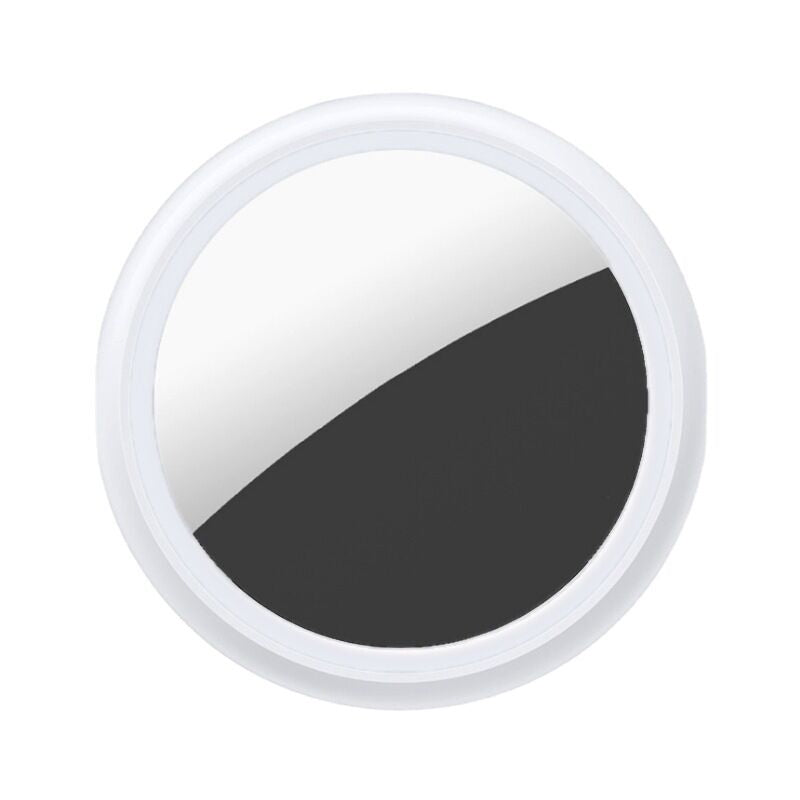
Keys and bags go missing at the worst moment. This small white Bluetooth tracker clips to what you carry and shows the last known location on a map in your phone app, so you check the screen and walk straight to them. Built for iPhone users who commute or travel often.
Read the full descriptionKeys and bags go missing at the worst moment. This small white Bluetooth tracker clips to what you carry and shows the last known location on a map in your phone app, so you check the screen and walk straight to them. Built for iPhone users who commute or travel often.
Find lost keys, bags and belongings with a small Bluetooth tracker and phone app
Before: patting pockets at the door while the train leaves. After: a map with a red pin shows where your keys were last seen, so you walk straight to them.

The app drops a red pin at the last known location of the tracked item. You see the street or station where your keys were last recorded before you start retracing your steps.

The Lost History button opens a log of where the item was last recorded. Check it before you search the flat again, and you know which room or street to start in.

A round flat white ring frames a mirror-silver and black glass face. It slips onto a key ring or sits inside a bag without adding bulk, and the smooth white back keeps the look tidy.
Open the app on your iPhone, choose the option to add a device and follow the on-screen prompts until the tracker appears in your list.
Slip the disc onto a key ring or tuck it inside the bag you use most. Items you touch daily stay within range of your phone most often.
Open the item in the app to see the red pin and the Lost History log, then search the nearby area first.
Round flat disc with a white protective ring and mirror-silver and black glass face
Clean packaging with a window and hang-tab that shows the tracker in place
You have your keys at the door, then you don't. Every pocket gets patted twice, the couch cushions get lifted, and the clock keeps running. Memory fails under stress, and a spare key is just one more thing to misplace.
The disc clips onto the key ring or sits inside the bag, and it pairs with your phone through the app. Open the map and a red pin marks the last known location, with Lost History showing the sightings before it.

The day starts with a glance at the phone instead of a search. Commute days and trips run smoother because the last place your bag was seen is already on the map.
You complete app pairing and attach the tracker to your keys or bag. The map is ready from the first day you carry the item.
You open the app when something is missing. The last known location and Lost History help you retrace your day faster than memory alone.
Routine items stay on the tracker, and the app becomes the first stop whenever something goes missing.
| This tracker | Memory and spare keys | Bulky trackers | |
|---|---|---|---|
| Shows last known location on a map | — | Partial | |
| Lost History log of sightings | — | Partial | |
| Fits on a key ring | — | ||
| Needs no spare key kept hidden | — |
The tracker is built for iPhone users and runs through its phone app. The map view, the red pin and Lost History all live in that app, so set it up there first.
The app shows the last known location recorded by your phone, not a live GPS trail. The red pin points to the last spot, and Lost History keeps earlier sightings, which covers most lost-key mornings.
Slip the flat disc onto a key ring or tuck it inside the bag near the zip. The flat shape sits low on a ring and adds little bulk. For a sturdier holder on a key ring, browse the airtag holder range.
One tracker pays off the first time it finds a bag you were about to give up on. Two cover house keys and a work bag at the same time, so the cost per item drops compared with buying a second one later.
The map keeps the last location your phone recorded, and Lost History keeps the earlier entries. New sightings get logged once your phone is nearby again.


 Bluetooth Key Finder for Keys, Bags & iPhone Users