
$54.90
Free delivery · 7–14 days
Wall-Climbing Gecko Robot Remote Control Toy for Kids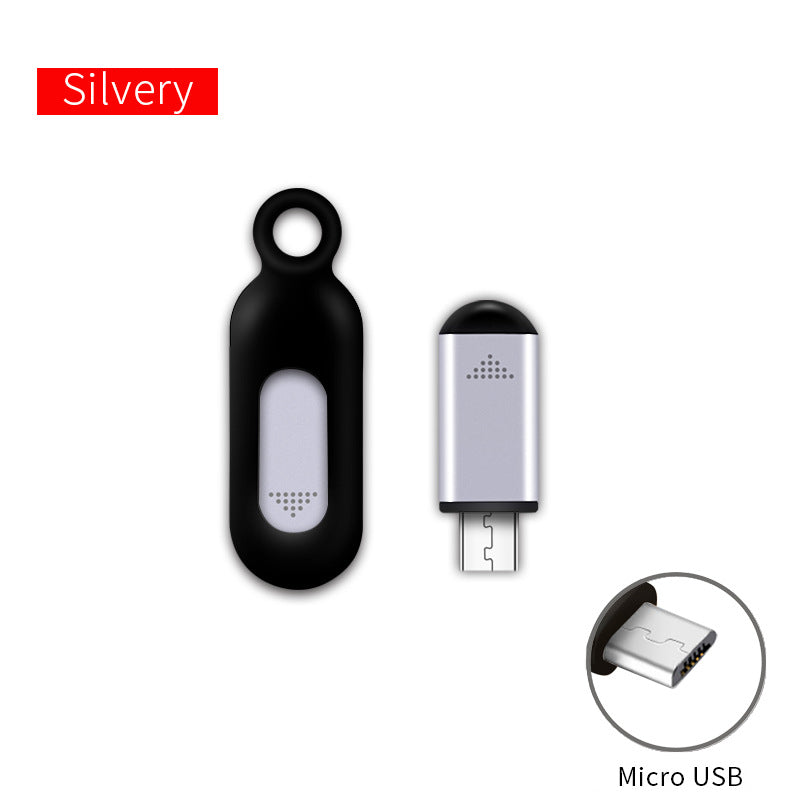






Your phone becomes the remote, and the remote lives on your keys. Plug the compact IR unit into your charging port, then run the living room TV and bedroom AC from one screen. The two-piece set covers a second room too.
Read the full descriptionYour phone becomes the remote, and the remote lives on your keys. Plug the compact IR unit into your charging port, then run the living room TV and bedroom AC from one screen. The two-piece set covers a second room too.
Turn your phone into a pocket infrared remote
Stop digging through couch cushions for the TV remote at 11pm. Clip one small IR unit to your keys, pair it with your phone, and control the TV and bedroom AC from the device already in your hand.

A built-in IR emitter sits behind the dot-grid window and sends commands to your TV or AC. Your phone supplies the control screen through the connector, so there is no separate handset to track down.

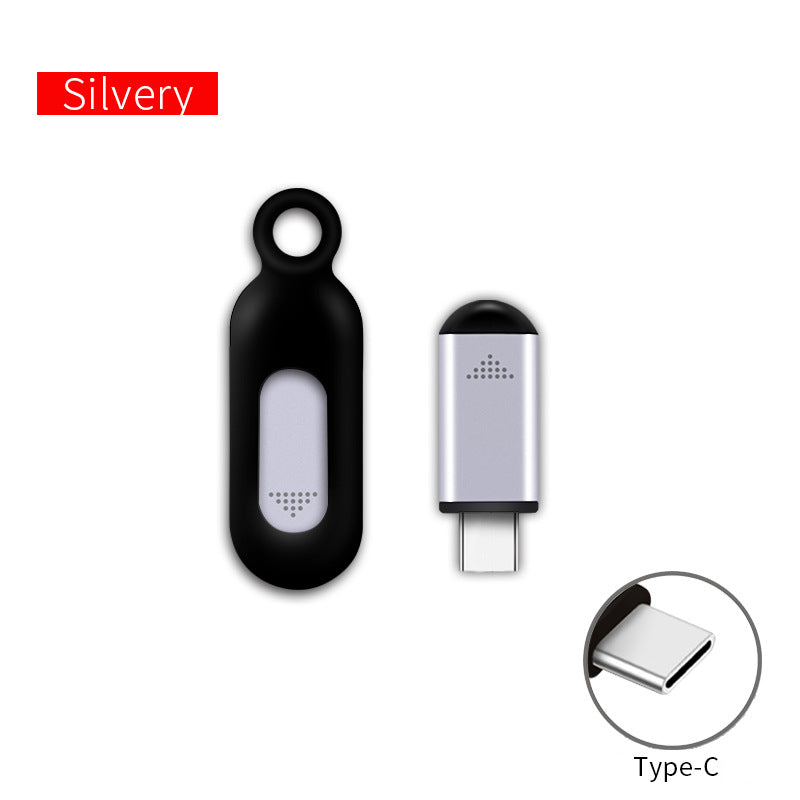
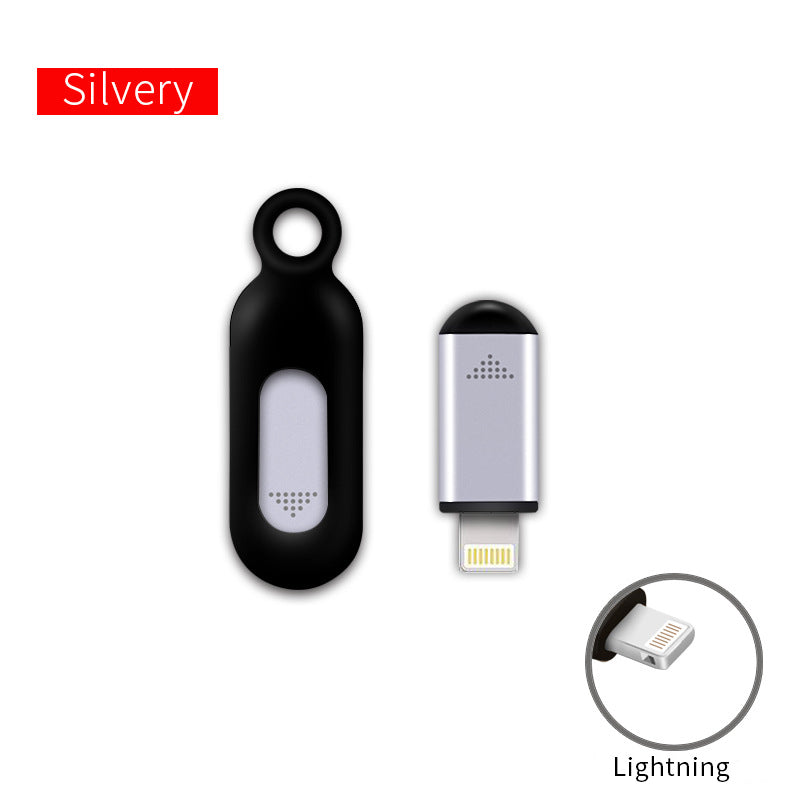
The rounded capsule body is compact and light, and the built-in loop threads straight onto a key ring. The remote travels with your keys to the front door, the office and the hotel room, not into a drawer.

The connector shell is metallic aluminium with a silver or gunmetal finish, and the matte body grips well in the hand. It feels firm, not hollow like the cheap plastic clip-ons that rattle on a ring.
Attach the connector to your phone's charging port. Use the Micro USB, Type-C or Lightning version that matches the port.
Launch the control screen on your phone and choose the device you want to control, such as the living room TV or the bedroom AC.
Aim the dot-grid window straight at the device with nothing in between, then press once. If nothing happens, try another device profile.
Compact capsule with built-in infrared emitter, dot-grid window and keyring loop
Detachable plug for Micro USB or Type-C phones, per the chosen variant

The TV remote slides between sofa cushions, and the spare you bought last time is nowhere to be found. Minutes go by before the screen finally comes on. The bedroom gets warm while you dig through the nightstand.

The BHOOA remote is small enough to sit on a keyring, and it plugs into your phone's charging port. Your phone becomes the interface while the infrared emitter does the signalling. Anyone who likes to keep things on a cord can also pair it with a phone strap.

Open the control screen, point the window at the TV, and press once. The living room answers from your pocket. Later, the same keys handle the bedroom AC, so the room is cool before you climb into bed.
| BHOOA keyring remote | Loose TV remote | Universal remote | |
|---|---|---|---|
| Stays on your keys | — | — | |
| Needs programming | — | — | |
| Controls TV and AC from one device | — | ||
| Runs from the phone you already carry | — | — |
It works with appliances that respond to a standard infrared remote. Most TVs and air conditioners sold with an IR handset do. Check that your device uses one before you buy, then test it with the phone.
The listing offers Micro USB and Type-C versions, and a Lightning option for Apple phones. Pick the variant that matches your charging port, then insert the connector straight and gently.
No. The remote sends infrared only, so it reaches devices that take IR commands. Smart plugs, speakers and lights that run on Wi-Fi or Bluetooth alone will not respond.
You need a phone app that opens an infrared control screen for the device. The remote itself has no buttons, so the phone is the interface for every command.
Plug the connector into the phone, open the control screen, choose your TV or AC profile, then point the dot-grid window at the device and press once to confirm it responds.
Yes. Keep it on your keys, connect it at arrival, and test the hotel TV or AC by pointing and pressing. Infrared needs a clear line of sight, so keep the window unobstructed.


 Phone IR Remote Control: One Pocket Remote for TV & AC