
$99.90
Free delivery · 7–14 days
Pure White Lace Front Bob Wig – Sleek Curly Style


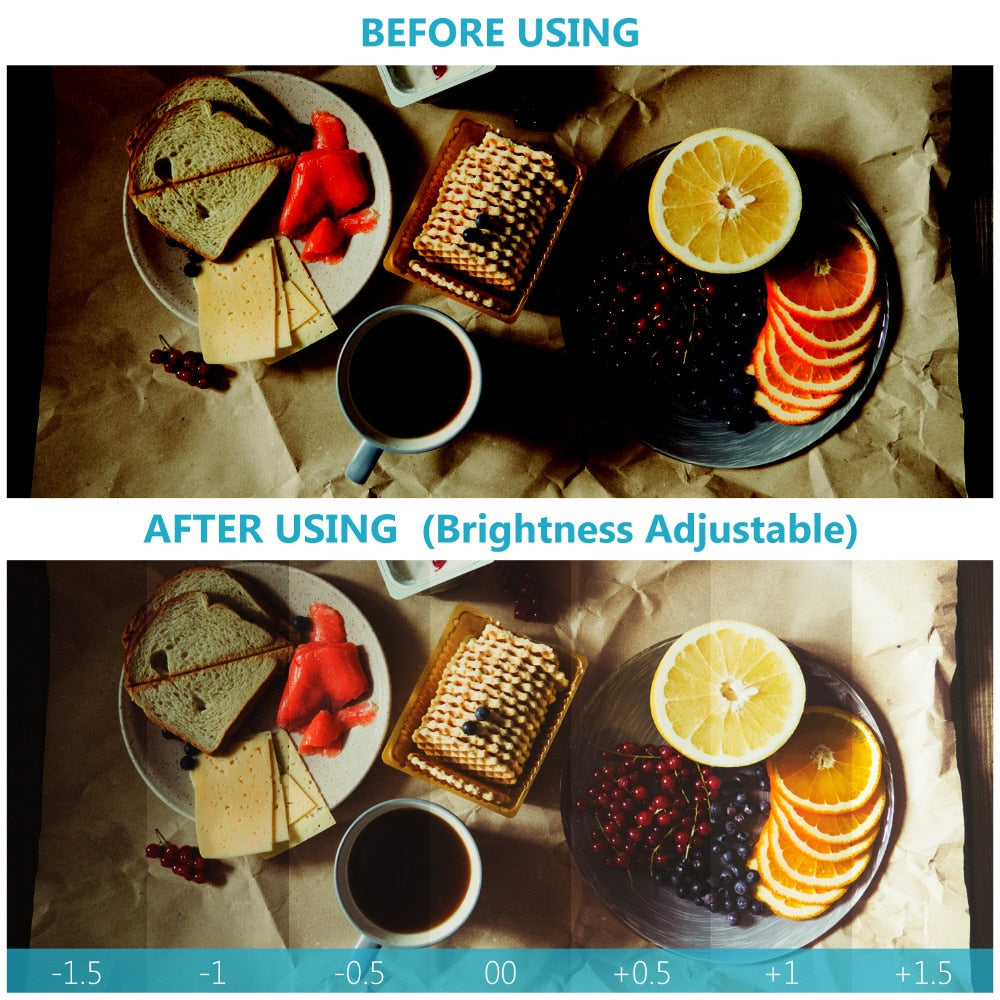

Dark, uneven close-ups turn into evenly lit, detailed frames once a 48-LED ring sits around the lens. The LCD controller sets brightness and one of four light modes, and four colour filters adjust the tint. Eight adapter rings cover most DSLR lens sizes from Canon, Nikon, Pentax, Olympus and Panasonic.
Read the full descriptionDark, uneven close-ups turn into evenly lit, detailed frames once a 48-LED ring sits around the lens. The LCD controller sets brightness and one of four light modes, and four colour filters adjust the tint. Eight adapter rings cover most DSLR lens sizes from Canon, Nikon, Pentax, Olympus and Panasonic.
Even, adjustable macro lighting for sharp close-up photos on most DSLR lenses
Dark, uneven macro shots with harsh hotspots turn into evenly lit, detailed close-ups once a 48-LED ring sits around your lens. Dial brightness and color to match the shot.
The 48 LEDs sit in a ring around the lens, so the subject gets light from every side at the same time. One-sided shadows and the hotspots from a single flash drop out of the frame.
The LCD controller handles brightness and mode from one place. Step between -1.5 and +1.5, then switch between left-flash, right-flash, full-flash and full light steady-on without touching the ring.
Eight adapter rings cover a range of lens sizes. Test each one on your lens before the first shoot, so you are not buying a separate ring for every lens you own.
Try the eight adapter rings on your lens until one sits snugly. Confirm the fit before you start shooting.
Fit the ring over the adapter, then mount the flash unit on the hot shoe bracket with the coiled cable routed clear of the lens.
Select left-flash, right-flash, full-flash or full light steady-on on the LCD controller.
Use the +/- exposure steps between -1.5 and +1.5. Start near the middle and adjust until the highlights hold detail.
Blue (9000K), yellow (3000K), white (5000K) and transparent (5500K) are available. Shoot with no filter first and add one only for a specific correction.
Matte black plastic ring with clear LED diffuser
Connects the ring to the hot shoe bracket
Mode, light, pilot and on/off buttons
Fit a range of lens sizes
Blue, yellow, white and transparent
Holds the flash unit on the camera body

You line up a close-up of a dessert or a bug on a leaf, press the shutter, and one side goes black. The built-in flash flattens the subject and blows out the highlights, so you end up reshooting the same frame five times.

The ring sits around the front of the lens and lights the subject from every side. Four modes let you pick left, right, full or steady light, and brightness steps from -1.5 to +1.5 let you set the exposure without moving the camera.

Set the mode, step the brightness, and the close-up comes out evenly lit on the first few tries. The blue, yellow, white and clear filters give you a choice of tint when a scene calls for one.
| This kit | Pop-up flash | Desk lamp | |
|---|---|---|---|
| Light wraps the lens evenly | — | — | |
| Works at macro distance | Partial | — | |
| Brightness in steps | Partial | Partial | |
| Colour temperature filters | — | — | |
| Adapter rings for lens sizes | — | — |
The kit includes eight adapter rings, so most common DSLR lens sizes are covered. Thread the adapters onto your lens one at a time and keep the one that seats snugly. The ring then attaches to that adapter.
No. The four colour filters are translucent rings that slide over the LED diffuser, so they do not screw onto the lens. Check the adapter fit first, then add a filter only when the scene needs a tint.
The ring is matte black plastic with a clear LED diffuser, so it is light to hold and easy to carry between shoots. Plastic keeps the weight down, though it does not feel like metal. Keep the coiled cable clear of the lens when you move the setup.
Blue is 9000K, yellow is 3000K, white is 5000K and transparent is 5500K. Lower numbers push the light warmer and higher numbers push it cooler, so pick the filter that matches the tint you want to add or cancel.
A pop-up flash lights one side and blows out small subjects, and a desk lamp adds colour casts. This kit puts 48 LEDs, four modes, eight adapter rings and four filters in one box, so you do not buy extra adapters or a light tent for each lens. If it saves a few reshoots a month, the cost per session drops fast.
Left-flash and right-flash light one side more strongly, which adds direction to small subjects. Full-flash fires the whole ring for quick shots, and full light steady-on gives constant light for longer setups and focusing.


 48 LED Macro Ring Flash with 8 Adapter Rings for DSLR