
$42.90
Free delivery · 7–14 days
SanDisk CZ33 USB Flash Drive 32GB, Flush-Fit Storage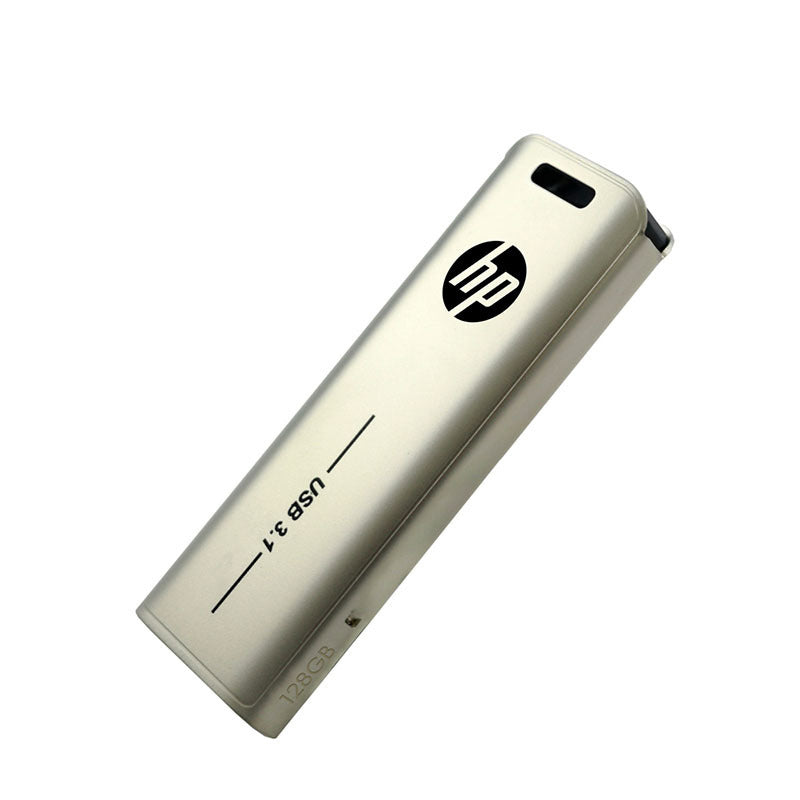


Carry 128GB of work without hunting for a lost cap. The connector slides into the brushed champagne metal body, so the plug stays clean between transfers. Built for daily moves between a work PC, a laptop, and a car or travel setup.
Read the full descriptionCarry 128GB of work without hunting for a lost cap. The connector slides into the brushed champagne metal body, so the plug stays clean between transfers. Built for daily moves between a work PC, a laptop, and a car or travel setup.
Fast USB 3.1 storage in a slim metal drive with a retractable connector
Before: loose caps, a scratched plug, and a stick you can't find when it counts. After: one slim metal drive that slides open, plugs in, and slides back shut.
The connector slides into the metal body, so there is no separate cap to misplace and no bare plug picking up lint in your bag. Slide it out, plug in, and slide it back when the transfer finishes.
128GB holds a full working set of documents, presentations, and photo folders. The brushed metal body is compact enough for a pocket or a pen cup.
The body is marked USB 3.1 and the plug is a standard USB type-A. It fits the USB-A ports on most desktops, laptops, and the USB-A port on a car charger, so no converter is needed.
Press the body gently and the black connector slides out with a firm, even motion.
Confirm the drive appears in your file manager, then copy the files you need.
Use safe eject before removing it, then slide the connector back into the body so it stays clean in your bag.
Wait for copies to finish, then use safe eject from your operating system.
Look for lint or grit before sliding it out, and wipe the plug with a dry cloth.
Fingerprints show on the brushed finish. A dry microfiber cloth clears them.
Keep it away from keys and coins so the champagne finish stays clean.
Yes, the body is marked USB 3.1. The blue contacts on the plug are the usual USB 3.0 type-A design, and that design works in older and newer USB-A ports. Real transfer speed depends on the port your computer uses, so a USB 3.1 port gets you the most out of it.
It uses a standard USB-A plug, and it is listed as compatible with the HP x796w. It also fits most desktops, laptops, and the USB-A port on a car charger. If a device has only USB-C ports, you will need an adapter.
You pay for the brushed metal body and a connector that stays inside the housing. A capped plastic stick that goes missing within weeks costs you more over a year than one drive that stays in the bag. One drive also replaces a drawer full of loose caps.
The slide is metal and feels solid rather than loose out of the box. Push gently and evenly, and check for grit before sliding it out. Forcing a stuck connector is the fastest way to damage the mechanism.
Keep it in a separate pocket or a small pouch. Keys and coins can scratch the brushed finish, and grit inside the connector causes more trouble than the metal does.


 128GB USB 3.1 Flash Drive with Retractable Metal Case