Joy-Con Charging Dock — 4-Slot Space-Saving Organizer with
Keep 4 Joy‑Cons always charged without a single messy cable
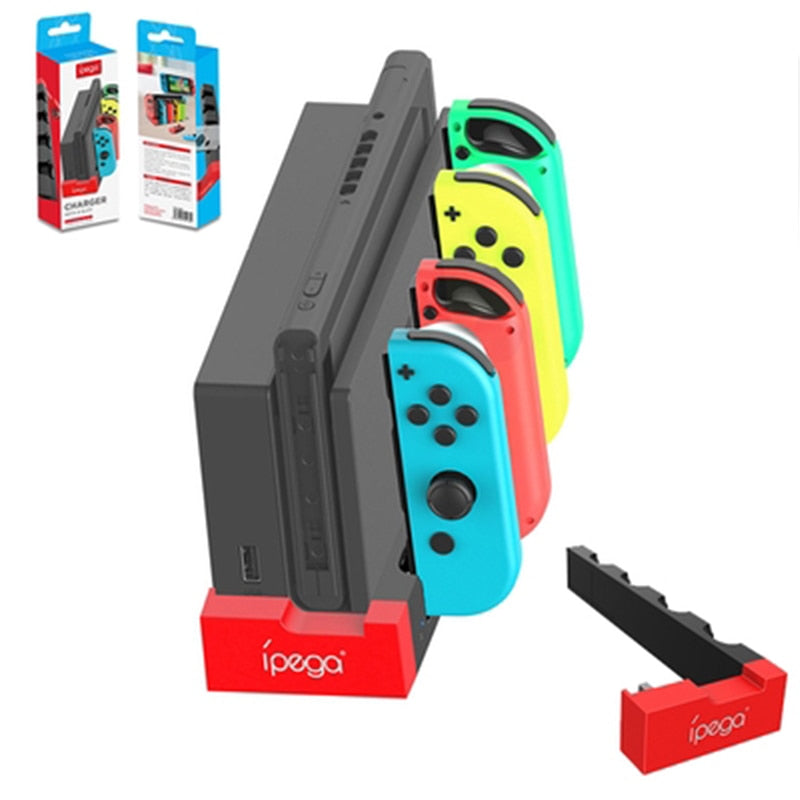
This compact dock sits right beside your Nintendo Switch, drawing power through the official dock and silently topping up every controller you own. No extra adapters, no dangling wires—just a tidy, color‑coded home that tells you exactly when each Joy‑Con is ready for the next round.

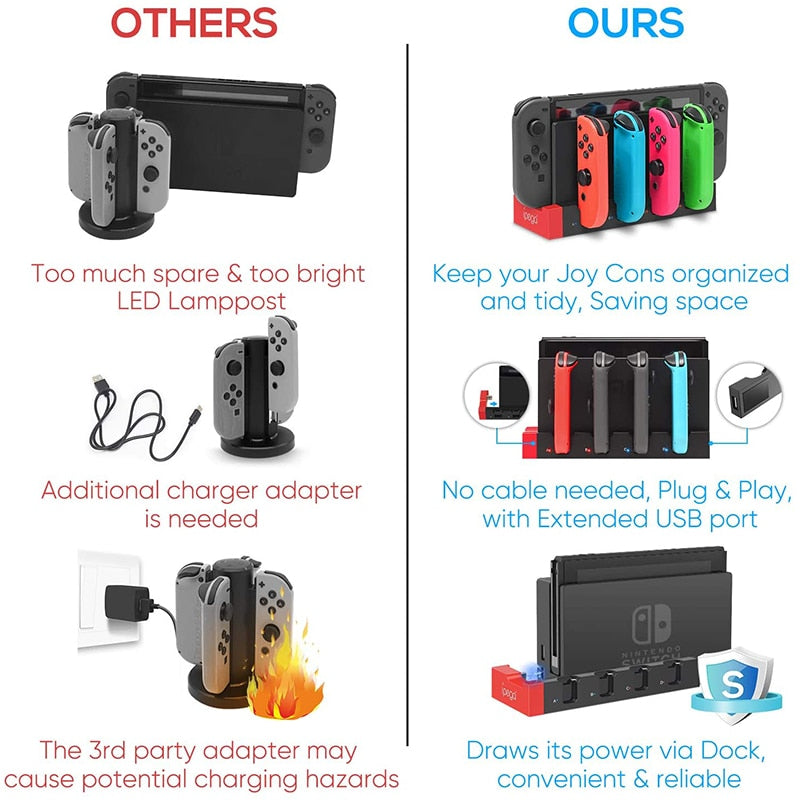
Three reasons this dock outperforms every other charger

Power drawn from the dock you already own
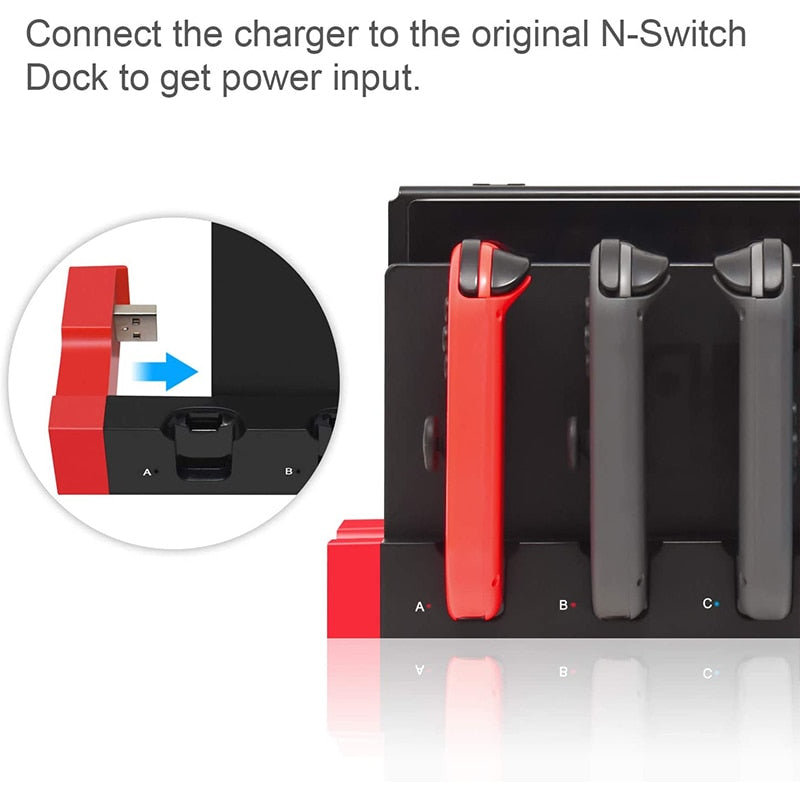
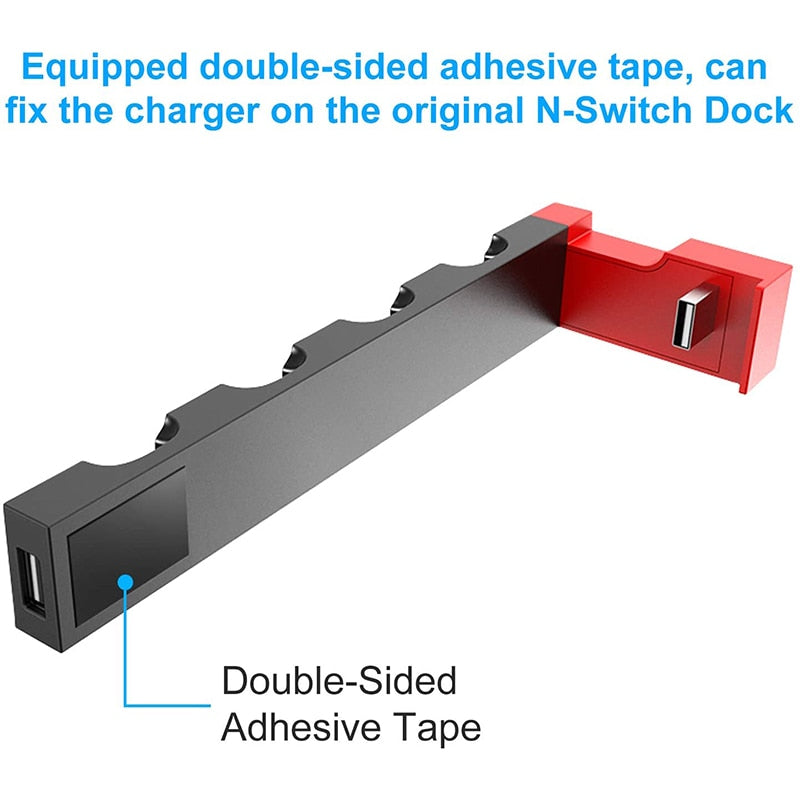
A single short USB cable connects the stand to your original Nintendo Switch dock. No separate power brick, no outlet hogging. The extended USB port on the front stays free, so you can still charge a Pro Controller or plug in a headset adapter while the Joy‑Cons top up.

Color‑coded charging that anyone can read
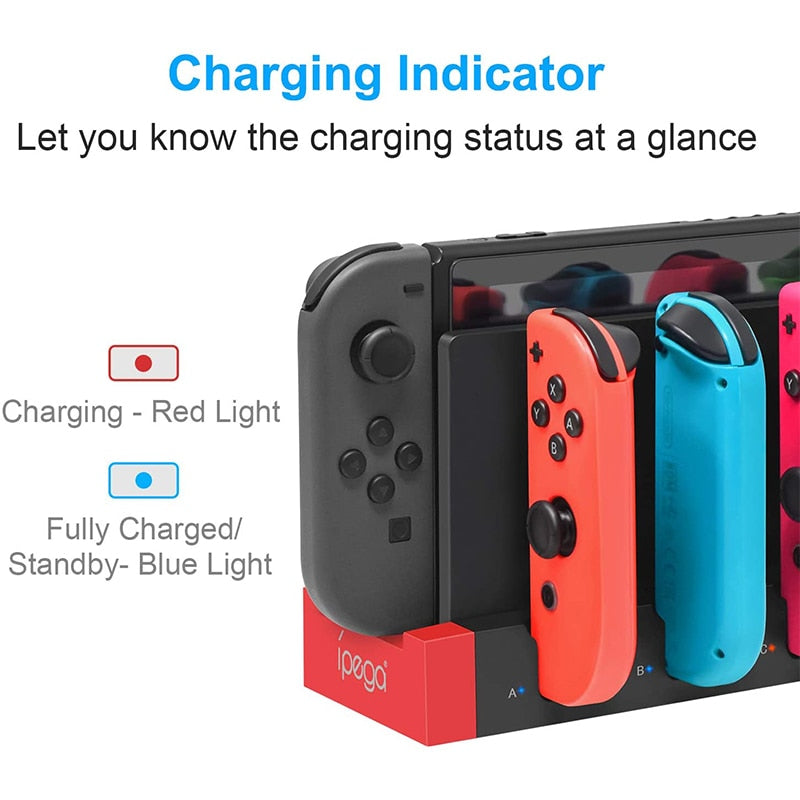
Each slot has its own independent LED. Red means still topping up, blue means 100% ready. Kids, partners, and guests can spot a charged controller in half a second—no app, no menu diving. The brightness is soft enough for a dark entertainment center.

A vertical stand that disappears into your setup
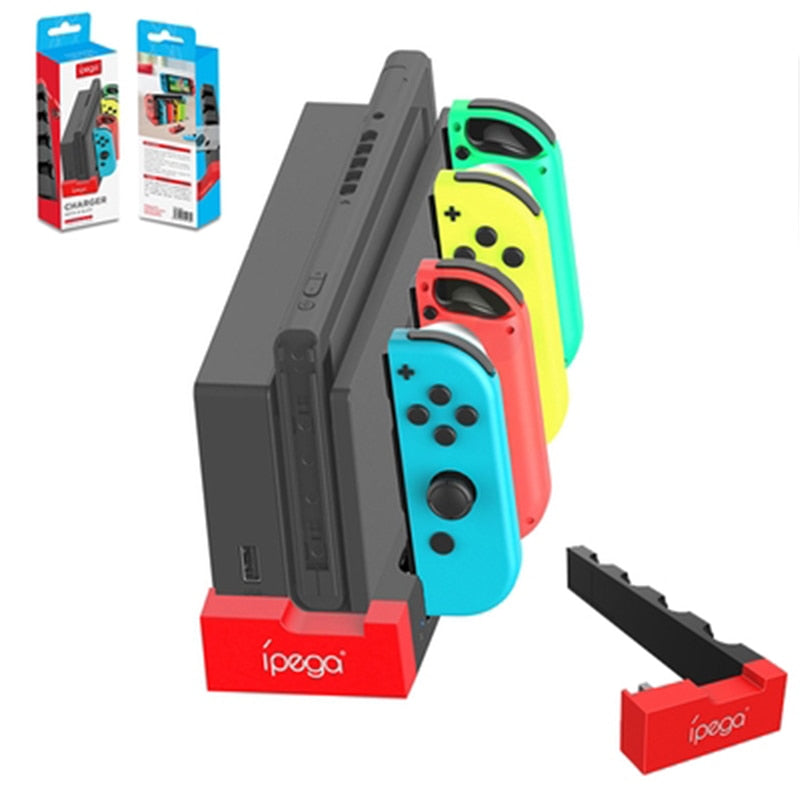
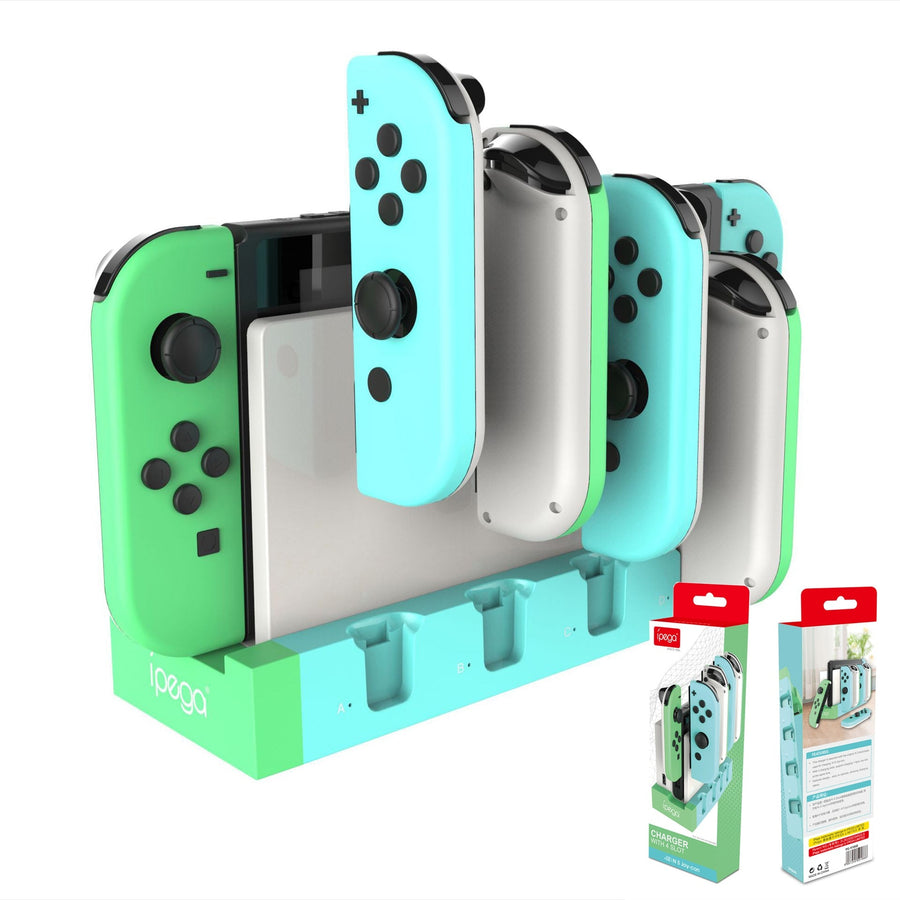
The slim, weighted base sits upright in about the same footprint as a smartphone. It holds up to four controllers without tipping. The matte black finish and subtle red base branding blend into any shelf, while the neon slot accents add a playful pop that matches Nintendo’s own hardware.
What Switch owners actually say
Finally stopped hunting for Joy‑Cons before Mario Kart. All four are always charged and the colour slots make it a dead giveaway for the kids to put them back.
Love that it pulls power from the Switch dock. No extra outlet used and the USB pass‑through on the front still works for my Pro Controller.
Tiny footprint. I have it right between the TV and the Switch dock, and the lights are soft enough not to distract during a movie.
The red‑to‑blue LED switch is genius. My 6‑year‑old knows blue means 'go'. This thing solved the 'dead controller at the worst possible time' problem for good.
Sturdy base, pushes back a little when docking but never feels like it will tip. Wish it could also charge a pro controller but for Joy‑Cons it’s perfect.
We have three Switch consoles in the house (don't ask). Bought one of these for the living room dock and the spaghetti of cables vanished overnight.
The neon slots actually match the official Joy‑Con colours. Looks like it came from Nintendo themselves.
Solid build, feels like ABS not cheap plastic. The USB cable is short but that’s fine—it’s meant to live right next to the dock.
Gave one to my nephew for his birthday. He texted me 'best gift ever' after a week—his previous charger was a rat’s nest of USB‑C cables.
Zero setup. Plugged into the dock USB, popped in the controllers, all four lit red, and within 2 hours I had four blue lights. Done.
Wish the USB port on the front was USB‑C, but I just plugged my old adapter into it for my wireless headset and it works fine.
After two months it’s become a permanent part of the entertainment unit. The matte black finish doesn’t attract fingerprints at all.
Set it up in under a minute
Connect the USB cable
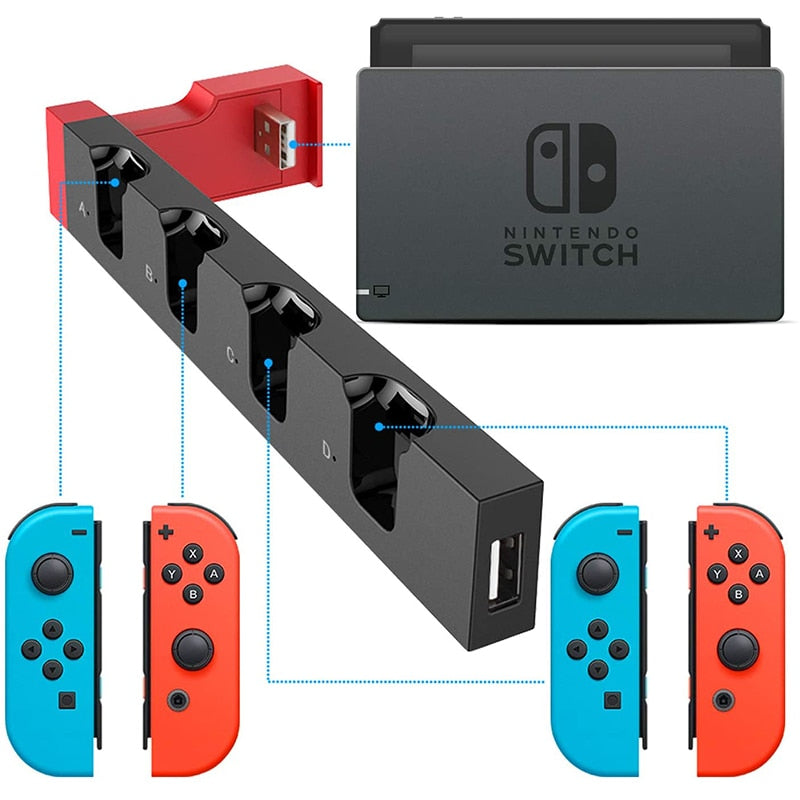
Plug the included USB cable into the back of the charging dock. The other end goes into any available USB port on your Nintendo Switch dock (the one that connects to your TV).
Position the dock
Set the stand directly next to the Switch dock, on the same shelf. The short cable keeps the area clean and the weighted base prevents accidental bumps.
Dock your Joy‑Cons
Slide each controller into its matching neon‑colored slot—red, blue, yellow, green. They click softly into place. A red LED lights up on that slot to confirm charging.
Wait for blue
Once a controller is fully charged, its LED changes to blue. You can still dock and un‑dock without harming the battery—the stand stops drawing power when full.
Quick facts about this dock
Why this one beats the rest
| This DockBEST | Cheap USB Hub | LED Lamp Post | |
|---|---|---|---|
| Charges up to 4 Joy‑Cons | ✓ | ✓ | ✓ |
| No extra AC adapter needed | ✓ | ✗ | ✗ |
| Per‑slot LED status | ✓ | ✗ | ✓ |
| Compact vertical footprint | ✓ | Partial | ✗ |
| USB pass‑through port | ✓ | ✗ | ✗ |
| Cable clutter | None | Cable mess | Dangling wires |
| Safe dock‑powered regulation | ✓ | ✗ | Partial |
Everything you get
From controller chaos to a clean, player‑ready setup

The old way was a tangle of wires and forgotten batteries
Ask any multi‑player household: Joy‑Cons scatter between couch cushions, behind TVs, and into drawers where they slowly drain. Old‑school chargers come with their own power bricks, need a free outlet, and turn your media stand into a cable jungle. A single dead controller can kill a game night before it starts.
We designed a dock that borrows power, not space
Instead of another wall wart, this stand plugs directly into the one thing already on your shelf—the Nintendo Switch dock. The hidden USB cable snakes out the back, so the front stays clean. Four vibrantly color‑coded slots hold each controller at a slight angle; it looks like a display piece, not a forgotten gadget.
Now every controller has a home you can read in a glance
Set a Joy‑Con into its matching slot, and a red LED confirms charging. The light flips to blue when that controller is full. No guessing, no swapping. When someone grabs a Joy‑Con and runs, you know it has juice. You also know exactly where to put it back—so the dock becomes a habit, not a chore.
About this item
Tired of dead Joy‑Cons ruining game night? This compact vertical dock charges up to four controllers at once using power from your existing Nintendo Switch dock—no extra cables, no outlet fights. It b
Space-saving 4-controller charging dock that eliminates cable clutter and uses existing N-Switch dock power
- Disorganized Joy-Con controllers scattered around
- Multiple cables and chargers needed
- Bulky LED lamppost-style chargers taking up space
- Safety concerns with third-party adapters