USB Condenser Mic — Studio Sound for Streaming & Podcasting
Studio sound, plug-and-play simple
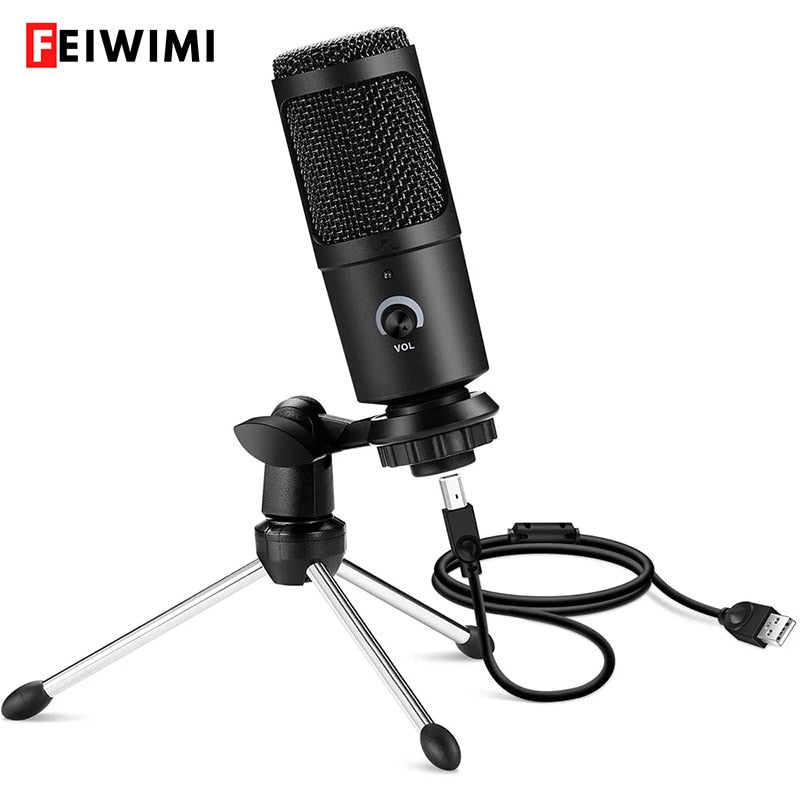
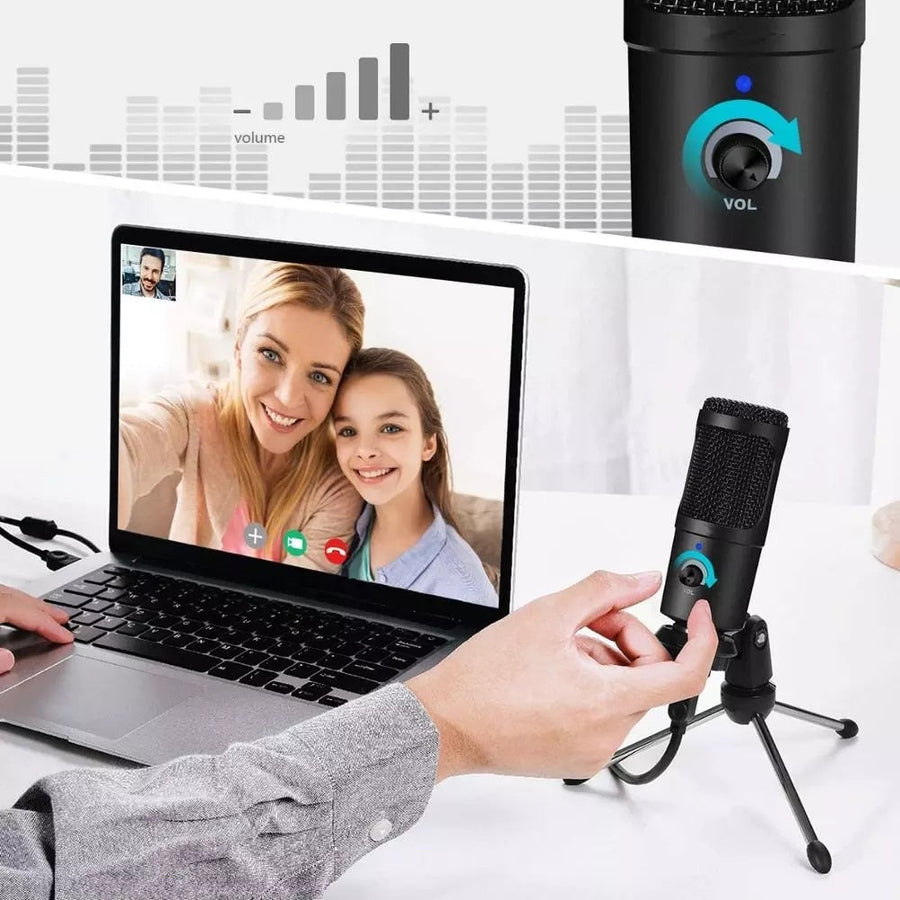
Swap muddy laptop audio for rich, detailed capture that makes every stream, song, or call sound like you’re in the room. One USB cable, zero drivers, instant professional presence.

Three things you’ll notice immediately
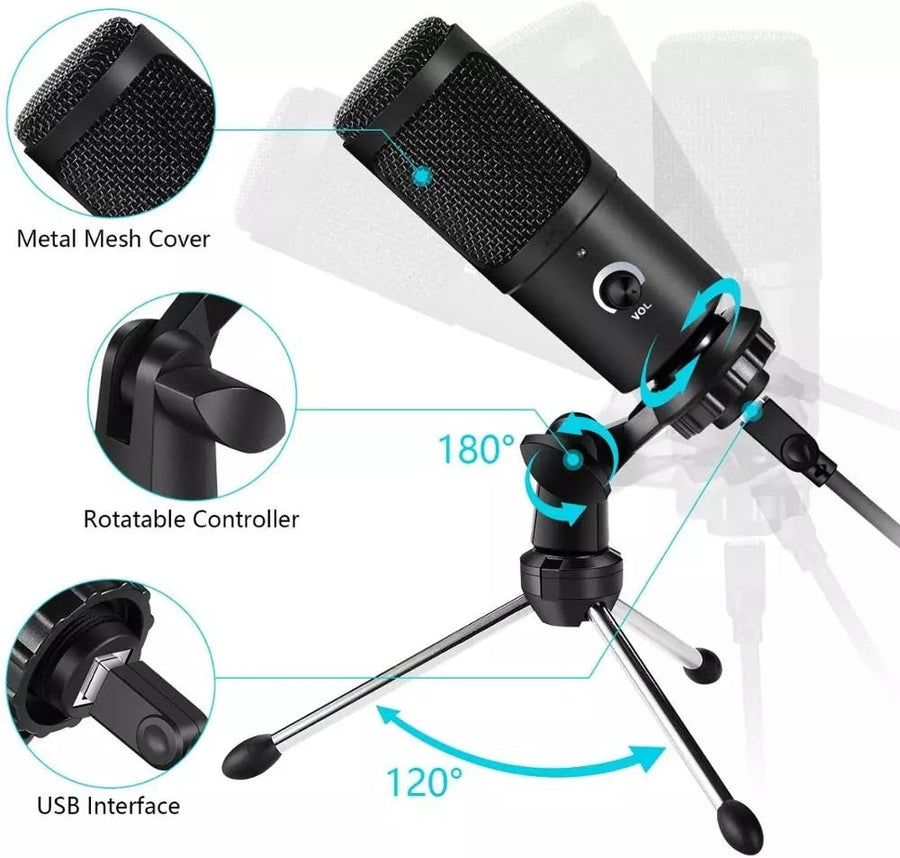
Every detail serves a purpose—from the metal mesh that protects the capsule to the rotation that puts the mic exactly where you want it.

180° rotatable head
Tilt and swivel the microphone on its mount to capture exactly your voice, not the keyboard. The rotation is smooth and stays where you set it—no drooping mid-session.

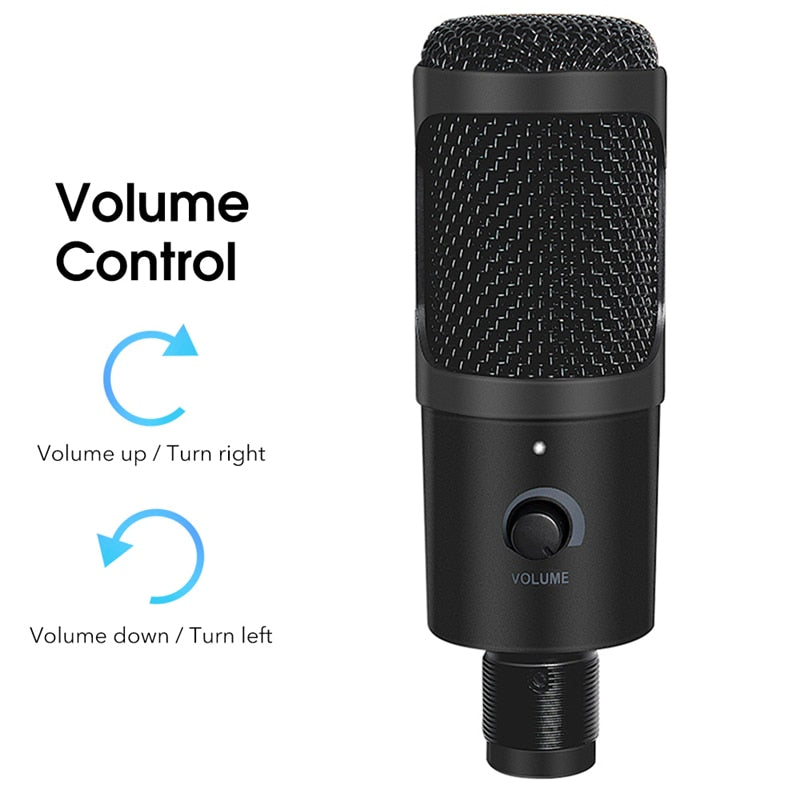
Real‑time volume control
No alt-tabbing to software. Twist right to raise the mic gain, left to lower it. Adjust on the fly while you’re live, without your audience ever noticing.

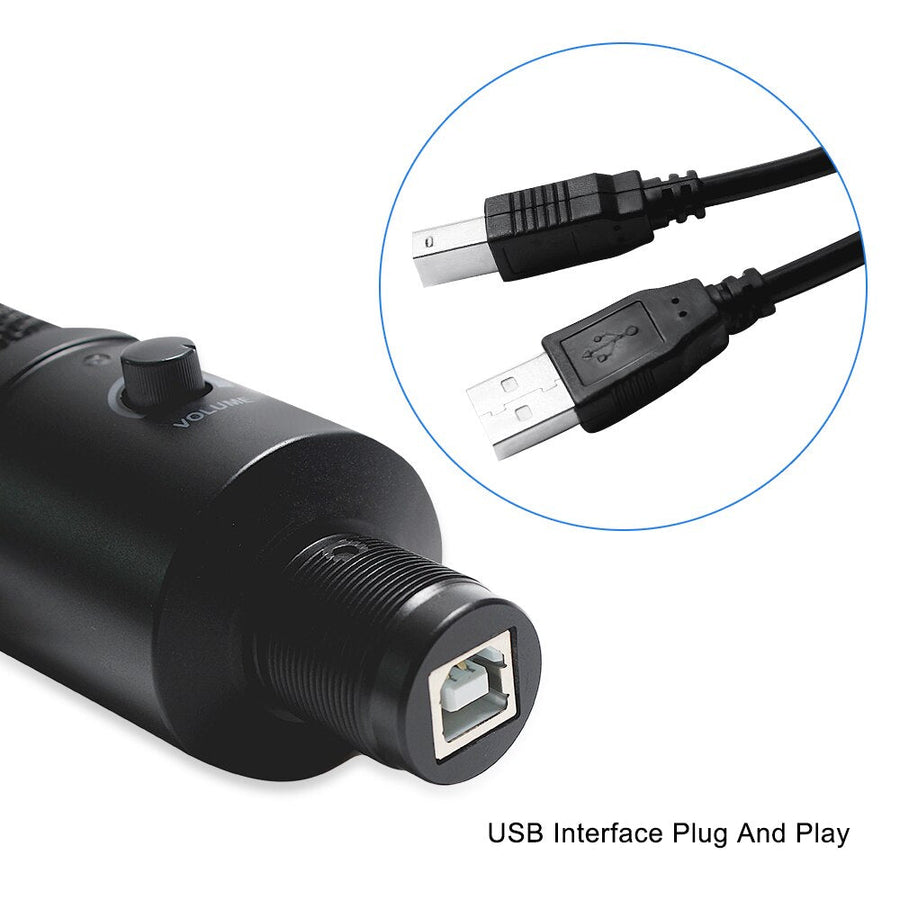
Plug‑and‑play USB
The standard USB interface works with Windows, macOS, and any modern laptop or PC. No phantom power, no audio interface—just plug the cable into your computer and start recording.
What streamers say
From late-night gamers to morning podcasters. Here’s what changed for them.
My viewers noticed the difference right away. The mic picks up zero keyboard clatter—I don’t even use a noise gate.
Solid build for the price. The volume knob is a lifesaver during live Q&As. Only wish the USB cable were a bit longer.
I run a small podcast from my dorm room. This mic makes my voice sound broadcast‑ready—no pop filter needed.
Plugged it into my MacBook and was live on Twitch in two minutes. The tripod feels stable, even on a wobbly desk.
I sing covers on YouTube and the audio quality is a huge step up from my old headset mic. Clean highs, no distortion.
Good for gaming and Discord. My friends say I sound like a radio host now. Setting up was literally just plug in.
The rotation is smooth and stays put. I angle it away when I take a sip and it doesn’t flop back.
Used it for an online interview—the panel complimented the sound. For the money, it’s unbeatable.
Metal mesh feels premium. No plastic rattle. I’ve knocked it over twice and it still sounds perfect.
Your first stream with the mic
No drivers, no setup wizard. Just these steps.
Unbox and assemble
Screw the microphone onto the tripod mount, spread the legs, and place it on your desk.
Connect the USB cable
Plug the USB‑B end into the microphone and the USB‑A end into your computer. Wait a few seconds for it to be recognised.
Select it as your input
In your streaming software, game chat, or system settings, choose “USB Microphone” as the input device.
Adjust the position
Rotate the mic head toward your mouth, about 15–20 cm away. The 180° mount lets you find the sweet spot without moving the stand.
Set your level
Twist the volume knob until your voice peaks around –12 dB in your audio monitor. Done.
Specs that matter
Simple but not basic—every figure here means a smoother session for you.
Why this, not that?
When you see it next to built‑in laptop audio and a cheap headset mic, the choice gets obvious.
| This MicBEST | Laptop Built‑in | Budget Headset | |
|---|---|---|---|
| Audio clarity | ✓ | ✗ | ✗ |
| Background noise rejection | ✓ | ✗ | Partial |
| Metal construction | ✓ | ✗ | ✗ |
| On‑mic volume control | ✓ | ✗ | ✗ |
| 180° rotation | ✓ | ✗ | ✗ |
| Plug‑and‑play USB | ✓ | ✓ | ✗ |
| Lasts more than 6 months | ✓ | ✓ | ✗ |
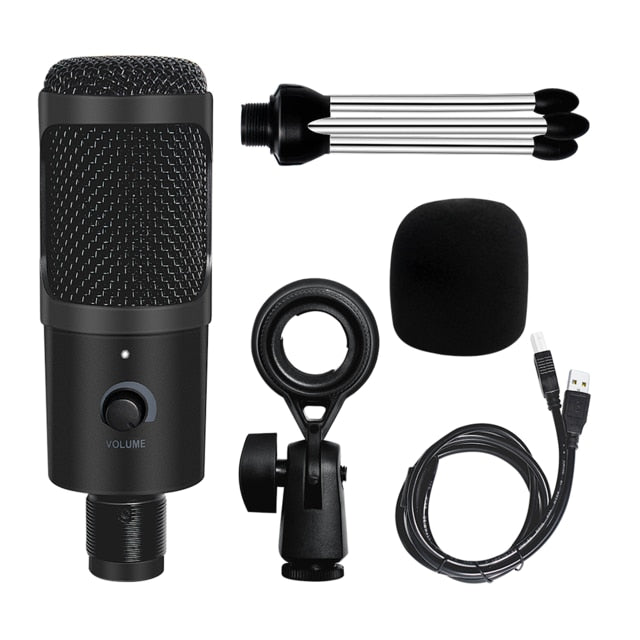
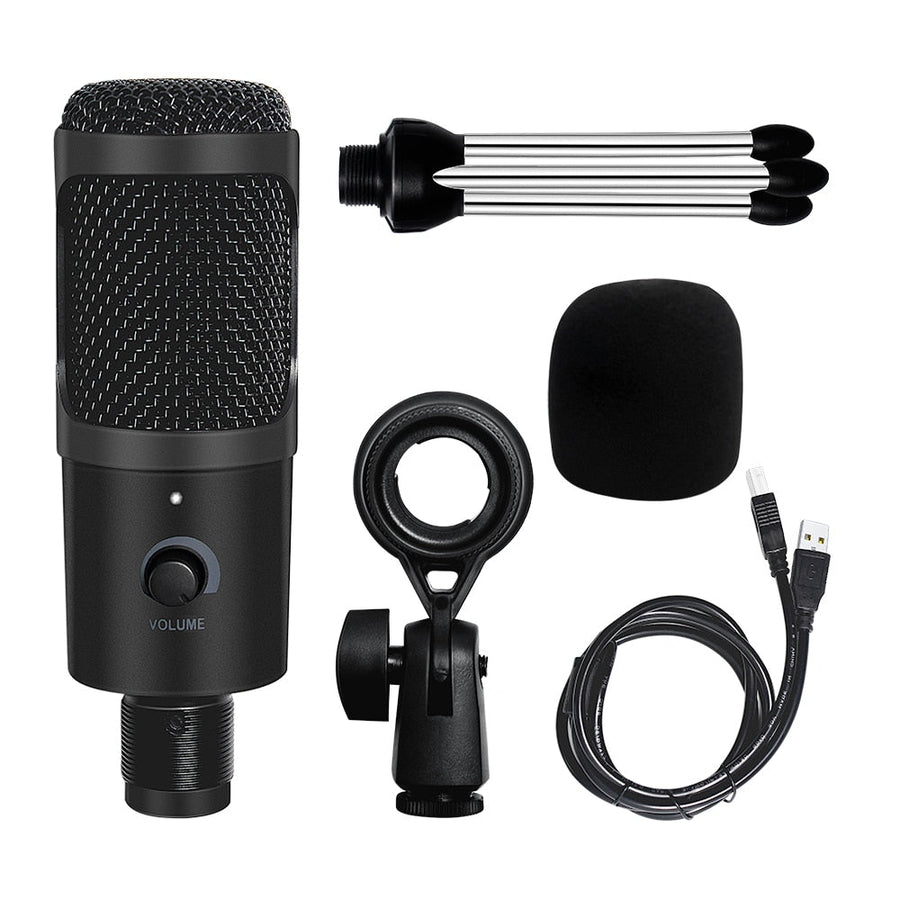
Your podcast starter kit
Four pieces to go from box to broadcast.
How a tiny upgrade changed everything
No one watches a stream for the background hiss. The moment you hear your voice through a real microphone, you realize what you’ve been missing.
Good content, bad audio
You’ve got the lighting, the backdrop, the personality—but your built-in laptop mic makes you sound like you’re underwater. Muffled words, keyboard clatter, and that hollow tin-can effect kill the vibe fast.
One plug, instant clarity
This USB condenser microphone doesn’t ask you to install drivers or fiddle with interfaces. Plug it into any PC or laptop, rotate the mic head to the perfect angle, and suddenly your voice has weight, warmth, and presence.
From bedroom to broadcast
Viewers start commenting on the audio quality. Your singing takes on new expression. Podcast edits get faster because you’re not scrubbing noise. The jump from amateur to pro? It sounds exactly like this.
About this item
Replace tinny laptop audio with rich, broadcast-ready voice. Plug‑and‑play USB condenser microphone with 180° rotation and at‑hand volume control for streaming, gaming, and recording.
Professional-grade USB condenser microphone ready to use—plug into PC and start recording or streaming instantly
- Poor audio quality in streaming and gaming
- Difficult setup and compatibility issues
- Inflexible mic positioning
- No volume control at hand
Quick answers before you buy
Real questions from people like you.